Incognition
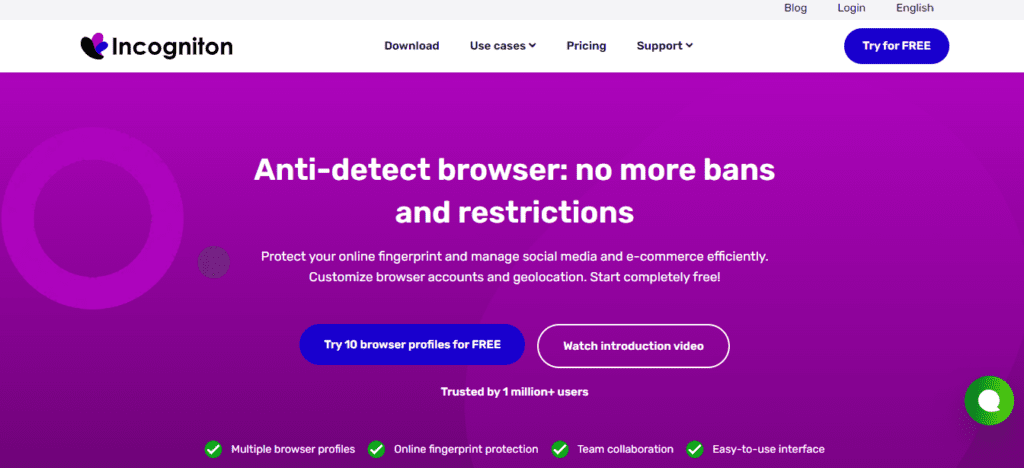
Incogniton is an advanced antidetect browser that helps users protect their online fingerprint and efficiently manage multiple accounts, particularly for social media, e-commerce, and affiliate marketing. By enabling customization of browser fingerprints and geolocation, it allows users to bypass restrictions, avoid bans, and maintain anonymity online.
The browser features a user-friendly interface, making it easy to switch between profiles and automate browsing tasks. Security is a priority, with built-in encryption and privacy measures to safeguard sensitive data, while regular updates ensure users benefit from the latest advancements in online privacy technology.
Whether for personal or business use, Incogniton provides a comprehensive solution for navigating the digital landscape securely and productively.
Key Features
Browser Fingerprint Customization
Incogniton lets you fully control your browser’s digital fingerprint, including:
- Device model and operating system. Incogniton allows you to emulate a wide range of device models (e.g., iPhone 15, Samsung Galaxy S24, MacBook Pro) and operating systems (Windows 10/11, macOS Sonoma, Android 14, iOS 17). This helps you mimic different hardware and software environments, making each browser profile appear as if it’s running on a distinct physical device.
- Browser version and language settings. You can customize the browser type (Chrome, Firefox, Edge, Safari) and version (e.g., Chrome 120, Firefox 115) to match specific user profiles. Additionally, you can set the browser language and locale (e.g., en-US, de-DE, ru-RU), which is critical for avoiding detection by websites that analyze language settings for consistency.
- Timezone, screen resolution, and installed plugins. Incogniton lets you adjust the timezone (e.g., UTC+3 for Moscow, UTC-5 for New York) to align with the geographic location of your virtual profile. You can also modify the screen resolution (e.g., 1920×1080, 1366×768) and installed plugins (e.g., Adobe Flash, PDF viewers, extensions), ensuring each profile has a unique digital fingerprint that matches real-world user configurations.
- Audio and video capabilities. You can configure audio and video capabilities, such as supported codecs (H.264, VP9), WebRTC settings, and device permissions (microphone, camera access). This prevents websites from detecting inconsistencies or automated behavior, as many fingerprinting scripts analyze media capabilities to identify bots or multi-accounting.
This level of customization ensures that each browser profile appears unique, reducing the risk of detection or bans.
Multi-Account Management
Ideal for marketers, affiliate managers, and e-commerce professionals, Incogniton allows you to:
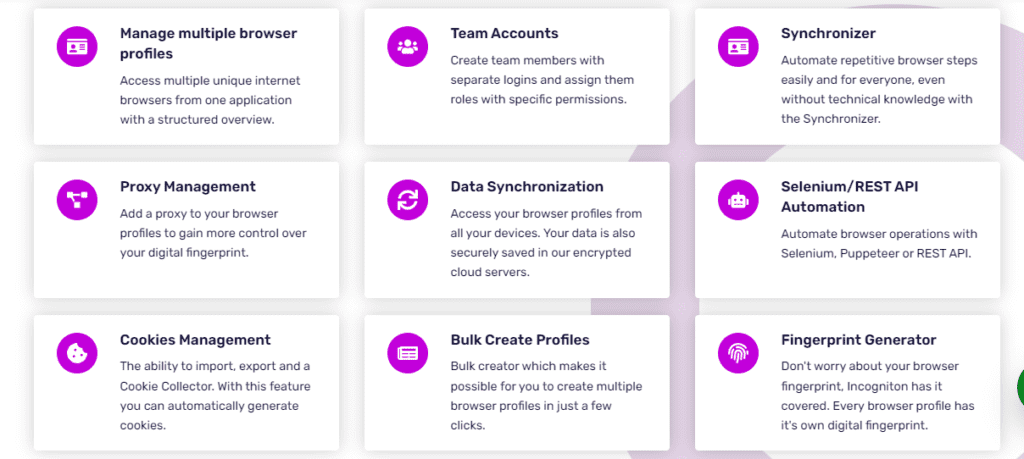
- Create and manage multiple isolated browser profiles
- Use different proxies for each profile to prevent linking
- Synchronize profiles across devices and collaborate with team members
Proxy Integration
By integrating proxies into your browser profiles, Incogniton hides your real IP address, making your online activities anonymous and secure. This is essential for avoiding IP-based restrictions and maintaining account integrity. Additionally, using residential, datacenter, or mobile proxies allows you to simulate connections from different geographic locations, further enhancing the authenticity of each profile. This layer of anonymity is crucial for tasks like web scraping, multi-account management, or accessing geo-restricted content without triggering security alerts.
Cross-Device Access
Incogniton profiles are accessible from any device. Simply log in to your account, and your browser sessions will sync automatically, allowing seamless switching between devices. This cloud-based synchronization means you can start a task on your desktop and continue it on your laptop or mobile device without losing progress or configuration. It’s ideal for teams or individuals who need consistent access to their profiles across multiple locations or devices.
Team Collaboration
With Incogniton’s team functionality, you can invite colleagues to work on the same browser profiles, making it perfect for agencies and teams managing multiple accounts. This collaborative access ensures everyone stays synchronized, reducing errors and streamlining workflows for tasks like social media management, e-commerce operations, or market research. It also allows for role-based permissions, so you can control who can view, edit, or manage specific profiles.
Trial and Pricing
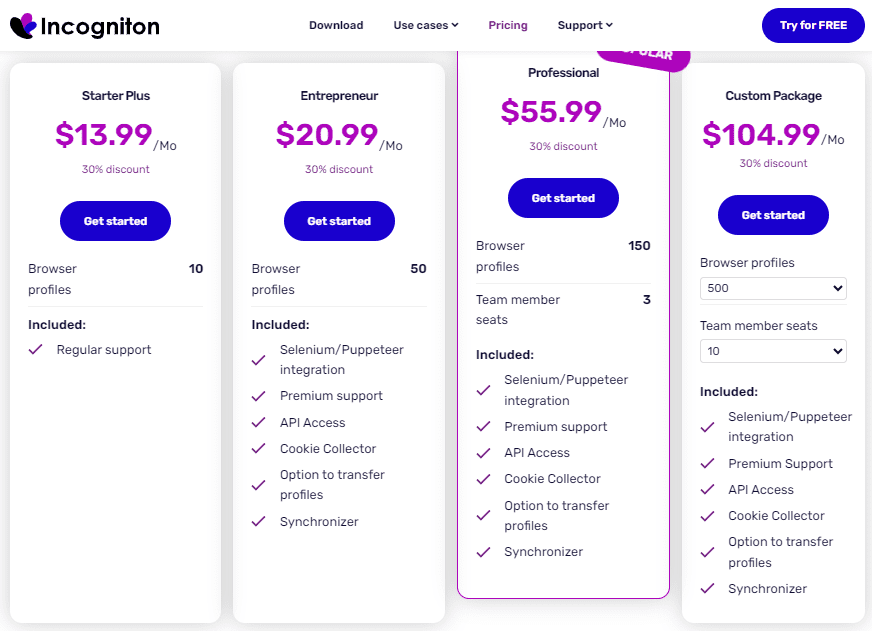
Incogniton offers a free starter package with 10 browser profiles, allowing users to experience its core features. Paid plans unlock mor fuctionalities:
Why Choose Incogniton?
Trusted by over 1 million users, Incogniton stands out for its user-friendly interface, robust privacy features, and flexibility. Whether you’re a marketer, entrepreneur, or privacy-conscious user, Incogniton provides the tools you need to stay anonymous and efficient online.
The platform’s advanced automation options streamline repetitive tasks, saving valuable time and enhancing productivity. Users can customize their browsing experience with a variety of extensions and themes to suit their preferences. Additionally, Incogniton’s dedicated support team is available to assist with any technical issues, ensuring a smooth experience. Regular updates and new features keep the software competitive and aligned with user needs.