

Advertisment is everywhere! You can open any site and be bombarded with ads popping up here and there. Ads make our Internet experience very unpleasant, but it is more and more of them every month! What can we do abour it? Well, adblockers come to mind. Recently, we’ve discussed adblockers for YouTube, but what about blocking ads while simply using Chrome? In this article we’ll break down the best adblock chrome extensions, discuss their features and differences.
What is Google Manifest V3 and how does it affect Chrome adblockers?
Manifest V3 is Google Chrome’s newest extension framework, and it introduces a limit of 30,000 rules per extension.
While that number may sound generous, it’s highly restrictive for ad blockers, that can use thousands of rules to effectively block a wide range of ads and trackers.
As a result, Manifest V3–based extensions will offer reduced functionality and weaker ad-blocking coverage. Ad blockers will need to either adapt to Manifest V3, move to standalone desktop applications, or encourage users to switch to browsers that still support more powerful blocking methods.
With this limit, many chrome extensions stoped working. For example, uBlock Origing is no longer avaliable, as it used about 300 000 rules.
Testing Adblock Chrome Extensions
We’ve asked people on Reddit for recomendations on Chrome browsers extensions to test! Many users offered to switch to Firefox, but fortunately, there were people kind enough to tell about Chrome extensions they use. Here is the list of the most noticable adblock Сhrome extensions tested.
uBlock Origin Lite
Easily the most recommended browser extension. In Chrome web store it has 4.5 stars, wich is pretty good for a popular app. uBlock Origin Lite is an alternative to uBlock Origin that works smothly after the manifest.
Reviews Overview
In positive comments users praise its seamless integration and immediate effectiveness in blocking ads, trackers, and miners right after installation.
Many appreciate faster page loads and low resource usage. Reviewers also note it blocks YouTube ads well and provides real-time tracker insights, making browsing smoother on older hardware.
On the downside, some criticize the default “Optimal” mode as less effective than “Complete,” leading to suboptimal ad blocking without manual tweaks (e.g., 96/100 vs. original’s 100/100). Occasional issues include blocking essential site elements or display glitches on certain pages.
Our Experience
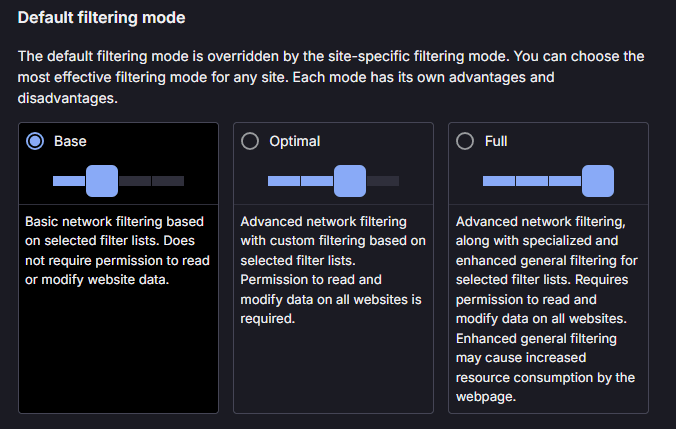
ublock Origin Lite provides users with three different filtering modes, that you can easily switch for any site, wich is very convinient. You can quickly disable or relax blocking on a specific website from the toolbar icon if something breaks.
As expected, the extension started blocking ads as soon as it was installed, wich is great. The extension proved succesfull when it came to the sites like PCmag or sites with recepies, that are always flooded with ads.
The desing of the extension is very lightweight and simple, wich is a good thing.
However, there were slips when using Base and Optimal types of filtrations when it came to YouTube — “Promoted” banners were still there. And using Full type of filtration really resource consumption.
AdGuard
AdGuard is very popular adblocker extension among users and the raiting of 4.7 stars out of 5, wich is exellent, shows it. It seems that the app was working before the manifest and still works now!
Reviews Overview
Users praise the extension for exellent blocking of video ads on YouTube and Facebook, pop-ups, banners, trackers, and malware sites comprehensively, often outperforming competitors.
Users also highlight seamless multi-device support, quick customer service, and evasion of YouTube detection compared to alternatives like uBlock Origin.
However, some ads or trackers occasionally slip through, especially error monitoring or on certain sites and broad permissions raise minor concerns for privacy-focused users, despite no data selling declarations.
Our Experience
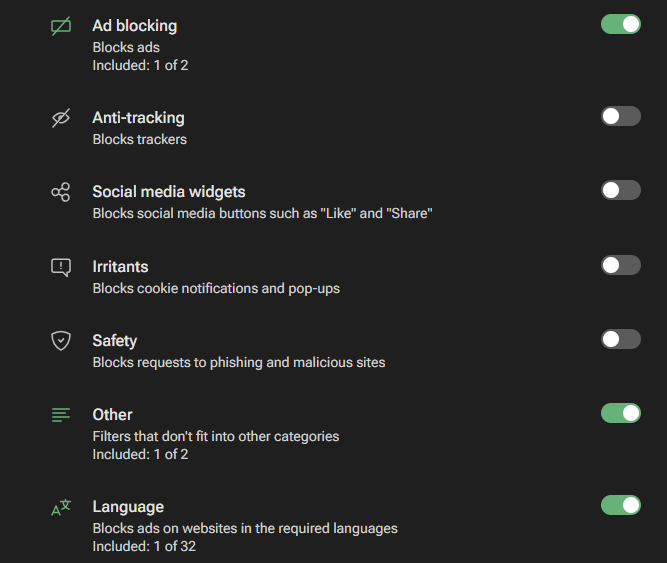
AdGuard has multiple interesting features. You can not only block anoying ads, but also block social media widgets and trackers.
All in all, AdGurad works flawlessly with YouTube and any site on the Internet. However, there are some downsides to it.
For example, AdGuard will recommend to download their app rather then continue with the extension. AdGuard claims that compared to the app, extensions tracking protection and customisation posibilities are rather average.
Total Adblock
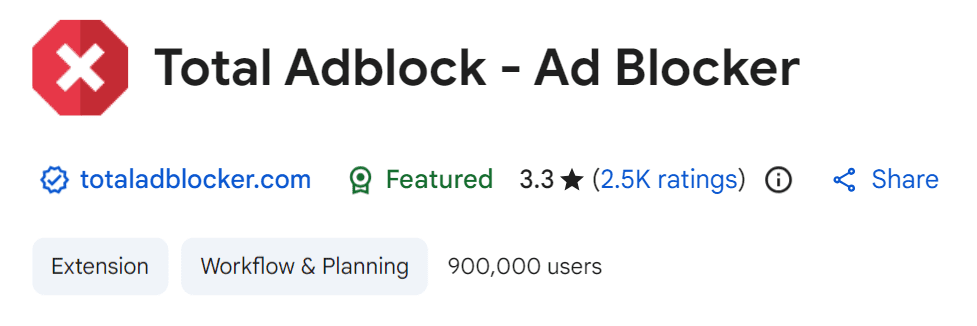
Total Adblock is also pretty popular adblock extension among users, despite it’s avarage raitng of 3.3 stars in Chrome web store. Let’s explore why people choose it.
Reviews Overview
Users mention, that the extension proved effective at blocking banners, pop‑ups, in‑page and YouTube ads, often scoring 100/100 in synthetic tests like AdBlock Tester.
Noticeably cleaner, faster browsing with fewer trackers and intrusive notifications, which many Trustpilot reviewers describe as “immediate relief from unwanted ads.”
Negative comments mention that free tier is heavily limited; many reviewers note that “not all ads are blocked” unless you pay, which feels misleading to some who expect full blocking for free.
Our Experience
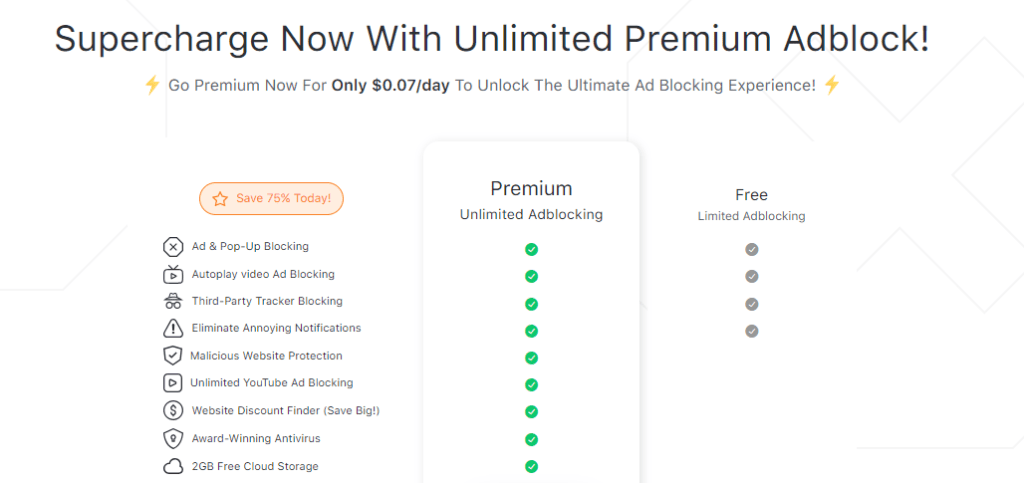
First thing that happens after installing the extension is redirection to the small servey about ads. After you finish it, you will be recommended to purchase the premium version of the adblock.
It seems that in free plan, you’ll have no malisious website protection and limited YouTube ads blocking, which is unpleasant, compared to complitely free adblockers.
Though, the extension desing is very convinient: you can esily switch languages, ask for technical support or manage custom filtration without being redirected to another site.
Overall, we had a great expirence on every site. That’s unfortunate that it is limited.
Ghostery
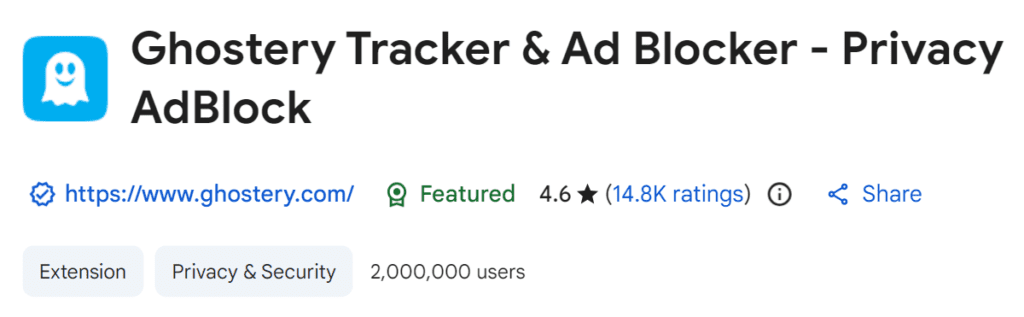
Ghostery is a free and open source adblocker developed in 2017 and working under the new Google manifestation. The raiting is good and overall perception seems to be positive.
Reviews Overview
Reviews describe Ghostery as an excellent free privacy‑oriented blocker that significantly cleans pages, speeds up loading, and reduces tracking, especially on Chrome.
Many people mention that they moved to Ghostery after uBlock Origin died, because it has simmilar feautures and passes all the adblock tests.
The main trade‑offs users and testers mention are the lack of system‑wide protection, some occasional slip-offs, and a learning curve in the more advanced analytics and setting.
Our Experience
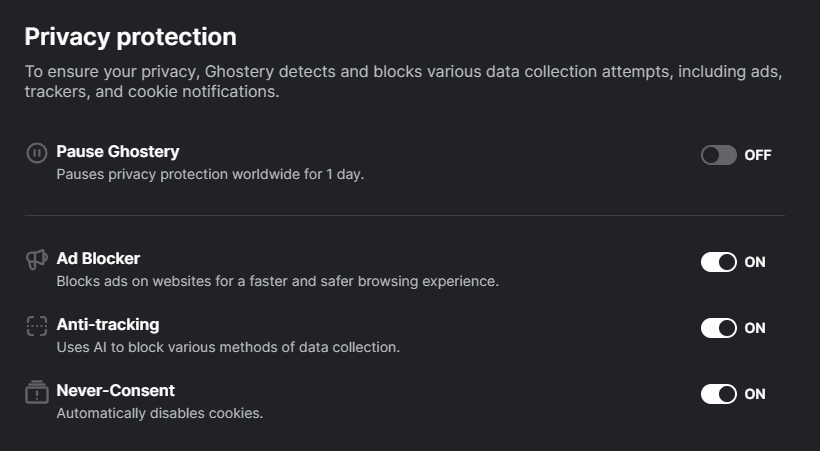
We’ve really enjoyed Ghostery, because it succesfully bloced al the pop-ups and YouTube ads, like the Internet were cleared of advertisement complitely.
There were also unic features like Never-Consent feature, that disables cookies. You can also try experimental filters, if you interested!
However, when switch on/off features, youl’be redirected to the setting page to do it, which is a little inconvenient. Actually, most of the settings are out of extension and situated on this setting page.
Pie Adblock
Last, but not least — Pie Adblock. With rating of 4.9 stras, it has overwhelmingly positive perception and some interesting features.
Reviews Overview
Many comments mention, that this extension works fast even with YouTube and Twich. The Twich is particularly important, because blocking ads always were extemely difficult.
Users love the strong real‑world ad blocking plus rewards and UX.
However, more technical reviewers are cautious about only “moderate” lab‑measured protection and lingering questions about transparency and long‑term trust.
Our Experience
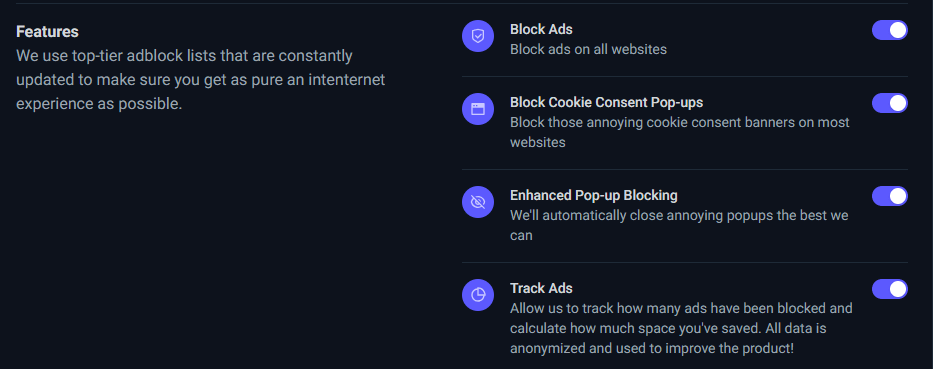
We’ve tested this adblocker on YouTube, Twich and some other sites. The results were greate — no ads of any type were noticed, even on Twich.
There is no new or unique features, but all the necessary ones are present, wich is good.
On the downside, the extension is very minimalistic and to manage literally any settings, you have to be redirected to another site. In the extension the only thing you can do is switching on/off the adblocker. That’s it.
Quick Comparison
| Adblocker | Rating (Chrome) | Manifest V3 support | YouTube & heavy sites | Customization in extension | Main downside |
|---|---|---|---|---|---|
| uBlock Origin Lite | 4.5 / 5 | Yes (MV3) | Blocks well; some YouTube promos in lighter modes; strong on heavy sites | 3 per‑site modes; quick on/off per site | Full mode uses more resources; lighter modes less effective |
| AdGuard | 4.7 / 5 | Yes | Works flawlessly on YouTube and most sites | Extra filters (social, trackers) | Pushes desktop app; extension less powerful than app |
| Total Adblock | 3.3 / 5 | Yes | Very effective when paid; free has limited YT blocking | Convenient in‑extension settings | Free tier heavily limited; strong upsell to premium |
| Ghostery | 4.6/5 | Yes | Blocks YT and pop‑ups well | Advanced filters, Never‑Consent | Many settings on external page; slightly higher learning curve |
| Pie Adblock | 4.9 / 5 | Yes | Excellent on YouTube and Twitch | Simple on/off only | Most settings on website; transparency concerns for some users |
Final Top 5 Adblock Chrome Extensions
With all that said, here is our top 5 adblock Chrome extensions (from best to worst):
- uBlock Origin Lite
Best balance of privacy, efficiency, and control: very strong blocking out of the box, three easy per‑site modes, and lightweight design; only real drawback is that the most aggressive mode uses more resources. - AdGuard
Extremely effective on YouTube and general browsing, with extra filters for trackers and social widgets; slightly behind uBO Lite mainly because it pushes the separate app and the extension is less customizable than the full suite. - Ghostery
Excellent free privacy‑oriented blocker that cleans pages well and adds unique features like Never‑Consent, but some settings living on an external page and a bit of a learning curve keep it from the top two. - Pie Adblock
Fantastic real‑world ad blocking (even on Twitch) and very high user ratings, yet its ultra‑minimal in‑extension controls and ongoing transparency/trust questions put it below the more established privacy tools. - Total Adblock
Technically very capable and easy to use with great in‑extension controls, but a weak free tier, heavy upsell to premium, and limited YouTube blocking unless you pay make it the least attractive option overall.
Conclusion
Despite the new Google manifestation, there are still good Chrome extensions that can effectively block ads and keep browsing smooth. uBlock Origin Lite and AdGuard show that well‑maintained projects can adapt to stricter rules without sacrificing too much power or usability. Ghostery and Pie Adblock prove that users can still choose between strict privacy tools and more experimental, reward‑driven solutions. Even Total Adblock, with its controversial free tier, demonstrates that there is demand for simple, polished adblockers that “just work” for non‑technical users.
Frequently Asked Questions
What is the best AdBlocker for 2026?
There isn’t one universally “best” blocker, but top picks in 2026 are uBlock Origin (or uBlock Origin Lite on Chromium), Ghostery, and paid bundles like Total Adblock or NordVPN Threat Protection, depending on how much privacy and extra features you want. For most users who value free, lightweight, and powerful filtering, uBlock Origin remains a leading choice on supported browsers
Are there any adblockers that still work on Chrome?
Yes, several extensions still work on Chrome under Manifest V3, including uBlock Origin Lite, Adblock Plus, Ghostery, Guardio, and vendor add‑on blockers from VPN suites like NordVPN and Surfshark. However, classic uBlock Origin is being phased out on Chrome because of Manifest V3 limits, so functionality can be reduced or broken compared to Firefox or other browsers.
What adblock works on YouTube 2025?
YouTube’s anti‑adblock measures broke many older or free extensions, but services like Total Adblock, Surfshark CleanWeb, and some VPN‑bundled blockers still reliably remove pre‑roll and mid‑roll YouTube ads as of late 2025/early 2026. uBlock Origin (and good filter lists) can still work well on some browsers, though users report more frequent cat‑and‑mouse breakages on Chrome in particular.
Does the FBI recommend using adblock?
There is no public, formal FBI endorsement of a specific ad blocker, but U.S. government and law‑enforcement cyber advisories consistently warn about malvertising and recommend limiting exposure to third‑party ads and trackers as a security best practice (e.g., via script‑blocking, safer browsers, or content filters). This means using a reputable ad blocker aligns with typical defensive guidance, even if the FBI doesn’t name products.
What to replace AdBlock with?
If you’re leaving the AdBlock/Adblock Plus ecosystem, strong alternatives include uBlock Origin (or Lite on Chrome), AdBlocker Ultimate, Ghostery, and privacy‑focused browsers like Brave or Avast Secure Browser with built‑in blocking. Your best replacement depends on your browser: Firefox users get full uBlock Origin, while Chrome users may prefer uBlock Origin Lite, Ghostery, or a hardened browser like Brave.
Can I still use uBlock Origin on Chrome?
Standard uBlock Origin is increasingly unsupported on Chrome because Google’s Manifest V3 rules restrict the powerful blocking APIs it relies on. You can still use uBlock Origin Lite (a redesigned MV3‑compatible version), but it’s less powerful than full uBO on Firefox or other engines.
Why is my AdBlock not blocking everything?
Common reasons are: YouTube and some sites actively detect and circumvent blockers, filter lists are outdated or incomplete, or your extension is limited by Manifest V3 (on Chrome), so some network requests can’t be fully intercepted. Also, acceptable‑ads style settings, whitelists, or conflicting extensions (VPNs, other blockers, security suites) can let certain ads or sponsored elements through.
How do I permanently block all ads?
You can’t realistically block all ads forever, because sites constantly change tactics and some platforms (like YouTube) treat aggressive blocking as misuse and update their defenses. Your best strategy is layers: a privacy‑focused browser (Brave/Avast Secure Browser), a strong blocker (uBlock Origin, Ghostery, Total Adblock, etc.), regular filter‑list updates, and possibly DNS‑ or router‑level blocking for your whole network
Is YouTube banning AdBlock users?
YouTube has rolled out warnings, temporary playback blocking, and “enable ads or whitelist us” messages for users detected with blockers, but full account bans are not commonly reported in public documentation as of 2025–2026. The platform is clearly escalating anti‑adblock measures though, so using an undetected or app‑based blocker (like Total Adblock’s app flow) has become more important.
Is there a 100% free ad blocker?
Yes, several powerful blockers are completely free, including uBlock Origin, AdBlock, Adblock Plus, Privacy Badger, and Ghostery’s core extension. The trade‑off is that some free tools allow “acceptable ads” by default or struggle more with YouTube and Manifest V3, while many paid options add extras like VPNs, AV, and better YouTube reliability.