

It is not possible to bypass CAPTCHA human verification directly and it is not necessary. The correct way to “bypass” is not to hack, but to eliminate the reason why the system decided that you were a bot: clear cookies, enable JavaScript, change the network, or use a trusted browser.
CAPTCHA Human Verification is a system designed to distinguish real users from automated scripts. In fact, she asks one question: “Prove that you are human.” Its goal is simple, to protect websites from fake registrations, automated bots and phishing attacks.
Today, CAPTCHA is found literally everywhere – at the entrance to online stores, social networks, government services or banking systems. It has become a digital filter that filters out suspicious traffic and helps maintain platform security.
However, many people are faced with the fact that even “normal” users have a check. The reasons are simple: monotonous actions, a shared IP address, disabled cookies, or a VPN with a dirty IP pool.
CAPTCHA is not a barrier, but a protection. And you can only really get around it legally: by fixing your settings, restoring your traffic reputation, and showing that you really are a person. This is not only secure, but also helps to make the internet less chaotic and more honest. Be sure to check out our top 10 CAPTCHA Solvers article.
Why CAPTCHA Human Verification Appears
If a CAPTCHA appears too often, it’s not necessarily a mistake. The system simply signals: “something in your traffic looks suspicious.”
The most common causes are:
- Suspicious activity. Too many requests from one IP address or strange patterns of behavior (for example, dozens of clicks per second).
- VPN, proxy or TOR. Some sites automatically require human verification if they see anonymous or shared IP addresses.
- Disabled cookies or JavaScript. CAPTCHA will not be able to check your session correctly without these elements.
- Incorrect date or time zone. A discrepancy between the system time and the server causes the verification to fail.
- Unusual devices or browsers. For example, anti-detection profiles without a history of visits can also arouse suspicion.
How to distinguish a random check from a lock:
- If a CAPTCHA appears only once, it’s just an activity check.
- If each login requires human verification, the site “does not trust” your IP or device.
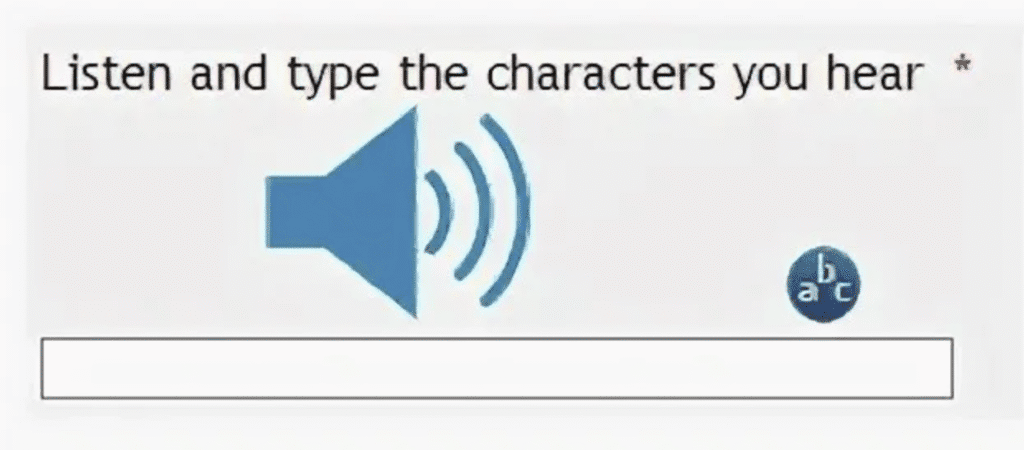
Even a real user can be subject to verification if they use a VPN or refresh the page frequently. CAPTCHA human verification is not a verdict, but an indicator: the server doubts that there is a person in front of it, and suggests making sure otherwise.
Legal Ways To Fix CAPTCHA Issues
If CAPTCHA human verification appears all the time, this is a signal that the security system considers your traffic suspicious. The situation can be fixed in completely legal and safe ways, without resorting to “detours”.
Step-by-step solutions:
- Enable JavaScript and cookies. CAPTCHA will not be able to confirm your “human activity” if the browser blocks scripts.
- Disable AdBlock or script blockers. Extensions that block website elements often break CAPTCHA scripts.
- Change the network. Try switching from Wi-Fi to mobile Internet or vice versa, sometimes your IP is temporarily included in the “gray list”.
- Clear the cache and cookies. Old session data may cause verification failures.
- Check the date and region. CAPTCHA often depends on time synchronization between your device and the server.
- Contact the website support. If the CAPTCHA appears even during normal use, it is possible that your IP has been mistakenly marked as suspicious.
Tip: the problem is almost always solved in the browser, and not “on the side” of the site. CAPTCHA reacts to technical inconsistencies, not to the users themselves.
Developer And QA Solutions
For developers and testers, CAPTCHA human verification can be a real obstacle when working with forms, APIs, and automation. But this is solved not by “bypassing”, but by properly configuring the environment.
Basic recommendations:
- Use the official API and sandbox modes. Most services (Google reCAPTCHA, hCaptcha, etc.) offer test keys for secure checks.
- Configure the IP whitelist. Add your team’s IP addresses to the trusted list so that CAPTCHA does not interfere with the tests.
- Work with real browsers. When automating (Selenium, Puppeteer), it is important to run JS rendering, otherwise the site “does not see” human behavior.
- Do not use CAPTCHA bypass services. They not only violate the rules, but can also lead to the blocking of accounts or IP addresses.
- Get affiliate access. For enterprise solutions, you can request developer access to test the service without restrictions.
CAPTCHA is not the enemy of the developer. When the environment is configured correctly, it ceases to be a barrier and becomes part of a secure test process.
Bypass CAPTCHA Human Verification With Accessibility And Ethics
CAPTCHA human verification is a useful protection tool, but not always friendly. For users with visual, motor, or hearing impairments, passing the check can be a real challenge. Especially if it’s based on visual tasks like “select all traffic lights” or “enter text from an image.”
The main difficulties:
- Visual CAPTCHAS are not available for people with poor eyesight.
- Audio versions are often distorted and poorly perceived.
- Some sites do not provide alternatives at all, violating the Accessibility Standards (WCAG).
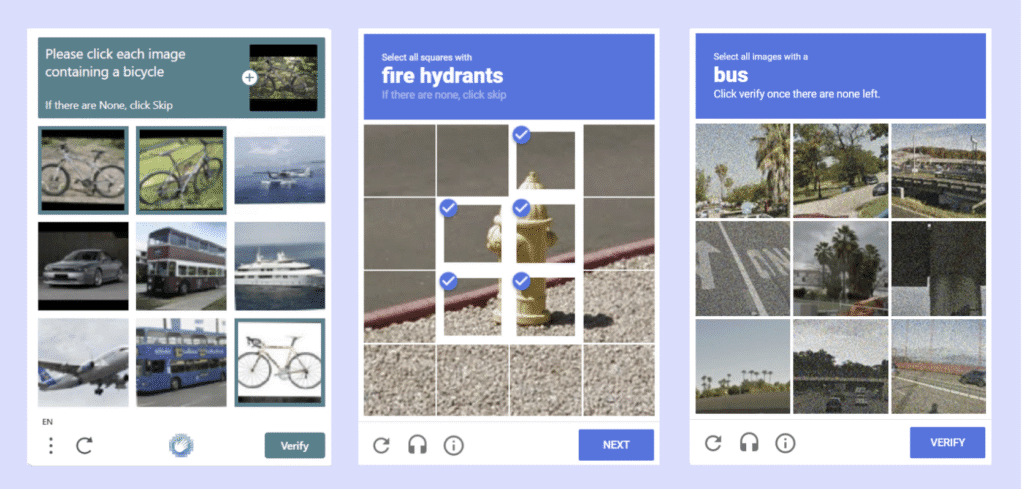
Official decisions:
- Use audio CAPTCHA, many platforms (such as Google reCAPTCHA) offer an audio alternative.
- The reCAPTCHA Accessibility platform allows you to request a simplified verification option.
- If necessary, you can contact the site owner via the feedback form and request access manually.
Any circumvention of CAPTCHA human verification must be official and agreed upon. Attempting to “hack” the system for the sake of convenience is a violation of security and privacy policy. The goal is not to circumvent, but to provide equal access to all users. A very popular CAPTCHA is RECAPTCHA from google – check out what is RECAPTCHA in our article.
How To Bypass CAPTCHA Human Verification With Best Tools
When a CAPTCHA appears too often, the problem is not always with the site itself, it is often caused by technical factors: a suspicious IP address, non-standard browser fingerprints, or behavior similar to automation. In such cases, tools that make the connection more “human” help.
NodeMaven, high-quality VPN, and Multilogin are three examples of solutions that do not bypass CAPTCHA, but rather prevent it from being triggered excessively.
- NodeMaven provides traffic from real mobile and residential IP addresses, creating a natural digital footprint.
- VPN helps to encrypt traffic, change the region and clean up the “tainted” IP pool.
- Multilogin isolates browser profiles, eliminating fingerprint matches, which often cause sites to activate CAPTCHA human verification.
These tools are used legally – in testing, QA, analytics, and marketing, and help maintain stable, plausible connections without unnecessary checks. The main thing is to apply them responsibly and within the framework of a security policy.

| Tool / Service | Main Function | Key Benefit | Ideal Use Case | Ethical Limitation |
|---|---|---|---|---|
| NodeMaven | Mobile & residential proxy | Realistic IP footprint from carrier networks | QA testing, geo-based ad validation | Do not use for mass automation or spam |
| VPN (Premium) | Encrypted tunnel & IP change | Safe region switch, hides shared network issues | Secure browsing, region-based access | Avoid cheap/free VPNs often blacklisted |
| Multilogin | Browser fingerprint isolation | Unique, human-like browser profiles | Managing multiple sessions/accounts | Must not be used to mask fraudulent activity |
NodeMaven
NodeMaven is an example of a mobile/resident proxy provider that issues IP addresses belonging to the operators’ real subscriber networks (3G/4G/5G). Unlike data center IP addresses, such addresses “look” like the traffic of ordinary mobile network users.
Why does this reduce the number of CAPTCHA human verification
Anti-fraud systems focus on the “plausibility” of traffic. If requests come from a mass data center or from an IP that is detected in bot activity, the system often presents a captcha. Mobile proxies create a more “human” imprint: the operator’s network, IP allocation, session behavior, all this reduces the likelihood of automatic checks.
Key features that people pay attention to
- IP source: Real SIM cards / mobile operators.
- Type of rotation: static sessions (fixed IP for the duration of the session) vs dynamic rotation (IP changes).
- Geotargeting: selecting a country/city/operator.
- API and management: REST/API for auto-suggestion and rotation.
- Metrics: latency, throughput, success rate for specific purposes (scraping, verification, tests).
- 4G/5G support: affects speed and stability.
Positive
- High traffic likelihood, fewer false positives.
- Suitable for geo-sensitive tasks (local tests, checking advertisements).
- Flexible session rotation and control via API.
Limitations and risks
- More expensive than data center proxies.
- Incorrect or massive usage may cause complaints from operators and lead to blocking of target services.
- Some sites still detect anomalies by behavior (not just by IP).
When to use
- QA and local experience testing.
- Validation of ad impressions and regional restrictions.
- Scenarios where a “human” network profile is needed.
VPN
A VPN creates an encrypted tunnel between you and the provider’s server, substituting the external IP of this server as the address of the request to the site.
Why does a VPN sometimes reduce captchas?
If your local IP is in a dirty pool or your network is noticeably abnormal, switching to a stable, reputable VPN server can “clean up” the visible IP and remove suspicion. This is especially true when a VPN has dedicated IP addresses or a good pool of clean addresses.
Key parameters of a good VPN
- Reputation and log policy: no-logs and transparency.
- Dedicated IP capability: less sharing/less suspicion.
- Leak-protection (DNS/IP leak prevention) and kill switch.
- Many locations and high-quality network (low latency, stability).
- Clients for all platforms and easy integration.
Positive
- An easy way to change the visible IP.
- A good VPN provides encryption and privacy for traffic.
- Often convenient for regular users and travelers.
Limitations and risks
- Most popular VPNs use shared IP addresses, dozens of users from the same address, which may increase the likelihood of a captcha.
- Free or cheap VPNs are often blacklisted.
- Using a VPN to circumvent regional restrictions may violate the rules of the service or laws in some countries.
When to use
- Personal scenarios (secure access from the public network).
- When you need to change the region to access the content.
- When an additional layer of encryption is needed.
Multilogin
Multilogin is a professional tool for creating multiple isolated “browser profiles”, each with its own cookies, localStorage, prints (canvas, WebRTC), user agent, etc. It is used where it is important to keep sessions completely separate.
Why It Helps to Reduce CAPTCHA Triggers
Many systems detect not only IP, but also “device fingerprint”. When multiple accounts log in from the same browser profile (the same cookies, UA, canvas), it looks like a massive bot. Multilogin simulates different devices and environments, which reduces the correlation between profiles and reduces the likelihood of massive captchas.
Key features
- Complete profile isolation: independent cookie stores/localStorage.
- Fingerprint settings: control canvas, fonts, WebRTC, timezone.
- Proxy integration: you can substitute different proxy/NodeMaven pools for each profile.
- Teamwork: centralized profile management for agencies.
- API for automation: launching profiles, exporting/importing settings.
- Logs and control: monitoring the activity of profiles.
Positive
- Significantly reduces the risk of “gluing” accounts by fingerprints.
- Suitable for marketing, SMM, QA, where you need to legally manage multiple sessions.
- A powerful set of tools for detailed tuning of the environment.
Limitations and risks
- Cost: Professional plans are expensive.
- Difficulty: it requires an understanding of the prints and careful adjustment; incorrect configuration can have the opposite effect.
- Does not provide immunity: if the behavior (query frequency, automation) is clearly bot-like, the captcha will appear anyway.
When to use
- Agencies and specialists who legitimately maintain multiple accounts on social networks.
- UI/UX testing in different environments.
- Scenarios where session isolation and fingerprint control are needed.
NodeMaven, a high-quality VPN, and Multilogin solve different but complementary tasks: the first provides “human” IP addresses, the second provides privacy and region change, and the third provides isolation of the browser environment. Together, they help reduce CAPTCHA false positives and make multi-session work technically sustainable. But the most important thing is to use these tools honestly: for testing, quality assurance, and legitimate work tasks, not to circumvent protections or violations.
Best Practices For Websites And Companies
- Implement risk-based verification. Instead of showing a CAPTCHA to everyone, analyze the behavior – query frequency, IP reputation, device fingerprint, and apply the check selectively. This reduces the number of false positives and does not annoy normal users.
- Ensure accessibility. CAPTCHA should work for people with visual or motor impairments: suggest alternatives (audio CAPTCHA, text codes, e-mail/SMS verification) and follow WCAG recommendations.
- Give the user clear feedback. If the site has shown a CAPTCHA, briefly explain why this happened and what steps can help you pass the verification (for example, enable JavaScript, disable blockers, check the date/time). A clear message reduces frustration and maintains trust.
- Provide partners and integrators with official verification bypass channels: API keys, partner accounts, developer/sandbox modes, and IP whitelists. This is a legal and manageable way to serve automated integrations without security threats.
- Log and analyze the causes of triggers. Collect anonymous metrics, where captchas come from, which regions/IP pools trigger more often and use the data to fine-tune the rules.
- Minimize surface barriers: instead of multiple captchas, use throttle/rate limiting, challenge only for anomalies, and not for every unusual action.
- Respect privacy. When implementing anti-fraud tools, explain what data you collect and why; comply with the rules of the jurisdiction and GDPR/CCPA, where applicable.
- Train support staff. The technical support service should know the standard reasons for the appearance of CAPTCHA and be able to promptly help legitimate users (checking their account, issuing temporary codes, restoring access).
| Category | Method | Description | Tools / Examples | Key Benefit | Important Note |
|---|---|---|---|---|---|
| User Fixes | Enable JavaScript & Cookies | Ensures full site functionality | Browser settings | Reduces false CAPTCHA triggers | Simple, always safe |
| Network Solutions | Switch Network / Use Clean IP | Move from public Wi-Fi or flagged IP range | VPN, NodeMaven | Refreshes your visible IP and region | Avoid shady VPNs or proxy farms |
| Browser Management | Separate Browser Profiles | Creates isolated sessions with unique fingerprints | Multilogin | Prevents fingerprint correlation | Use legally for QA or marketing only |
| Developer Tools | API & Whitelisted Testing | Access services via sandbox or developer mode | Official APIs, partner keys | Test automation without triggering CAPTCHA | Requires permission from service owner |
| Accessibility | Audio or Alternative CAPTCHA | Helps users with visual/hearing difficulties | reCAPTCHA Accessibility | Legal and inclusive solution | Contact site owners if unavailable |
| Best Practice | Risk-Based Verification | Smarter checks, less friction for real users | Enterprise CAPTCHA systems | Balances security and UX | For websites and large companies |
How To Bypass CAPTCHA Human Verification Conclusion
You can’t and shouldn’t bypass CAPTCHA directly – it protects websites from abuse. The correct and legal answer to the question “how to bypass CAPTCHA human verification” is not to look for loopholes, but to eliminate the cause of the trigger or work through official channels.
What really helps (legally and quickly)
- Users: enable JavaScript and cookies, disable script blockers, clear the cache, try another network or device, contact site support.
- For web developers and administrators: implement risk-based verification, give whitelist/IP keys and test environments to partners, improve UX and accessibility (audio CAPTCHA, etc.).
- For QA teams/integrators: ask owners for API keys, test accounts, or sandbox access instead of trying to work in production.
About services like NodeMaven and Multilogin
- These tools are really useful in legitimate scenarios: testing geo-dependent behavior, checking the health of sessions in different regions, or emulating user environments in a test environment.
- Important: use them only with the consent of the service owner, in test (staging/sandbox) environments or within the framework of signed agreements. Using such solutions without permission may look like an attempt to circumvent security and lead to blockages or legal consequences.
Correct way is not to bypass CAPTCHA human verification the system, but to work with it: reduce false positives, improve the experience of real users and use official channels for automation. It’s safe, legal, and more effective in the long run.
Frequently Asked Questions
What Is CAPTCHA Human Verification?
It’s a security check used by websites to confirm that a visitor is a real person, not a bot, usually through puzzles, image selection, or checkboxes.
Why Do I Keep Getting CAPTCHA Verifications?
Frequent CAPTCHAs often mean your IP or browser looks suspicious, for example, using shared networks, VPNs, or unusual cookies.
Can I Bypass CAPTCHA Legally?
No direct bypass exists, but you can reduce how often it appears by using clean IPs (like NodeMaven), proper browser settings, or tools like Multilogin for isolated sessions.
Are VPNs or Proxies Safe To Use With CAPTCHA?
Yes, if they are high-quality and transparent providers. Avoid free VPNs or shady proxies, as they often share “dirty” IPs that trigger more CAPTCHAs.
How Can Developers Avoid CAPTCHA During Testing?
Use official APIs, whitelisted IPs, or sandbox environments provided by the website, never try to bypass security in production systems.