

Have you ever wondered if your proxy is actually working or not? Or maybye you are simply worried about personal anonymity? VPN provider seems to be a little suspicious, how to check it? Fortunately, you can easily get all the information you need using IP checkers like Whoer.Net.. However, you ight want to look at some alternatives of this famous site for more precise data. In this article we’ll explore best sites for free IP lookup.
How IP Checkers Actually Work
Every time you open a website, your device sends a request through your network. That request includes your public IP address — a unique identifier that tells websites where the traffic is coming from.
An IP lookup tool simply reads that information and analyzes it.
Here’s what usually happens behind the scenes:
Step 1: Detect your connection
When you visit the tool, it immediately sees:
- Your public IP address
- Your internet provider (ISP)
- Approximate location
- Network type
Step 2: Match your IP to databases
The service compares your IP with large global databases to determine:
- Country, region, and city
- Organization or hosting provider
- Whether the IP belongs to a residential, mobile, or datacenter network
- Possible VPN or proxy usage
Step 3: Run extra checks (advanced tools)
Some platforms also test:
- DNS servers
- WebRTC exposure
- Timezone or language mismatches
- Browser or network inconsistencies
In simple terms, these tools show how websites, platforms, and security systems see your connection.
Why IP Lookup Tools are Useful for Everyone
You don’t need to be a developer or security expert to benefit from an IP checker. These tools solve everyday problems more often than people realize.
1. Checking your privacy setup
If you use a VPN or proxy, you want to make sure it actually works. An IP checker confirms whether your real location is hidden or if something is leaking.
2. Fixing access or login issues
Many services block certain regions or network types. If a website says you’re in the wrong country, an IP lookup helps you understand why.
3. Testing proxies or network tools
Marketers, automation users, and developers often need to confirm that traffic appears from the correct location or network type.
Top 5 Whoer.Net Alternatives for Free IP Lookup
Here are five reliable alternatives that provide solid IP information, each with its own strengths. We’ll tell you their key features and some reasons on why you might want to use them.





WhoerIP
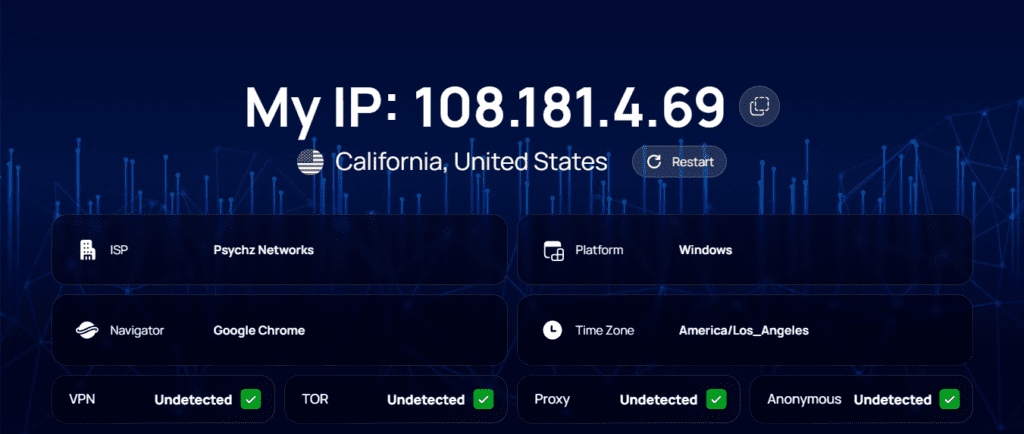
WhoerIP is a strong all-around alternative that focuses on clarity and detailed network analysis without making the interface complicated. As soon as you open the site, it shows your public IP, location, ISP, and network type in a clean summary.
What makes WhoerIP stand out is its ability to identify how your connection is classified. It shows whether your IP looks residential, mobile, or datacenter-based, and whether it appears to come through a proxy or VPN. This is especially helpful when testing access issues or understanding why certain platforms treat your connection differently.
The service also includes additional checks like DNS and WebRTC exposure, which help you confirm that your privacy tools are working properly. Because it combines quick results with deeper diagnostics, WhoerIP works well for both everyday users and people who regularly work with different networks.
WhatIsMyIPAddress
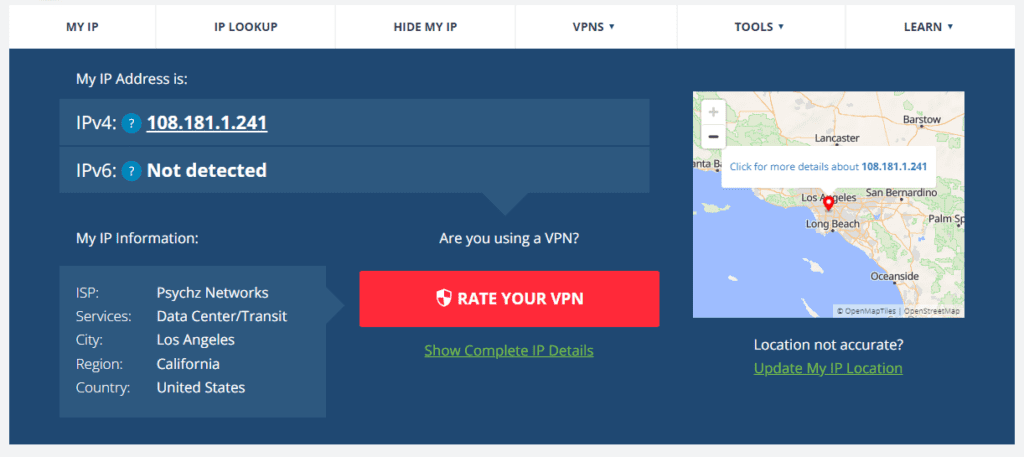
WhatIsMyIPAddress is one of the most well-known IP lookup sites, and for good reason. It doesn’t just show your IP — it gives context around your connection, including location, ISP, and network type.
One useful feature is its IP reputation and blacklist information. If your IP has been flagged for spam or suspicious activity, the platform can help you identify the issue. This is particularly helpful for businesses, email users, or anyone experiencing unexpected blocks.
The site also includes guides and explanations about privacy, VPNs, and network security. While the interface includes more content than minimal lookup tools, it’s a good choice if you want both data and background information in one place.
IPinfo
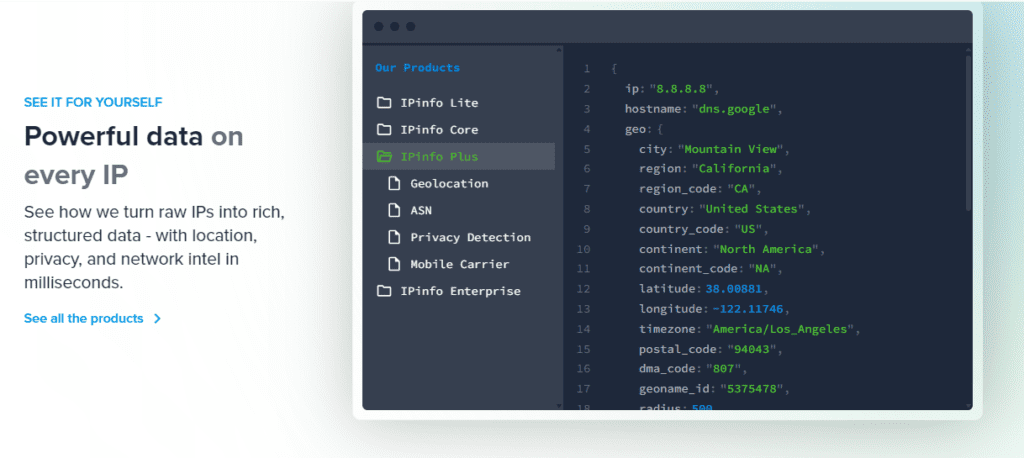
IPinfo is widely used by developers and companies that need reliable IP intelligence. The free version provides key details such as location, ISP, organization, hostname, and ASN.
Its main advantage is data quality and consistency. The service maintains large, frequently updated databases, which helps improve geolocation accuracy and network classification.
Although IPinfo is more technical than some other tools, the web interface is still easy enough for quick checks. It’s a good option if you want dependable information or if you’re working with APIs, testing environments, or network configurations.
IPLocation
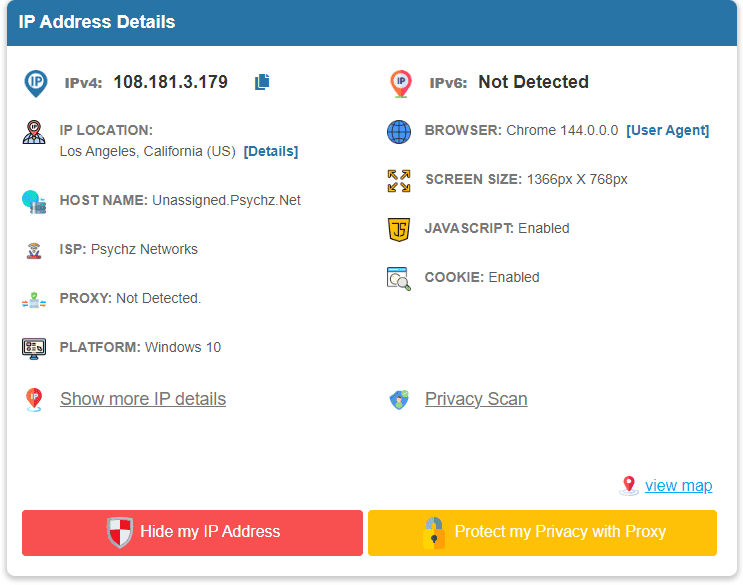
IPLocation takes a different approach by showing your IP data from multiple geolocation providers at the same time. Instead of relying on a single database, it compares results side by side.
This is useful because IP location isn’t always perfectly accurate. Different databases may show different cities or regions. Seeing multiple sources helps you understand how your IP might be interpreted across different services.
The platform also includes tools for DNS lookup, proxy detection, and network diagnostics. While the layout is more technical, it’s helpful if you want a broader view of how your connection is classified across the internet.
BrowserLeaks
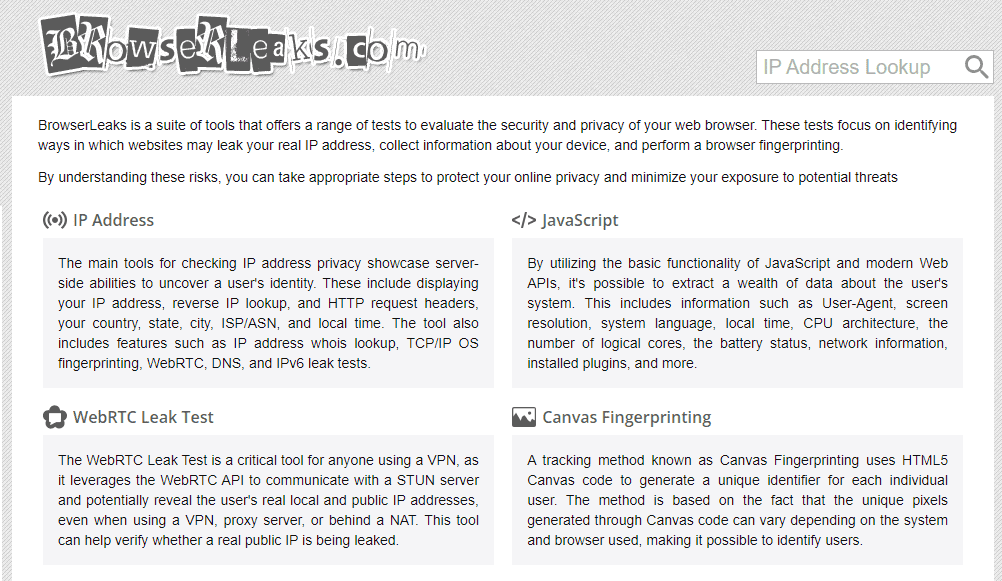
BrowserLeaks goes beyond basic IP lookup and focuses on privacy exposure testing. Along with your public IP and location, it checks for technical signals that websites can use to identify or track you.
The platform runs detailed tests for:
- DNS exposure
- WebRTC leaks
- Timezone mismatches
- Browser fingerprint data
This makes it especially useful for users who rely on VPNs, proxies, or privacy-focused browsing setups. Instead of just showing your IP, it reveals hidden data points that might still give you away.
Because the reports are detailed and technical, BrowserLeaks is best suited for advanced users or anyone who wants a deeper understanding of their online exposure.
Conclusion
IP lookup tools give you a simple but powerful view of your online identity. They show what websites see — your location, network type, and sometimes even signs of privacy leaks. While Whoer.net is a familiar option, there are several alternatives that offer clearer reports, more accurate data, or deeper analysis. Understanding your IP might seem like a small thing, but it affects access, security checks, and how services treat your traffic. A quick check takes seconds and often answers questions you didn’t realize were network-related.
Frequently Asked Questions
Is IP tracing illegal?
No, IP tracing itself is not illegal. Many websites and services trace IP addresses for security, analytics, and troubleshooting. However, using IP tracing for illegal activities (such as harassment, stalking, or unauthorized access) is against the law.
Can I look up who an IP address belongs to?
You can look up the organization or ISP associated with an IP address using public tools like WHOIS databases or IP lookup services. However, you generally cannot identify an individual without legal authority or a subpoena.
Are IP finders free to use?
Yes, many IP lookup tools are free, such as WhatIsMyIP, IP2Location, and others. They provide basic information like the ISP, city, and sometimes the organization.
Are IP bans legal?
Yes, IP bans are legal. Websites and services have the right to block specific IP addresses to prevent abuse, spam, or violations of their terms of service.
Why is APIPA used?
APIPA (Automatic Private IP Addressing) is used when a device cannot obtain an IP address from a DHCP server. It assigns a link-local address (usually in the 169.254.0.0/16 range) so devices can communicate on a local network even without internet access.
What happens if you click an IP grabber?
If you click a malicious IP grabber link, it may log your IP address and possibly other information like your browser, location, or device details. This can be used for tracking, targeting, or attacks. Always be cautious with unknown links.
Do VPNs block your IP?
VPNs hide your real IP address by routing your traffic through their servers, showing the VPN’s IP instead. This helps protect your privacy and can bypass some IP-based restrictions.
Can hackers see your IP?
Hackers can see your IP address if you connect to their servers, click malicious links, or use unsecured networks. However, just knowing your IP doesn’t give them access to your device or personal information without further exploits.
What did DNS replace?
DNS (Domain Name System) replaced the need to remember numeric IP addresses for websites. Before DNS, users had to manually enter IP addresses to access sites.
Can police track IP with VPN?
Police can request user data from VPN providers, but if the VPN has a strict no-logs policy, they may not have records to provide. However, law enforcement can use other methods to investigate illegal activity.