
If you are into Internet marketing, you’ve probaly heard of cloud phones. But information on the internet might be so confusing! So, how are they helpful? In this blogpost we’ll learn about what cloud phones are and why you might want to use them to improve your performance!
How Cloud Phones Work?
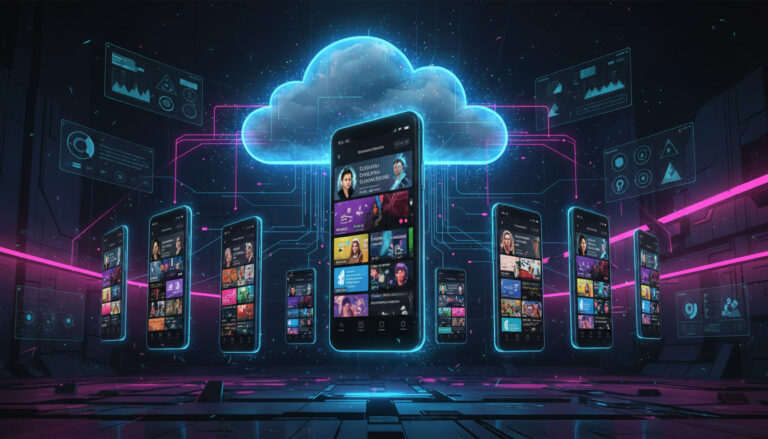
Virtualization technology is used to make cloud phones. A cloud service provider makes virtual mobile devices on powerful servers that are stored in data centers. These servers run Android and give each virtual phone its own CPU, RAM, and storage.
When someone uses a cloud phone, the server gets the information about what they do over the internet. The server handles the request and sends the visual output back to the user in real time. As long as the internet connection is stable, this makes the experience smooth and similar to using a real smartphone.
Users can log in from different places and devices and keep the same data, apps, and settings because the phone environment is in the cloud. The cloud phone stays on even when the user logs out, which is great for automation and tasks that take a long time.
Cloud Phones vs. Regular Smartphones
Smartphones that are not smart rely only on physical hardware. The processor, battery, storage, and lifespan of the device limit how well they work. If the phone breaks, gets lost, or becomes out of date, the data and settings may be lost.
Cloud phones get rid of these problems. There is no physical wear and tear, no need to charge the battery, and no chance of hardware failure. Users can quickly get back into their accounts from another device because everything is stored remotely. Cloud phones are also easier to grow because new devices can be made in minutes instead of having to be bought and set up by hand.
Another big difference is how easy it is to get to. You can only use a regular phone with one person at a time, but you can access cloud phones from anywhere, making them great for businesses and teams.
Why Cloud Phones Are Getting More Popular
Changes in how people work online have a lot to do with the rise of cloud phones. More businesses are working from home, more marketing is happening on mobile devices, and more workflows need to handle multiple accounts at once.
Cloud phones are more flexible than regular phones. Users can launch several cloud phones at once, each working on its own, instead of carrying around multiple phones or running heavy emulators on a computer. This is especially useful for people who use mobile apps for work every day.
Another reason they are so popular is that they are cost-effective. Buying a lot of physical smartphones is costly and not very efficient. Cloud phones, on the other hand, can be rented and adjusted to fit demand. This makes them appealing to businesses, agencies, and startups.
Common Ways to Use Cloud Phones
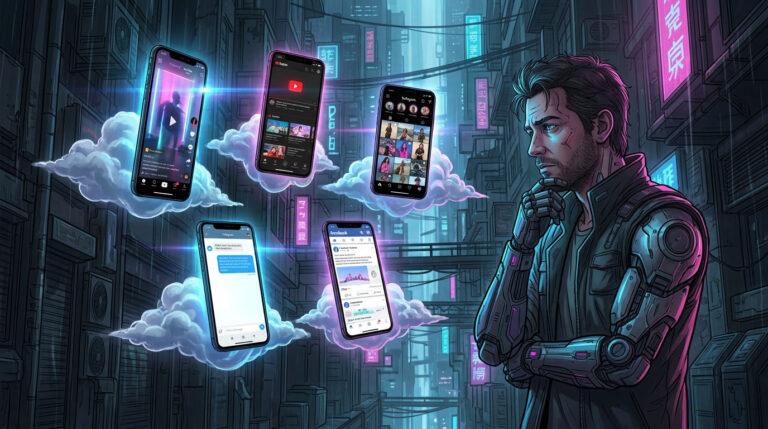
- Managing social media. This is one of the most common things people do with cloud phones. Many platforms are mobile-first (Instagram, TikTok e.t.c.), and having more than one account on the same device can get you banned or restricted. Cloud phones create separate, isolated spaces that let users manage their accounts safely and quickly. Speaking of mobile-first apps, you might want to learn about cloud phones for Instagram in our blogpost!
- Test and make mobile apps. Without having to keep a lot of physical phones, developers can test apps on different Android versions and device setups. This cuts costs and speeds up the time it takes to develop.
- Automation and working from home. Cloud phones are great for running scheduled tasks, bots, or background processes that would otherwise use up resources on local devices because they are always online.
Companies with teams that work in different places also use cloud phones to let workers use mobile tools safely without having to ship physical devices to different areas.
How to Pick a Cloud Phone Service
Your goals will help you choose the best cloud phone provider. Some people only need easy access to one virtual phone, while others need dozens or even hundreds of devices to work at the same time.
Performance reliability, device isolation, IP management, pricing structure, and ease of use are all important factors. Long-term use is more likely to be successful with providers that offer stable environments, clear dashboards, and quick support.
It’s also important to pick a provider that fits your workload, whether it’s managing social media, testing, automating tasks, or working with a team. There are plenty of products you might want to use (Multilogin, GeeLark, e.t.c.).
Сonclusion
Cloud phones are a big change in how people use mobile devices. They take away hardware limits, lower costs, and open up new options for scalability and remote access by moving the smartphone experience to the cloud.
Cloud phones are a flexible and future-proof alternative to regular smartphones. They are great for marketers who need to manage multiple accounts, developers who need to test mobile apps, and businesses that need mobile solutions that work well.
Frequently Asked Questions
What are the disadvantages of a cloud mobile phone?
They require a stable internet connection, involve recurring subscription costs, and performance depends on network latency and the provider’s infrastructure.
What are cloud phones?
Cloud phones are virtual Android devices hosted on remote servers that you access via streaming, similar to remote desktop but optimized for mobile use.
What is a cloud mobile phone?
A cloud mobile phone is a real or virtualized Android environment running in the cloud, allowing you to use apps without relying on your local device’s hardware.
How much does a cloud phone cost?
Prices vary by provider and specs, typically ranging from low monthly fees for basic use to higher costs for premium devices with dedicated IPs and more resources.
Are cloud phones safe?
They can be safe if you use reputable providers with strong security practices, encryption, and proper access controls; risks mostly come from untrusted vendors.
What are the disadvantages of cloud phones?
Common drawbacks include internet dependency, limited hardware customization, possible latency, and ongoing costs compared to a one-time physical device purchase.
Can I use my existing number with a cloud phone?
Yes, usually via SMS forwarding, virtual numbers, or account-based messaging apps—but direct SIM insertion isn’t possible unless the provider supports SIM virtualization.
Which cloud phone is best?
There’s no single “best” option—it depends on your use case (testing, social media, gaming, team management), required locations/IPs, and budget.