

Most people assume losing internet means losing contact. It does not. A messenger without internet exists, works reliably, and in some parts of the world has already proven itself under serious pressure: protests, natural disasters, government blackouts. The technology is mature, the apps are free, and the only thing missing is knowing where to look.
TL;DR: A messenger without internet uses Bluetooth, Wi-Fi Direct, or LoRa radio to send messages directly between devices. No cellular signal, no Wi-Fi router, no server required. The top five apps for offline communication in 2026 are Briar, Bridgefy, BitChat, Meshtastic, and AirChat. Each works differently, suits different scenarios, and carries its own privacy trade-offs worth knowing.
- The best offline messenger apps rely on mesh networks meaning each device acts as both a sender and a relay.
- Losing signal does not have to mean losing contact. Offline messaging is real, it works, and it matters more than most people think.
- Some of these tools are used by journalists and activists. Others are built for hikers, festival-goers, or people who just want a backup plan.
What Is a Messenger Without Internet?
A messenger without internet is a messaging application that routes messages directly between devices, using local radio technologies instead of the global network. No data plan. No Wi-Fi password. No server somewhere in a data center.
Most of these apps use one of three physical layers: Bluetooth Low Energy (BLE), Wi-Fi Direct, or LoRa radio. Each has its own range, speed, and battery behavior. Bluetooth works well in tight spaces and crowds. Wi-Fi Direct covers more ground. LoRa (a long-range radio protocol) can span kilometers, though it requires dedicated hardware.
The underlying concept is older than smartphones. Amateur radio operators have been doing something similar for decades. What is new is the software layer that makes it accessible to anyone with a phone.
How Mesh Networks Make Offline Messaging Possible
Mesh networks are the backbone of every serious messenger app without internet. The principle is straightforward: each device in the network is both a receiver and a repeater. A message does not travel in a straight line from sender to recipient — it hops from phone to phone until it reaches its destination.
Think of it like passing a note through a crowd. You hand it to the person nearest you. They pass it to the next person headed in the right direction. Eventually, it arrives — without any central post office involved.
This matters enormously in practice. A single Bluetooth connection covers roughly 10 to 30 meters. But a mesh network of twenty people spread across a building? That network can cover the entire structure. Add more nodes and the coverage grows. The network scales with the number of people using it.
Real-world use cases include disaster zones (where towers go down first), protests (where networks get congested or deliberately throttled), remote campsites, and underground venues. All situations where the standard infrastructure is either absent or unreliable.
“Offline messaging apps utilize local connectivity methods such as Bluetooth or Wi-Fi Direct to create mesh networks. This decentralized approach ensures messages are exchanged directly between devices.” hamradionetwork.com
Top 5 Messenger Apps Without Internet
1. Briar
Briar is probably the most privacy-serious offline messenger available today. Designed explicitly for journalists, activists, and people operating in high-risk environments, it synchronizes messages directly between devices over Bluetooth or Wi-Fi with zero involvement from any central server.
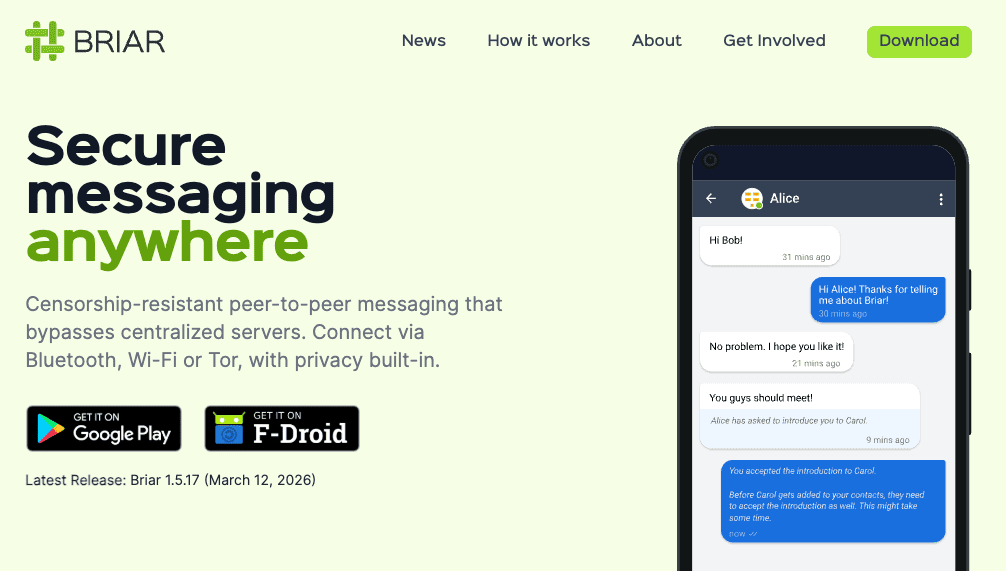
What sets Briar apart is its dual-mode operation. Offline, it works as a pure peer-to-peer mesh app. When internet is available, it routes traffic through Tor, adding an additional anonymity layer. That combination is rare and genuinely useful for people who need both offline resilience and online anonymity.
Open source, audited, and free. Available for Android only.
FYI: Briar stores all messages locally on your device. If you lose your phone, the conversation history is gone there is no cloud backup and no recovery option. That is a feature, not a bug.
Range: up to 100 meters over Wi-Fi Direct, around 30 meters over Bluetooth.
2. Bridgefy
Bridgefy is probably the most widely recognized name in offline messaging. It offers three distinct operating modes, which makes it unusually flexible.
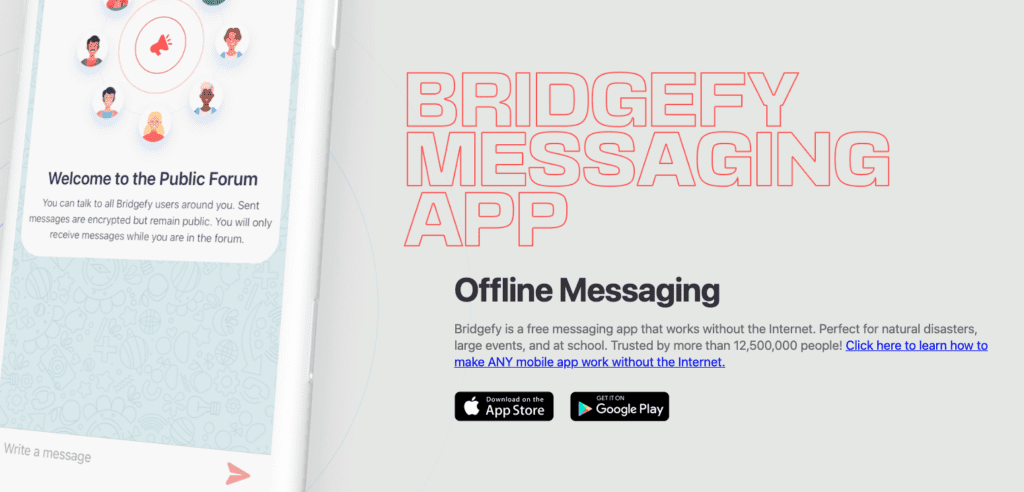
Person-to-Person mode connects two devices directly within roughly 100 meters. Mesh mode extends that range by routing messages through intermediate users in the network. Broadcast mode sends a message to every Bridgefy user within range simultaneously. Useful for emergencies, group coordination, or just letting a crowd know something.
Bridgefy gained significant attention during large-scale protests in Hong Kong and Belarus, where activists used it to communicate when cellular networks were overwhelmed or cut off. That kind of real-world stress testing carries weight.
Available on both Android and iOS.
Pro Tip: Bridgefy’s mesh range depends entirely on how many other users are nearby. In a dense crowd, coverage can extend hundreds of meters. In an empty field with two phones, you are limited to direct Bluetooth range.
3. BitChat
BitChat is the newest entrant on this list, released in 2025 by Jack Dorsey (yes, the Twitter founder). It operates over Bluetooth Low Energy and builds a mesh network automatically — no setup required, no accounts, no phone numbers.
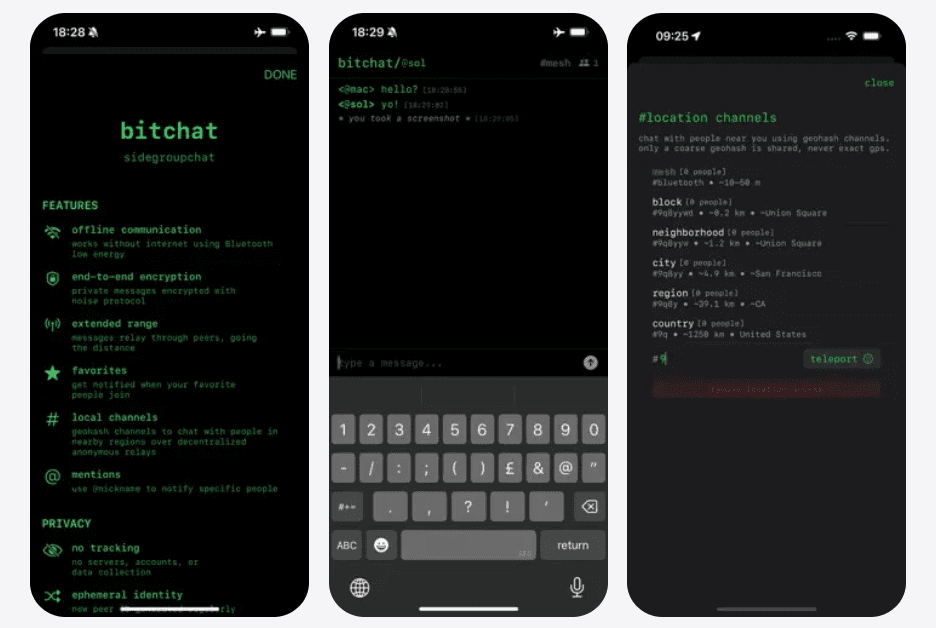
The privacy architecture here is notably thoughtful. BitChat uses ephemeral IDs that rotate constantly, meaning the network cannot track which device belongs to which user over time. It also implements the Noise Protocol Framework for end-to-end encryption, and adds cover traffic — fake messages sent alongside real ones to obscure communication patterns.
Who is Jack Dorsey and why did he build BitChat.
Jack Dorsey co-founded Twitter in 2006 and later built Block, Inc. (formerly Square). He wrote his first software at age 15 — dispatch routing for taxi companies.
BitChat started as a weekend experiment. On July 6, 2025, he posted on X that he spent the weekend learning about Bluetooth mesh networks. No grand plan. Just curiosity.
The app hit its 10,000-user TestFlight beta limit almost immediately. By late September 2025, total downloads crossed 360,000 worldwide.
Then came the real stress tests:
- Iran internet blackout, 2025: 438,000 downloads in a single week
- Nepal anti-corruption protests, September 8, 2025: 48,000 downloads in one day
- Uganda pre-election period, 2026: 21,000 installs in 10 hours after one opposition leader recommended it
- Madagascar protests, September 2025: 70,000 downloads in one week
By early 2026, total downloads exceeded 1 million.
Why did Dorsey build it? He has spent years pushing decentralization — Bitcoin, Bluesky, open protocols. BitChat fits that pattern. His stated goal is censorship-resistant communication that works when governments pull the plug on infrastructure.
One honest caveat: a security researcher found a user impersonation flaw shortly after launch. Dorsey added a warning to GitHub acknowledging the app had not been externally audited. Still a work in progress, still open source, still being actively developed.
Currently limited to BLE range (10 to 30 meters per hop), though the roadmap includes Wi-Fi Direct, LoRa, and even ultrasonic transmission. Emergency data wipe with a triple-tap. Offline message caching for up to 12 hours.
Available on iOS, macOS, and Android (open source).
FYI: BitChat generates a username automatically on first launch. You can change it, but there is no registration process: no email, no number, nothing tied to your real identity.
4. Meshtastic
Meshtastic is different from the others in one important way: it requires hardware. Specifically, a small LoRa radio module that connects to your phone via Bluetooth. That might sound like a barrier, and honestly it is! But the payoff is extraordinary range.
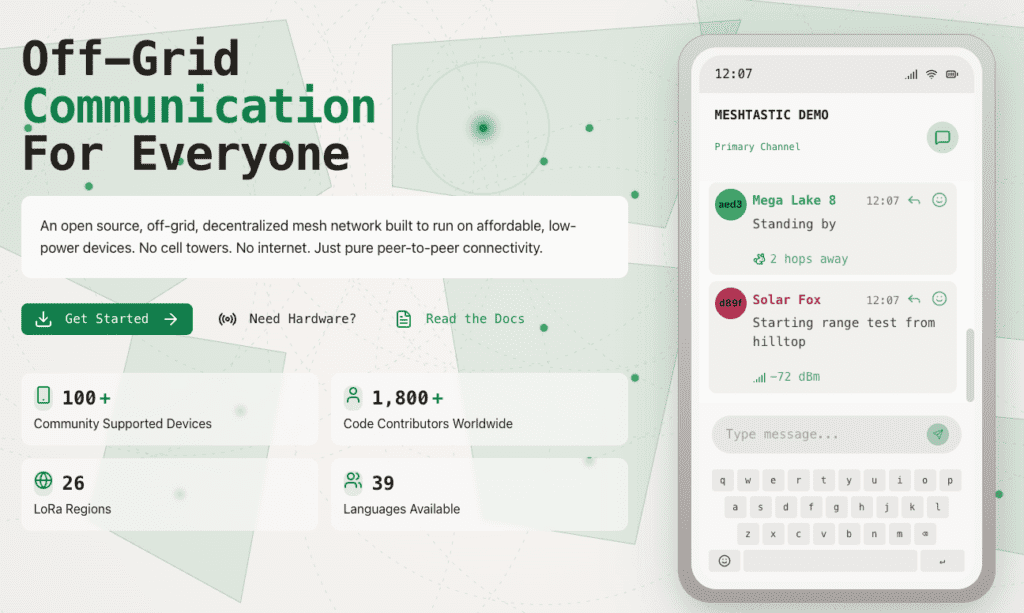
LoRa (Long Range radio) transmits at low power across very long distances. The documented record for Meshtastic is 331 km between two devices in line of sight. That is not a typo. Under normal conditions, 5 to 15 km is realistic in open terrain.
For emergency preparedness, backcountry hiking, or rural areas without any infrastructure, Meshtastic is in a different category entirely. The hardware costs roughly $30 to $50 per node. The software is open source and the community is active and well-documented.
Pro Tip: Meshtastic nodes can run on solar power. A small setup — a solar panel, a battery, a LoRa module. Creates a permanent relay point that extends mesh coverage without any ongoing cost or maintenance.
5. AirChat
AirChat is an iOS-only option worth knowing about, especially for Apple users who want something lightweight. It establishes secure peer-to-peer connections over Bluetooth or Wi-Fi Direct without any server involvement.
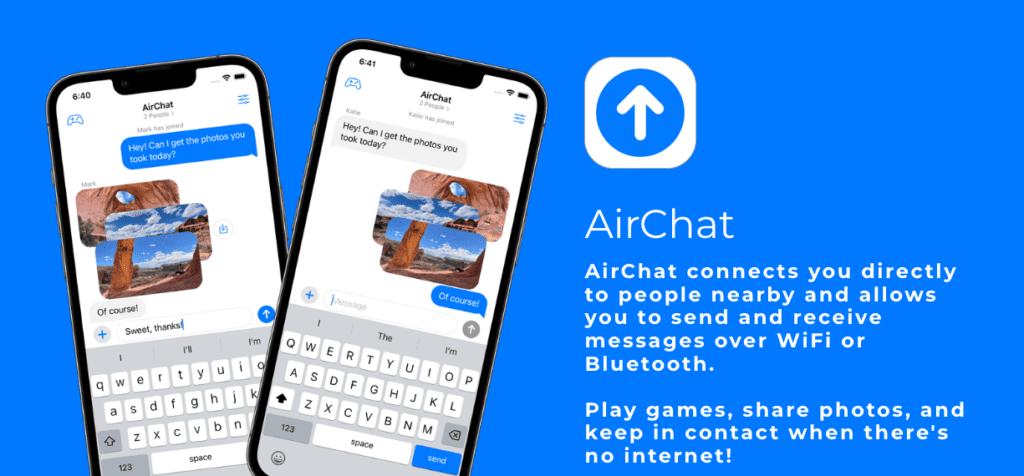
The interface is simpler than Briar and less experimental than BitChat. No accounts, no phone numbers, no cloud sync. Messages travel directly between devices. That simplicity is both its strength and its limitation — there is no mesh relay functionality, so both parties need to be within direct range.
Solid choice for one-on-one offline communication between two iPhone users who know they will be in the same location. Festivals, hiking trips, travel. Anywhere you want a clean, private channel that does not depend on the network.
Comparison Table
| App | Technology | Range per hop | Requires hardware | Platform | Open source |
|---|---|---|---|---|---|
| Briar | Bluetooth / Wi-Fi Direct / Tor | ~100 m (Wi-Fi) | No | Android | Yes |
| Bridgefy | Bluetooth mesh | ~100 m | No | Android, iOS | No |
| BitChat | Bluetooth LE | ~30 m | No | Android, iOS, macOS | Yes |
| Meshtastic | LoRa radio | 5 — 15 km typical | Yes | Android, iOS | Yes |
| AirChat | Bluetooth / Wi-Fi Direct | ~100 m | No | iOS only | No |
When Do You Actually Need a Messenger Without Internet?
More often than you might expect. Natural disasters knock out cell towers. Power outages kill routers. At large outdoor events, the local cell network saturates and messages stop delivering. Remote camping areas simply never had coverage to begin with.
Beyond emergencies, there is a privacy argument. Using an offline mesh app means your conversations never touch a third-party server. No metadata collection. No retention policies to worry about. No risk of a data breach exposing your message history.
There is also the geopolitical dimension. In countries with internet restrictions or active censorship, a messenger app without internet that routes over Bluetooth is harder to monitor and harder to block than anything running over standard IP infrastructure.
FYI: If you care about what your online profile looks like — which IP you’re showing, whether your real location is exposed. You can check your full digital fingerprint at whoerip.com. It checks for DNS leaks, WebRTC exposure, and VPN/proxy detection in one place. Relevant if you’re combining offline and online privacy tools.
Privacy and Security in Offline Messaging Apps
Offline does not automatically mean private. Worth being clear about that.
Some apps (Briar, BitChat) are genuinely privacy-first: open source, no accounts, rotating identifiers, end-to-end encryption. Others are more permissive about what metadata they collect when internet connectivity is restored.
End-to-end encryption is the baseline. Any app without it should be avoided for anything sensitive. Beyond encryption, look for: no persistent user IDs, no phone number requirement, no cloud sync, and ideally an open-source codebase that has been independently audited.
Physical proximity is also a factor. In a mesh network, your device is discoverable to other devices nearby. That is inherent to the technology. In most cases it is fine — but in a hostile environment, device discoverability itself can be a risk.
For people using these tools alongside regular internet browsing, checking your online visibility matters too. Knowing what your IP address reveals, whether you have DNS leaks, and how your browser fingerprint looks is part of a complete privacy picture. You can read more about that in our guide to how to check your IP address and our article on how to hide your IP effectively.
Offline Messaging and IP Privacy: Why Both Matter
Here is something most people do not connect. Offline mesh apps protect your communications when the internet is unavailable. But the moment your device reconnects — to a hotel Wi-Fi, a mobile network, anything — your regular browsing habits and IP visibility come back into the picture.
A comprehensive privacy setup covers both layers. Offline: use an app like Briar or BitChat for sensitive conversations. Online: understand what your IP address exposes, check for leaks, and make informed decisions about the tools you use.
If you use macOS and want to understand your network identity when you are back online, our guide on how to change your IP address on Mac covers the practical steps.
| App | Non-obvious pros | Non-obvious cons |
|---|---|---|
| Briar | Works through Tor when internet returns — one app, two threat models. No server means no subpoenas. | Android only. No message sync between devices. Lose your phone – lose everything. |
| Bridgefy | Broadcast mode turns one message into a crowd alert instantly. Proven under real censorship pressure. | Closed source. You cannot verify what it actually does with data. Mesh only works if strangers nearby also have the app. |
| BitChat | Cover traffic (fake messages) masks even the fact that you are communicating. Triple-tap wipes everything. | BLE range is genuinely short. 10 to 30 m per hop. In a sparse area with few users, the mesh collapses to direct range only. |
| Meshtastic | Nodes can relay 24/7 on solar with no phone attached. Network works even when all phones are offline. | Hardware dependency is real. If you forget the module, the app is useless. LoRa is slow: ~250 bytes/sec, no media. |
| AirChat | Cleanest iOS integration, no friction for non-technical users. No identifiers stored anywhere. | No mesh relay, direct range only. iOS exclusive means useless if the other person has Android. Zero community fallback. |
Conclusions
A messenger without internet is not a niche tool for preppers or tech enthusiasts — it is a practical backup that anyone can have installed and ready. The five apps covered here range from zero-hardware Bluetooth solutions (Briar, Bridgefy, BitChat, AirChat) to long-range hardware-based networks (Meshtastic).
Briar is the right choice for privacy and security. Bridgefy for ease of use and crowd scenarios. BitChat for a modern, no-account approach. Meshtastic for serious range when hardware is acceptable. AirChat for simple iOS-to-iOS communication.
Install at least one. Test it before you need it. And if you want to understand the full picture of your digital privacy including what happens when you do reconnect whoerip.com gives you a free, comprehensive check in seconds.
Frequently Asked Questions
How to chat on Messenger without internet?
Facebook Messenger requires a server connection and will not work offline. To chat without internet, install a dedicated app like Briar or Bridgefy on both phones, enable Bluetooth, and messages travel directly between devices.
Which messaging app works without internet?
Briar is the most privacy-focused. Bridgefy handles crowds well thanks to mesh mode. BitChat requires no account whatsoever. Meshtastic covers kilometers but needs extra hardware. All four work without any cellular or Wi-Fi connection.
How to chat with friends without internet?
Install Briar or Bridgefy on both phones and enable Bluetooth. iOS users can use AirChat for a simpler setup. The main rule: install and test the app before you actually need it.
Is there a way to communicate without internet?
Yes. Bluetooth mesh apps cover short distances. LoRa-based Meshtastic covers several kilometers. For extreme remoteness, satellite communicators are an option. For most people, a free mesh app is enough.
Is offline chatting possible?
Completely. These tools have been used at protests, disaster zones, festivals, and remote expeditions. The technology is mature and free. Range is the only real limitation.
What is the new offline messaging app?
BitChat, released in 2025 by Jack Dorsey. It runs over Bluetooth mesh, needs no account or phone number, uses rotating IDs for anonymity, and is fully open source. Wi-Fi Direct and LoRa support are planned.