
Many Android phones come with apps you never asked for: duplicate browsers, carrier tools, manufacturer apps, trial software, analytics services, and other background components. Some of them are harmless, but others can take up storage, slow your phone down, drain battery, or collect data in the background.
The problem is that not every “system app” is safe to remove. Some apps are just clutter, others are essential to Android. Removing the wrong one can break push notifications, Google Play, app installation, location services, calling features, or even system stability.
If you don’t want to risk your daily driver, one practical option is to test changes on a cloud phone first, a real Android device hosted in the cloud that you can reset at any time without touching your personal device.
In this guide, you will learn which Android system apps are safe to disable or uninstall, which core services to leave alone, and signs to look out for before you make any changes. You will also learn how to check if your phone is still leaking privacy signals after cleanup so you don’t accidentally break important features when removing bloatware.
What are Android system apps?
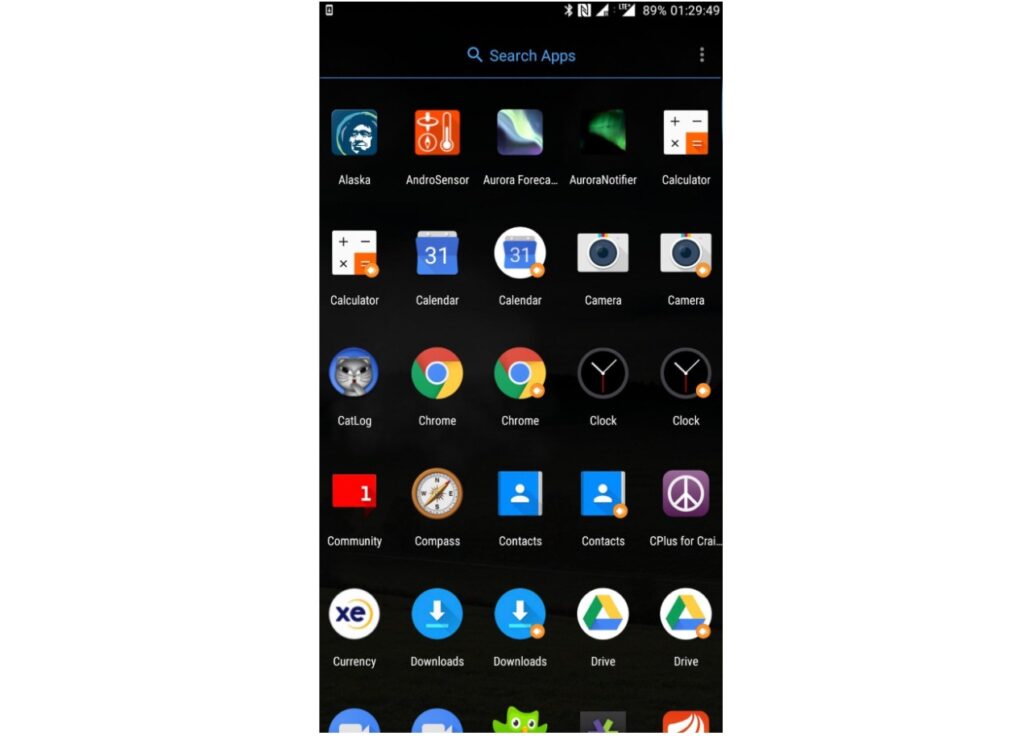
Android system apps are applications preinstalled by:
- Phone manufacturers
- Mobile carriers
Some are critical to Android itself.
Others exist mainly for branding, advertising, analytics, or partnerships.
This distinction matters because not all preinstalled apps are equally important. For example, removing Google Play Services can severely damage Android functionality. Removing a preinstalled weather app usually changes nothing.
Unfortunately, Android does not clearly explain which apps are safe to disable. That’s why so many users accidentally remove packages tied to notifications, updates, or account synchronization.
👉 Interested in location-related settings like updating your Facebook Marketplace selling address? Check out our complete guide: How to Change Address on Facebook Marketplace in 2026.
Why Android phones come with so much bloatware
Manufacturers preload apps because software partnerships generate money. A budget Android device may include:
- Shopping apps
- Streaming apps
- Social media apps
- Carrier services
- Analytics tools
- Ad platforms
These partnerships reduce hardware costs for manufacturers. But the tradeoff is a noisier, slower, more invasive device.
Some apps continue running even if you never open them. Others periodically connect to remote servers for analytics or promotional notifications.
On heavily customized Android skins like MIUI, ColorOS, or One UI, this background activity can become surprisingly aggressive.
👉 Need a reliable metered billing solution? Explore our guide to the top software for metered billing.
Android system apps that can usually be removed safely
This varies slightly depending on the manufacturer and Android version. Still, several categories are commonly safe to remove or disable.
Preinstalled social media apps
Many Android devices include apps like:
- TikTok
- Netflix
These are rarely required for core Android functionality.
In fact, some phones preload Facebook Services components that continue running in the background even when the Facebook app itself is never opened. Removing these can improve battery life and reduce unnecessary background activity.
Duplicate manufacturer apps
Many Android brands install their own versions of:
- Browser apps
- Gallery apps
- Voice assistants
- App stores
- Note-taking apps
If you already use Google alternatives or third-party apps, these duplicates are often safe to remove. Samsung Internet, Mi Browser, or Vivo Browser may continue syncing data or sending analytics requests even when unused.
Manufacturer analytics and ad services
This category is one of the biggest sources of Android clutter.
Examples may include:
- Xiaomi Analytics
- MIUI Ads
- Samsung Push Service
- Oppo App Market
- Device recommendation engines
These apps often exist primarily for:
- Usage tracking
- Ad personalization
- Notifications
- Promotions
Removing them can noticeably reduce background traffic and improve battery performance.
Unused google apps
Modern Android devices frequently ship with apps many users never touch:
- Google TV
- YouTube Music
- Google News
- Google Podcasts
- Google One
These apps are usually safe to disable if you do not use them. Disabling them can reduce storage usage and background synchronization.
👉 Having trouble logging in to Nextdoor and exploring rotating proxies in 2026? Check out Best Rotating Proxies in 2026: Top 10 Providers Compared to find the right provider.
Common pre-installed Android apps: can you remove them safely?
Before you delete an app from your Android system, you should know if it’s just an extra piece of software or if it’s an important part of your phone. Here’s a table that gives a quick overview of common pre-installed apps and whether it’s generally safe to disable or delete them.
| Common pre-installed app | Can you remove it? |
| Facebook, TikTok, Netflix, LinkedIn | ✅ Usually safe to remove |
| Carrier apps | ✅ Usually safe to remove |
| Samsung Internet, Mi Browser, Vivo Browser | ✅ Usually safe to remove |
| Google TV, YouTube Music, Google News | ✅ Usually safe to disable |
| Manufacturer app stores | ⚠️ Disable only if you do not use them |
| Samsung Push Service, Xiaomi Analytics, MIUI Ads | ⚠️ Usually safe, but test after disabling |
| SIM Toolkit | ❌ Do not remove |
| Android System WebView | ❌ Do not remove |
| Google Play Services, Package Installer, System UI | ❌ Never remove |
The apps you should NOT remove
This is where many “debloat Android” tutorials become dangerous. Some apps appear harmless but are tightly connected to Android’s infrastructure. Removing them can create instability that only appears days later.
Avoid removing:
- Google Play Services
- Android System WebView
- Package Installer
- SIM Toolkit
- Bluetooth Services
- Phone Services
- System UI
- Download Manager
Even if your phone initially seems fine, problems may appear later during updates, app installs, or authentication flows.
For example, Android System WebView powers embedded browser content inside many apps. Delete it, and random apps may begin crashing unexpectedly.
Disable vs uninstall: which is better?
For most users, disabling is safer than uninstalling.
Disabling an app can:
- Stop background activity
- Hide the app
- Prevent updates
- Reduce resource usage
It’s safer to disable system apps than to remove them, as it gives you a way to recover if something goes wrong. Removing apps via ADB is a more forceful way of doing it, and should only be done by users who understand how Android packages depend on each other.
If in doubt, disable the apps first instead of uninstalling them. Then, use your phone normally for a few days to see if notifications, apps, battery life, and system features still work properly before you decide on permanent removal.
How to remove Android system apps safely
When it comes to tidying up your phone, the safest approach is to declutter it slowly and steadily. Rather than trying to uninstall a large number of applications all at once, it’s better to start at a more measured pace
Initially, you might want to focus on deactivating any applications that you have a suspicion are not essential for your daily use. After you’ve done this, spend a few days using your phone in your typical manner to see how these changes affect its performance and your overall experience. You can check:
- Notifications
- Bluetooth
- Banking apps
- Google Play
- Calls
- Camera functionality
Should the initial procedures prove successful, you might then explore more thorough app removal with the assistance of ADB, a tool that facilitates the uninstallation of applications for the active user without impacting fundamental system partitions, thereby simplifying any potential restoration efforts should complications arise subsequently.
Nevertheless, it is imperative to meticulously investigate the precise package names of all applications prior to initiating any removal, as certain applications may possess deceptive names that obscure their essential functions.
Android cleanup and performance
Removing unnecessary apps can still deliver real benefits.
Users often notice:
- Better battery life
- Faster boot times
- Less overheating
- Reduced RAM usage
- Fewer background processes
The biggest gains usually come from eliminating:
- Manufacturer analytics
- Background ad systems
- Carrier apps
- Unused sync services
Not from aggressively deleting core Android components.
Final thoughts on Android system apps that can be removed
Uninstalling or disabling apps you don’t need from the Android system can make your phone feel cleaner, lighter and easier to use. It can also help free up storage space, reduce background activity and improve battery life – especially if your phone came with duplicate apps, carrier tools, manufacturer apps or pre-installed software that you never use.
But the point isn’t to delete all of your system apps. Some apps can be safely disabled, but others are required for Android to function properly. Deleting the wrong package can affect notifications, app installs, calls, Bluetooth, Google Play, or overall system stability.
The safest way is to start with the apps you clearly don’t use, such as preinstalled social media apps, duplicate browsers, extra app stores, trial apps, carrier bloatware, etc. Turn those off first, use your phone normally for a few days, and only delete them if everything still functions as you expect.
Android cleanup is all about balance. Remove cluttering apps, keep services powering core features and make changes slowly so you can improve your phone without breaking it.
Frequently Asked Questions
Which Android system apps can I safely get rid of?
You can usually safely remove Android system apps like preinstalled social media programs, extra browsers, maker app stores, carrier-specific apps, and Google apps you don't use, such as Google TV or YouTube Music. But, don't touch essential apps like Google Play Services, Android System WebView, System UI, and Package Installer, as they're crucial for how Android works.
Is it okay to remove Android system apps?
It really depends on the specific app. Some are just extra stuff that doesn't cause problems if you disable or remove them. Others are linked to important functions like calls, notifications, installing apps, updates, or security. For most people, disabling an app is a safer bet than completely removing it, because you can always bring it back if something breaks.
Can deleting Android system apps that can be removed make my phone faster?
Yes. Deleting or disabling Android system apps that can be removed may help improve your phone’s speed, storage, and battery life. The biggest gains usually come from removing carrier bloatware, duplicate apps, ad services, analytics apps, and other background apps you don’t use. However, avoid removing core system apps because doing so can cause crashes, errors, or missing features.
How do I know which Android system apps that can be removed are safe to delete?
To identify Android system apps that can be removed safely, start with apps from your carrier, manufacturer, duplicate tools, trial apps, or services you never use. Do not remove important apps like Google Play Services, Android System WebView, System UI, Package Installer, Phone Services, Bluetooth, Download Manager, or security update components. When unsure, disable the app first and test your phone for a few days before deleting it.
Should I use ADB to remove Android system apps?
You can use ADB to remove Android system apps for just your user account without rooting your phone, but you need to be cautious. It´s best suited for people who know their way around Android package names and how they connect. If you're not totally sure, start by disabling apps through your phone's settings first. Only use ADB if you are confident the app is safe to remove.