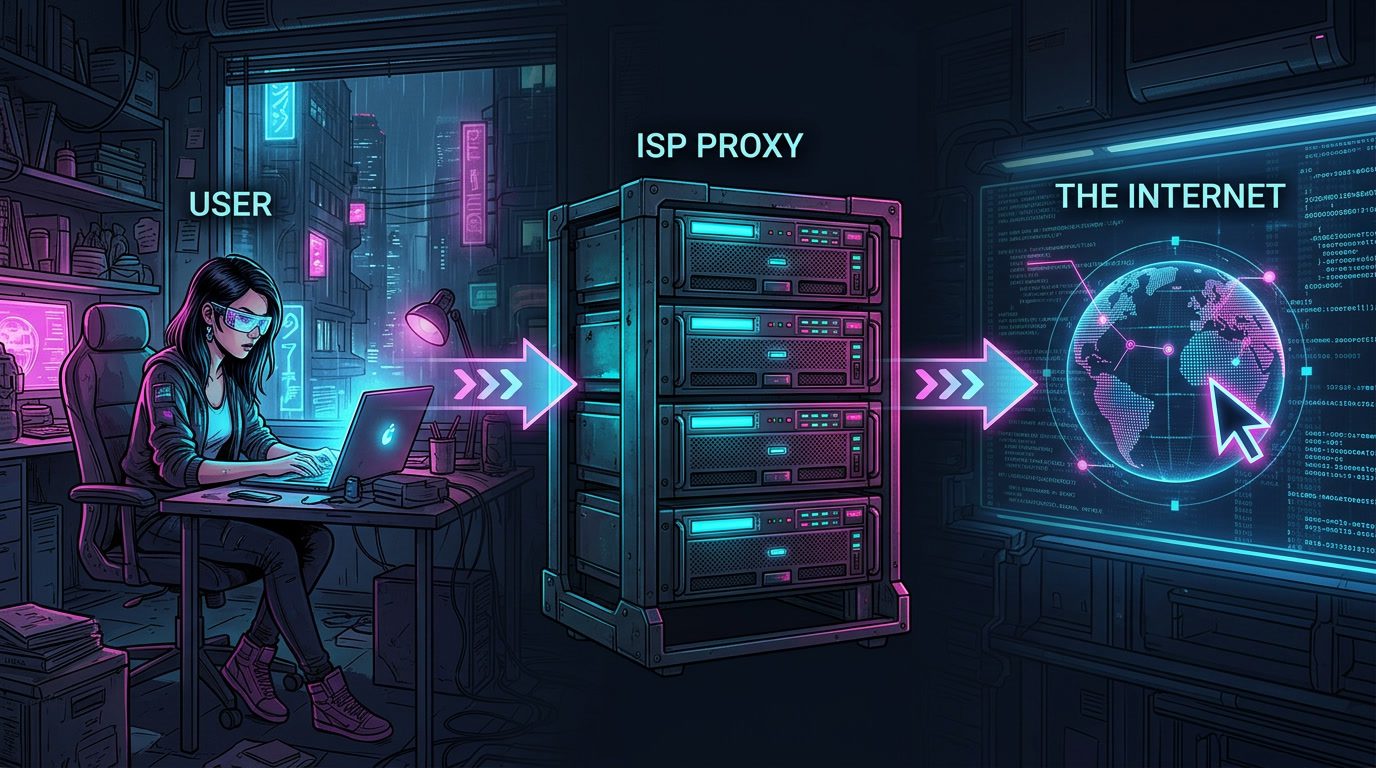

TL;DR. ISP proxy providers sell static IPs that look residential to websites but live in datacenter racks, so you get datacenter speed plus residential trust. The strongest options in 2026 are Bright Data, Oxylabs, NetNut, SOAX, and Decodo for serious work, with IPRoyal, Webshare, Rayobyte, Massive, and NodeMaven covering budget, niche, and US-focused use cases. Pick by location coverage, ASN diversity, and how clean the pool actually is, not by headline IP counts.
The market for ISP proxy providers grew up fast in 2026, and that’s both good news and a trap, because more options also means more lookalike sellers rebranding plain datacenter IPs with fancy copy. The best ISP proxies pair real ISP-registered addresses with serious infrastructure behind them. The mediocre ones do not.
This guide walks through ten providers worth knowing, with strengths and trade-offs for each. We added a comparison table, a few use-case notes, and an FAQ at the end. No outbound links to sellers, just a clear read.
FYI: If you want to dig deeper into the proxy world before picking a provider, two related pillar guides on the blog are worth bookmarking: Top 5 Residential Backconnect Proxy Providers 2026 for rotating residential setups, and Best Datacenter Proxies in 2026 for the cheaper, faster alternative.
What is an ISP proxy
An ISP proxy is a static IP address that an Internet Service Provider has registered, but that lives on a datacenter server instead of someone’s home router. So the address looks like a regular home connection to the websites you visit, while the hardware behind it runs at server speeds.
That hybrid is the whole point. Datacenter proxies are fast and cheap, but easy to flag. Residential proxies look real because they use actual home devices, but they’re slower and often unstable. ISP proxies sit in the middle, sometimes called “static residential,” and they tend to outperform both on tough targets like sneaker stores, social platforms, and aggressive anti-bot setups. If you want context on the underlying carrier side, see What is an ISP? for the full breakdown.
Pro tip: Always check ASN ownership before paying. A genuinely good ISP proxy traces back to a real consumer ISP (Comcast, AT&T, Verizon, BT, Telekom). If the ASN points to a hosting company, you’re paying ISP-tier prices for a glorified datacenter IP.
ISP proxies vs residential vs datacenter
ISP proxies blend the speed of datacenter IPs with the trust of residential ones, but they cost more and cover fewer countries. That’s the short version.
Datacenter proxies are the cheapest and fastest, hands down. Residential proxies (the kind that route through real user devices, see what is a residential proxy) win on stealth and rotation. ISP proxies don’t replace either, they just give you a third option for jobs where you need both speed and a clean reputation, like managing 20 social accounts or running a sneaker bot. Different tools, different jobs.
| Type | Speed | Trust score | Typical price | Best for |
|---|---|---|---|---|
| Datacenter | Very high | Low | $0.50–$2 / IP | Bulk scraping of soft targets |
| ISP (static residential) | High | High | $1.50–$5 / IP | Sneakers, social media, accounts |
| Residential (rotating) | Moderate | Very high | $1.40–$8 / GB | Heavy anti-bot evasion |
How we evaluated the providers
We looked at six things. Pool size and how many countries each network covers. ASN diversity, meaning how many distinct ISPs the IPs come from. Subnet spread inside each ASN, since 500 IPs all from the same /24 block flag together. Pricing model (per IP versus per GB versus subscription). Rotation and session control. And finally, real-world performance on the kind of targets people actually hit, like Google, Amazon, Instagram, and Cloudflare-protected sites.
The list isn’t ranked from “best” to “worst” because the answer genuinely depends on what you’re doing. A solo seller running ten Instagram accounts has nothing in common with an enterprise scraping 50 million pages a month. So we grouped them by where each one lands in the market.
The 10 best ISP proxy providers in 2026
1. NodeMaven
NodeMaven rounds out the list as the “premium quality, smaller scale” option. They source ISP IPs through direct partnerships and lean heavily on account-management workflows where one bad IP can sink a campaign.

| Pros | Cons |
|---|---|
| Tight quality control, low IP churn | Smaller pool than top-tier providers |
| Designed for long-running social media accounts | Less coverage detail in public documentation |
| Clean pool sourced through direct ISP partnerships | Pricing isn’t the lowest, leans premium |
| Good fit for multi-account marketers | Geographic coverage more limited than Bright Data |
Best for: Multi-account marketers, agencies running social campaigns, anyone who’d rather pay for cleanliness than chase the cheapest GB.
2. Oxylabs
Oxylabs is the other classic enterprise option, and in 2026 their ISP product is finally easier to access. Oxylabs ISP proxies are available in 14 countries across multiple continents, and use per-IP pricing with unlimited bandwidth (fair usage applies).
| Pros | Cons |
|---|---|
| Premium IP quality from top-tier ASNs | Per-IP pricing on the expensive side |
| Unlimited bandwidth on ISP plans (fair use rules apply) | Country list narrower than Bright Data (14 vs 50+) |
| Stable for long sessions, claimed 99.9% success rate | Blocks specific domain categories (Apple, banking, etc.) |
| Self-service portal removed the old enterprise sales gate | Concurrency drops to 10 sessions per IP after threshold |
Best for: Teams that need rock-solid uptime, account management, and don’t mind paying for it.
3. Decodo (formerly Smartproxy)
Decodo is the friendliest option here. Their dashboard is clean, their documentation is excellent, and you can get started in under 5 minutes. Pricing is transparent: Shared IP-based: $4.70 for 10 IPs, Dedicated: $9.99 for 3 IPs.
| Pros | Cons |
|---|---|
| Easiest dashboard and onboarding in the category | ISP product mostly US-focused, limited global reach |
| Transparent, simple pricing, no hidden tiers | Smaller pool than Bright Data or Oxylabs |
| Strong documentation and customer support | Not designed for extreme enterprise loads |
| 14-day money-back guarantee for safer testing | Fewer advanced filtering options than SOAX |
Best for: Beginners, small teams, anyone who wants to skip the enterprise dashboard headache.
4. NetNut
NetNut’s whole pitch is direct ISP partnerships. NetNut’s differentiator is direct ISP partnerships instead of peer-to-peer sourcing, which usually means cleaner IPs and better success rates against tough anti-bot setups.
| Pros | Cons |
|---|---|
| ISP-direct architecture, highest trust scores against detection | Higher entry pricing than budget providers |
| Stable for long sessions and account management | Pool smaller than the giants |
| Strong on streaming and bot-protected sites | Some inconsistent performance reports under heavy load |
| Detailed usage stats: response time, error rate | No genuine free tier, only paid trials |
Best for: Sneaker copping, streaming verification, account management on platforms with picky bot detection.
5. SOAX
SOAX leans into IP cleanliness over raw volume. The network is smaller than Bright Data’s, but the pool is whitelisted and verified, which keeps success rates predictable on hard targets.
| Pros | Cons |
|---|---|
| Precise geo-targeting (country, city, ASN level) | No free trial, harder to test before buying |
| Clean, actively maintained pool with regular refresh | Premium pricing relative to budget options |
| Flexible session control and rotation intervals | Real pool size smaller than the marketing 155M number |
| 24/7 live chat and email support | Better for agencies than casual beginners |
Best for: SEO tracking, ad verification, market research where data accuracy beats data volume.
6. IPRoyal
IPRoyal is the wide-coverage budget pick. You’ll pay as little as $2 per proxy per day, and buying more reduces the cost. The proxies come in lists of static addresses from over 30 countries. Full protocol support, including SOCKS5 and UDP.
Pros. Affordable. Wide country list with country, state, and city targeting. Unlimited traffic and concurrent sessions on most ISP plans.
Cons. You can only refresh IPRoyal’s ISP proxies once per month, and quite a few countries are often out of stock. Response time around 0.46s is more than 2x slower than the top three. Success rate hovers near 95%, which means roughly one in twenty requests fails.
Best for: Budget-conscious teams that need global coverage and don’t mind a slower, slightly less reliable network.
7. Webshare
Webshare wins on price, full stop. Static residential (ISP) proxies start at $0.30 per IP, and they offer a free tier with 10 proxies and 1GB per month, no credit card required. Connection speeds reach up to 1 Gbps with unlimited bandwidth.
Pros. Cheapest entry point in the market. Free tier is genuine. Self-service dashboard. Good enough for everyday scraping and SEO work.
Cons. IP cleanliness varies. The cheaper plans share IPs with other users, so a noisy neighbor can drag your reputation down. Limited enterprise tooling and modest support depth.
Best for: Freelancers, students, small projects, anyone testing the waters before bigger commitments.
8. Rayobyte
Rayobyte sits in a unique spot, offering both dedicated and semi-dedicated static residential IPs with optional automatic rotation. Proxies can rotate on every request or maintain a sticky session for up to two hours.
Pros. Rotation flexibility on what’s normally a static product. Decent geo coverage in US, UK, Canada, and Germany for semi-dedicated. Active US support team.
Cons. Pool is smaller than the global heavyweights. Geo-targeting for rotating proxies is US-only. Not the cheapest, not the fastest, lands in the middle on most metrics.
Best for: Use cases that mix static and rotating needs without juggling two providers.
9. Bright Data
Bright Data runs the biggest ISP proxy network on the planet. We’re talking 1.3M+ IPs across 50+ countries with advanced management tools, dual billing (pay-per-GB or pay-per-IP), and enterprise compliance certifications most rivals can’t match.
Pros. Massive scale. No expiration or forced refresh on IPs across billing cycles. Both per-GB and per-IP plans, which no one else offers. Strong SOC 2 and GDPR posture.
Cons. Premium pricing across the board. The dashboard takes time to learn, and you’ll spend a while configuring zones and permissions before you even see a proxy list. Overkill for a freelancer running a few accounts.
Best for: Large teams, agencies, enterprise scraping ops where compliance matters.
10. Massive
Massive is the speed pick if you’re locked to North America. The network sits on AT&T’s ASN, with sub-100ms response times in our reading of independent benchmarks. Pool is around 20K+ IPs, which is small, but the IPs are clean and the routing is fast.
Pros. Among the fastest response times in the category. Strong compliance posture (GDPR, CCPA, SOC 2 Type I). Unlimited concurrent sessions and bandwidth on all plans.
Cons. US-only coverage, no Canada, no Europe, no Asia. Premium $3/IP entry that drops at higher volumes but still hits the wallet for small users.
Best for: Sneaker botting, retail automation, US e-commerce monitoring where milliseconds matter.
Comparison table
| Provider | Pool size | Countries | Pricing model | Best fit |
|---|---|---|---|---|
| Bright Data | 1.3M+ | 50+ | Per IP or per GB | Enterprise scale |
| Oxylabs | Premium pool | 14 | Per IP, unlimited BW | Stable account workflows |
| Decodo | Mid-tier | Mostly US | Per IP, transparent | Beginners, small teams |
| NetNut | 85M+ residential, ISP-direct | Global | Per GB | Trust-sensitive tasks |
| SOAX | Smaller, curated | 195+ claimed | Per GB | Geo-precise scraping |
| IPRoyal | 500K+ | 31+ | Per IP, monthly | Budget global coverage |
| Webshare | Variable | Multiple | Per IP from $0.30 | Free tier, light use |
| Rayobyte | Mid-tier | US, UK, CA, DE | Per IP | Static + rotating mix |
| Massive | 20K+ | US only | Per IP | Speed in North America |
| NodeMaven | Smaller, premium | Limited | Premium per IP | Multi-account ops |
When ISP proxies are the right tool
ISP proxies make sense when you need consistent identity over time, like keeping the same IP for a social media account for weeks, or when datacenter IPs keep getting blocked but full residential rotation is overkill.
Common use cases include sneaker copping, social media management at scale, e-commerce price tracking, ad verification, and SEO monitoring. They’re also strong for streaming geo-checks, since platforms increasingly score IPs by ASN reputation. For broader context on proxy categories and which fits which job, see our guide on Types of Proxies.
When ISP proxies are the wrong tool? When you need heavy rotation across thousands of IPs (residential is better), when you’re scraping low-protection sites (datacenter is cheaper), or when you only need privacy for personal browsing (a regular VPN does the job for far less money).
Pro tip: Test your provider before committing. Buy the smallest plan, run your actual workload for a week, and check three things: success rate, IP cleanliness against blacklists, and how often the same /24 block shows up. If 80% of your IPs share a subnet, you’re effectively running on a single IP from the website’s perspective.
How to choose an ISP proxy provider
Match the provider to the job, not to the marketing. There’s no “best ISP proxy” in absolute terms, only the best for what you’re trying to do.
Ask these questions before paying. What countries do I actually need? (Don’t pay for a 50-country network if you only need US.) Do I need dedicated IPs or is shared fine? Do I need rotation, or strict static? What’s my volume and budget per month? And how does the provider handle support when something breaks at 2 AM, because something always breaks at 2 AM. For a wider look at the proxy market across all categories, our Best Proxy Server roundup covers options beyond ISP-only.
A few warning signs to watch out for: vague answers about ASN ownership, pool numbers that don’t match independent benchmarks, no free trial or short refund window, and pricing pages that hide the per-IP rate behind “contact sales.”
FYI: Once you’ve picked a provider and started using their proxies, run a quick anonymity check on your connection to confirm everything is set up cleanly. A proper IP and DNS leak test catches WebRTC leaks, mismatched timezones, and other quiet giveaways that can deanonymize you even with a paid proxy.
Final thoughts
The ISP proxy market in 2026 is bigger and noisier than it was even a year ago, with new providers appearing every quarter and old ones rebranding. The fundamentals haven’t changed though: you want clean IPs from real consumer ISPs, broad ASN diversity, and a provider that’s transparent about pool size and refresh policy.
For most people, the picks land like this.
- Enterprise teams with budget: Bright Data or Oxylabs.
- Mid-market: Decodo, SOAX, or NetNut depending on whether you optimize for ease, geo precision, or trust scores.
- Budget: Webshare or IPRoyal, with Webshare’s free tier as the easiest first step.
Niche: Massive for US speed, Rayobyte for rotation flexibility, NodeMaven for multi-account work.
Test small, watch your success rates, and don’t be loyal. Switch when quality drops. That’s the real strategy.
Frequently Asked Questions
What is an ISP proxy?
An ISP proxy is a static IP address registered to a real Internet Service Provider but hosted on a datacenter server. So you get the trust signal of a residential connection along with the speed and uptime of professional infrastructure. In practice, websites see your traffic as coming from a Comcast or BT or Telekom subscriber, even though the physical machine sits in a server rack. That's why ISP proxies are also called "static residential" proxies. They're harder to detect than plain datacenter IPs, faster than peer-to-peer residential proxies, and they don't rotate unless you ask them to.
Can an ISP proxy be detected?
Yes, but it's much harder than detecting a regular datacenter proxy. Most websites flag proxies by checking the IP's ASN, and ISP proxies pass that check because their ASN points to a real consumer ISP rather than a hosting provider. That said, advanced fraud detection still catches some ISP proxies through behavioral signals (mouse movement, browsing patterns, fingerprinting), through subnet analysis (too many users from one /24 block), or through known proxy blacklists when an IP has been abused before. Quality matters here. A clean ISP IP from a small pool is much harder to detect than a beat-up shared IP that's been hitting Instagram all week.
How do I know if someone is using a proxy?
Several signals give it away: ASN lookup that returns a hosting company rather than a consumer ISP, mismatched timezone or language headers, IP geolocation that doesn't line up with declared address, listings on public proxy blacklists, and unusually fast successive logins from distant locations. For a quick check, you can run an IP through a privacy-focused checker that tests for ASN reputation, blacklist status, and DNS or WebRTC leaks. The combination of those signals usually tells the whole story. If you want a deeper read on detecting proxies, our guide on Proxy or VPN walks through how each is identified.
Does a proxy hide your ISP?
Yes, mostly. When you connect through a proxy, websites see the proxy's IP and ASN, not yours, so they can't directly identify your real ISP from your traffic. Your actual ISP still sees that you're connecting to the proxy server, but they can't read what's inside the connection if it's encrypted. Two caveats. First, DNS leaks can spill your real ISP info if your DNS queries bypass the proxy, which happens more often than people think. Second, browser fingerprinting and WebRTC leaks can reveal your real IP even when the proxy is working correctly. Run a leak test after setup to make sure nothing is exposing you.
Which ISP is best for proxy?
There's no single "best ISP" for proxies, since ISP proxy providers source from different carriers depending on the country and product. In the US, the most respected ASNs come from Comcast, AT&T, Verizon, Charter, and Cox. In the UK, BT and Virgin Media. In Germany, Deutsche Telekom. The "best" depends on which carrier the site you're targeting tends to trust most, and that varies by industry. For sneaker stores and social platforms, AT&T and Comcast IPs tend to perform well because they're common in the US consumer market. For European e-commerce, BT and Telekom IPs blend in better. Most provider dashboards show the ASN per IP, so you can filter by carrier when it matters.
How do I find my proxy IP?
The fastest way is to load any "what is my IP" page in the browser configured with the proxy, and the site will show you the IP and rough location. Your provider's dashboard also lists every active proxy IP you've been allocated, usually with country, city, and sometimes ASN info.