
The best cloud phones for eBay give each seller account its own real Android device in the cloud, with separate app data, location, and IP. If you work in both the eBay app and Seller Hub, test Multilogin first. MoreLogin suits short phone sessions, GeeLark suits automation, VMOS Cloud offers a fixed monthly price per phone, and DuoPlus fits app-only budgets.
By the end of this guide, you’ll know which platform fits the way you sell on eBay, which ones also cover Seller Hub, and what 10 seller accounts really cost per month once phone time and proxies are added. You’ll also see the limits to plan for, such as SMS verification, and get a 7-day plan to test your top two picks with real work. See how Multilogin cloud phones work for eBay sellers.
TL;DR: Quick picks for eBay sellers
Prices come from each vendor’s official pages, checked in October 2026, alongside user reviews on G2 and Capterra. Cloud phone platforms differ less in what they promise than in how they bill and what they bundle, so each pick is tied to a specific way of selling on eBay.
| If you need… | Start with | Why |
|---|---|---|
| The eBay app and Seller Hub on one plan | Multilogin | Cloud phones, browser profiles, residential proxies, and mobile minutes in one plan, paid plans from $7.08 per month |
| Phones you only open for short sessions | MoreLogin | $0.006 per minute, capped at $1.50 a day, next to a low-cost browser plan |
| Automating repetitive actions | GeeLark | RPA templates, a synchronizer, and API and ADB from the Base plan |
| A fixed monthly cost per phone | VMOS Cloud | $4.99 per phone for 30 days, with a synchronizer and an open API |
| App-only work on a tight budget | DuoPlus | $2 per phone per month, with runtime billed separately |
One thing to know up front: Multilogin cloud phones can’t receive SMS or calls. If eBay asks for phone verification, you’ll need a separate number that eBay accepts. For the other platforms, check how they handle verification codes before you sign up.
Why eBay sellers move to cloud phones
eBay work splits into two places. In the mobile app, you photograph and list items, reply to messages, handle offers, and get order notifications. In the browser, you use Seller Hub for reports, bulk listings, and shipping. As the number of stores grows, sharing one phone across accounts means constant logins and logouts, and app data that overlaps between stores.
A cloud phone is a real Android device hosted in a data center and streamed to your computer. Each account gets its own device, which keeps its apps, data, and login state between sessions. Your team can work across many accounts without buying, charging, updating, and storing a fleet of handsets. For a broader look at the category beyond eBay, see our guide to the best cloud phones in 2026.
On policy, eBay allows members to hold more than one account, for example separate buying and selling accounts or separate accounts for different product lines. Under eBay’s multiple accounts policy, though, you can’t open new accounts to avoid fees, restrictions, or other policy consequences, and seller standards apply to every account. Cloud phones help you organize and run legitimate accounts separately. They don’t replace following eBay’s rules. If you’re opening a new store, this guide to creating multiple eBay accounts walks through the setup step by step.
Signs it’s time to move your eBay accounts to cloud phones
| What’s happening | What to check in a cloud phone platform |
|---|---|
| “Every new store means another phone.” More devices to charge, update, and store. | How quickly you can create a new phone, and whether you pay per phone, per minute, or through a plan. |
| “The team keeps waiting for the same handset.” | Team seats, permissions, phone sharing, and which plan unlocks them. |
| “Stores for different markets all show the same location.” Every account sits on the office connection. | Available proxy locations, and whether proxy traffic is included or a separate purchase. |
| “The app runs on a phone, Seller Hub runs in a different tool.” | Whether the platform has browser profiles, and whether the web location matches the phone’s. |
| “The bill went up when phones ran longer.” | Daily caps, monthly rentals, and included minutes. Estimate how many hours each phone actually runs. |
How to choose a cloud phone for eBay
Every platform here runs Android in the cloud and gives each account its own device. To tell them apart, we looked at six factors that shape an eBay seller’s daily work and monthly bill:
- Billing model. Included minutes, per-minute metering, daily caps, and monthly rentals reward very different usage patterns.
- Proxies. Whether residential IPs come with the plan or are a second purchase. A store selling to US buyers should connect from a location that fits that market. Before you log in to a store, run the proxy through WhoerIP’s IP lookup to confirm the location, ISP, and connection type match what you expect.
- Browser profiles for Seller Hub. Much of eBay store management happens on the web, so check whether the platform handles web accounts too.
- Android versions and device models. Newer app versions sometimes drop support for older Android releases.
- Automation. ADB, API, RPA, synchronizers, and which plan includes them.
- Team access. Seats, roles, and permissions, so staff don’t share one login.
The 5 platforms side by side
| Platform | Android versions | How phone time is billed | Entry price | Proxies included | Browser profiles |
|---|---|---|---|---|---|
| Multilogin | 10 to 16 | 60 minutes a month on Pro 10; extra from $0.0084 per minute, down to $0.0067 on the largest packs; unused minutes roll over | $7.08 per month, billed annually | Yes, 1 GB per month | Yes, same plan |
| MoreLogin | 10 to 15 | $0.006 per minute (capped at $1.50 a day) or $23 to $25 per 30 days | $5.40 per month browser plan, billed annually, plus phones | No, sold separately | Yes |
| GeeLark | 9 to 15 | $0.007 per minute, capped at $1.20 per phone per day, or $29.90 per phone per month | $3.75 per month, billed annually, plus phone time | No | Yes |
| VMOS Cloud | 13 and 14 listed | $4.99 per phone per 30 days, or timed devices capped at $1 a day | $4.99 per phone per 30 days | No, sold separately | No |
| DuoPlus | 10, 11, 12, and 15 | $2 per phone per month, plus $0.15 per half hour of runtime (up to $0.90 a day) | $2 per phone per month | No, SOCKS5 proxies only | Not listed |
Top 5 best cloud phones for eBay in 2026
The ranking reflects how much of an eBay seller’s workflow each platform covers on its own: cloud phones first, then browser profiles for Seller Hub, proxies, and team tools.
1. Multilogin: best for sellers working in both the eBay app and Seller Hub
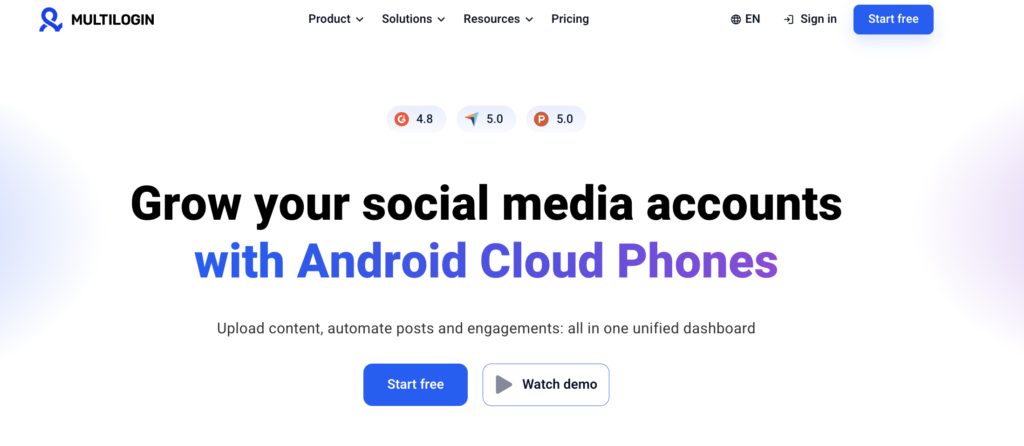
Multilogin is a cloud Android phone platform for multi-account management. Founded in 2015, it repositioned in 2026, is incorporated in the UAE, and is GDPR compliant. Each eBay account runs on its own Multilogin cloud phone, a real Android device in the cloud with its own app data, location, and IP. Seller Hub and other web tasks run in browser profiles from the same dashboard.
The biggest difference from the rest of this list is what comes with the phone. Multilogin is the only platform that includes cloud phones, browser profiles, residential proxies, and mobile minutes in all plans.
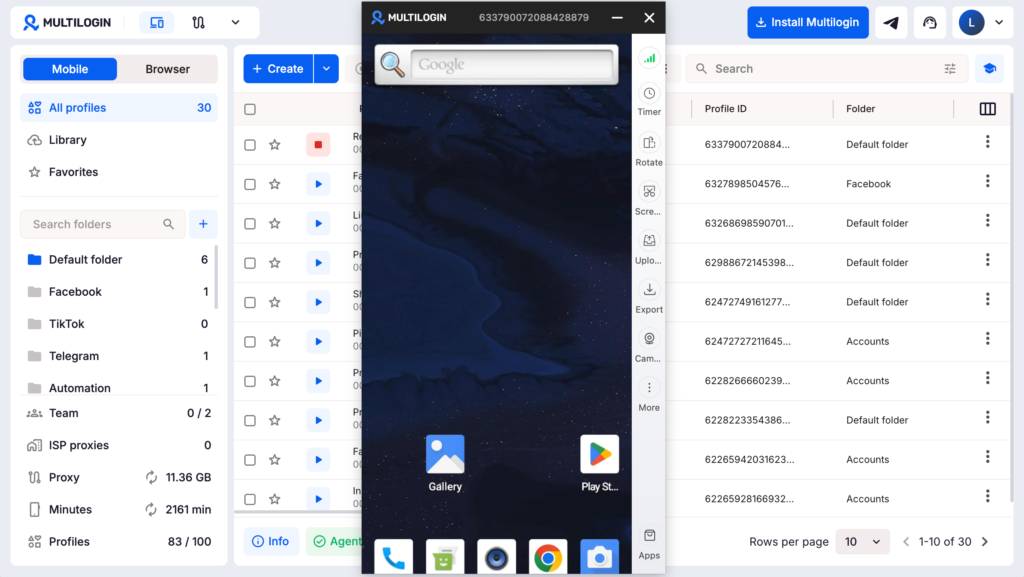
What eBay sellers get:
- Real Android devices. 30+ device types across 12 brands, including Samsung, Xiaomi, Google, OPPO, Motorola, and Vivo, running Android 10 to 16. You can pick the Android version per profile.
- An eBay app that stays put. Install apps from the built-in store or upload an APK. App data and login history persist between sessions. Camera and screen mirroring support in-app camera use, for example when photographing items to list.
- Built-in residential and mobile proxies. Every plan includes proxy traffic, and each profile gets its own IP and matched geolocation, with proxy locations in more than 150 countries and regions. Each cloud phone can run on Cellular or Wi-Fi, so you can pair the right proxy with the right connection. HTTP, HTTPS, ISP, SOCKS5, and third-party proxies are supported. See how proxies for eBay match each store to the market it sells to.
- Browser profiles for Seller Hub. Each profile has its own cookies, session, and IP, and uses no mobile minutes. For accounts used in both the app and the browser, the browser profile’s location can be synced with the cloud phone.
- Teams and automation. Team seats and permissions, profile sharing and assignment, bulk actions, custom columns, color tags, and notes for organizing accounts by store or client. Cloud phones come with full ADB access and an API for profile creation, app installation, and account management. Browser profiles work with Selenium, Puppeteer, Playwright, and Postman.
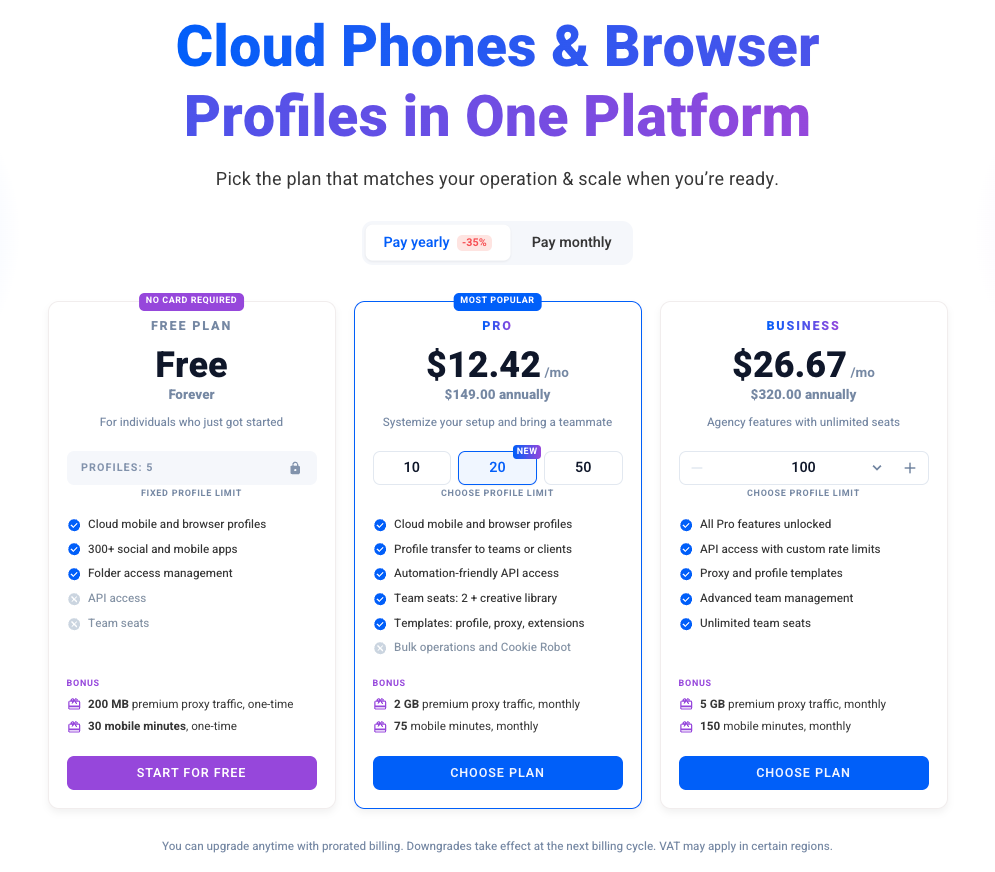
Pricing: The free plan includes 5 profiles with no time limit and no credit card needed; its proxy traffic and mobile minutes are one-time. Pro 10 costs $11 a month, or $7.08 a month billed annually, with 10 cloud and browser profiles, 1 GB of premium proxy traffic, 60 mobile minutes per month, API access, and a team seat. Extra minutes start at $0.0084 per minute and drop to $0.0067 on the largest packs. Extra proxy traffic starts at $2.275 per GB in bulk. Unused minutes and traffic roll over.
User feedback (G2: 4.8 out of 5 across 152 reviews; Capterra: 5.0 out of 5 across 75 reviews, as of October 2026):
- What users like: a short path from sign-up to a working phone, steady performance, responsive support, and proxies that come with the plan.
- What users dislike: new users need time to find their way around, and loading slows down with many profiles open at once.
Limits to know:
- Multilogin cloud phones can’t receive SMS or calls. If eBay sends a verification code by phone, receive it on your own phone or through an external SMS provider using a number eBay accepts, then enter it in the app on the cloud phone.
- 60 minutes a month on Pro 10 suits short sessions. Phones that run for hours each day will need extra minutes.
- You need a reliable internet connection. A slow connection affects the cloud phone experience.
- First-time setup can take some time. The Learning Center videos help new users get comfortable.
- Free plan profiles are deleted after 7 days of inactivity.
- A separate phone per account doesn’t solve content problems. Posting the same item with the same photos and description across stores can still run into eBay’s duplicate listing rules.
Best for: sellers and agencies running several eBay stores across the app and Seller Hub who want one plan instead of separate bills for phones, browsers, and proxies.
2. MoreLogin: best for phones you only open for short sessions
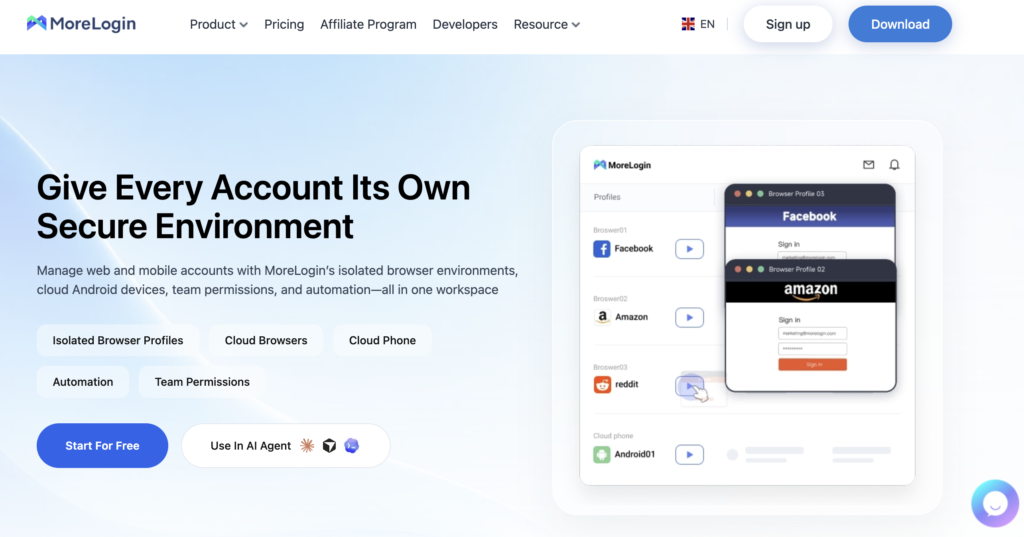
MoreLogin, from MoreLogin Technology Pte. Ltd., is built around browser profiles, with Android cloud phones priced separately. That split keeps costs low for sellers who only switch phones on when needed, for example to check messages or update orders.
- Two ways to pay for phones: per minute while a phone is on, or a fixed 30-day rental for phones that run constantly.
- Browser profiles: web accounts and phones sit under one login.
- Automation: local API, RPA, and ADB.
- Team permissions: control which teammate can open which phone or profile.
Pricing: Cloud phones cost $0.006 a minute while on, capped at $1.50 a day, or $23 to $25 per 30 days. The Pro browser plan is $9 a month, or $5.40 a month billed annually. New users get 100 free cloud phone minutes. Proxies are sold separately.
User feedback (G2: 4.3 out of 5 across 22 reviews, as of October 2026): users like the quick setup, a readable layout, and having phones and browser profiles under one login. Some reviewers say proxy setup takes practice and that support varies, with a few waiting a while on billing or account questions.
Limits to know: phones, the browser plan, and proxies are three separate costs. Proxies aren’t included on paid plans. Sellers with many phones need to track minutes or rentals closely.
Best for: sellers who want phones and browser profiles together but run phones in short sessions.
3. GeeLark: best for automating repetitive actions
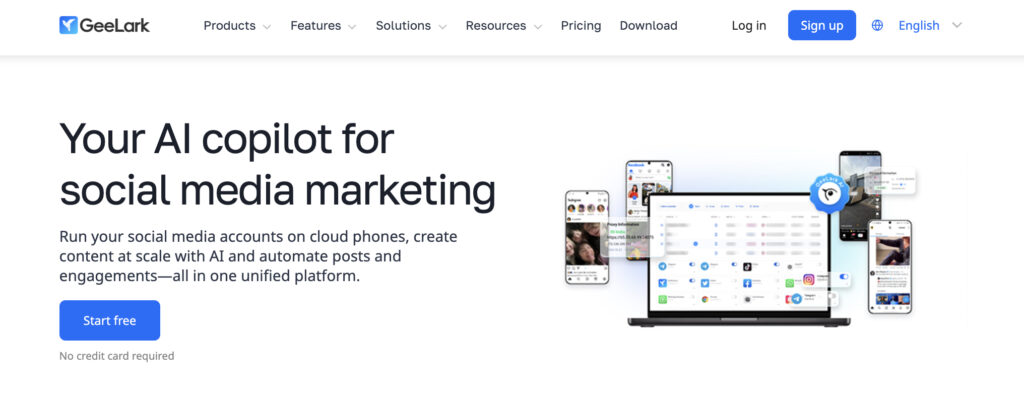
GeeLark is a Singapore-based cloud phone platform founded in late 2023. It’s designed mainly around social media marketing, with AI content tools in the same workspace as the phones. For eBay sellers, the more relevant parts are its RPA templates and synchronizer, which repeat the same sequence of actions across many phones.
- Cloud phones on Android 9 to 15, one per account.
- Automation: RPA templates, API and ADB from the Base plan, and a synchronizer on Pro.
- A multi-account browser for web accounts next to the phones.
- Unlimited seats on paid plans, with roles and permissions.
Pricing: The Base plan costs $5 a month, or $3.75 a month billed annually, with 60 bonus minutes per month. Phone time is $0.007 a minute on top, capped at $1.20 per phone per day, or $29.90 per phone for a month of unlimited use. The free plan has 2 profiles and 30 bonus minutes, with no API or ADB.
User feedback (G2: 4.9 out of 5 across 44 reviews, as of October 2026): users like the price, the interface, and support over WhatsApp and Telegram. Some reviews mention lag with several phones open and costs that need monitoring as teams grow.
Limits to know: phone time is billed separately from the plan, proxies aren’t included, and phones running all day hit the daily cap every day, which adds up across many accounts.
Best for: sellers who want to automate repetitive tasks, or who run eBay stores and social media accounts in the same workspace.
4. VMOS Cloud: best for renting phones by the month
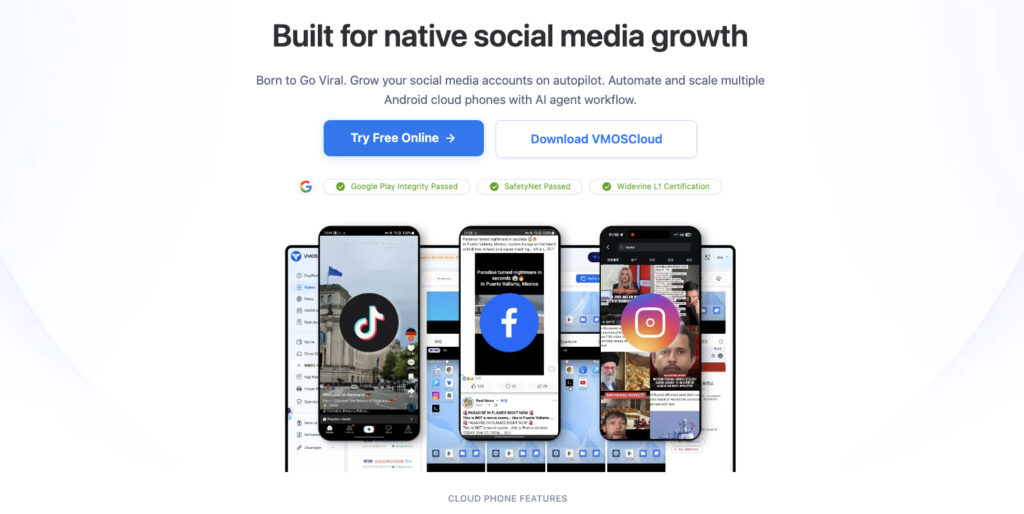
VMOS Cloud, operated by Minical International Limited, sells Android cloud phones for multi-account management, cross-border e-commerce, and social media automation. Its strengths are a low price per phone, broad coverage, and extras such as cooperation with SMS providers, email verification codes, and OwlProxy IPs in 80 countries.
- Low monthly price per phone, useful when phones stay on most of the day.
- Automation: a synchronizer that mirrors actions from a main device to the others, prompt-based social media automation, and an open API.
- Team Hub with roles and permissions.
Pricing: The pricing page lists a cloud phone subscription at $4.99 per 30 days, and timed devices billed from 5 minutes, capped at $1 a day. Static and dynamic residential IPs are sold separately.
User feedback: we didn’t find a G2 or Capterra listing with enough reviews to summarize.
Limits to know: the pricing page shows promotions rather than full device prices. There are no browser profiles, so you’ll need a separate tool for Seller Hub. Proxies cost extra.
Best for: sellers who work mostly in the app, keep phones running for hours each day, and want a fixed cost per phone.
5. DuoPlus: best for phone-only setups on a tight budget
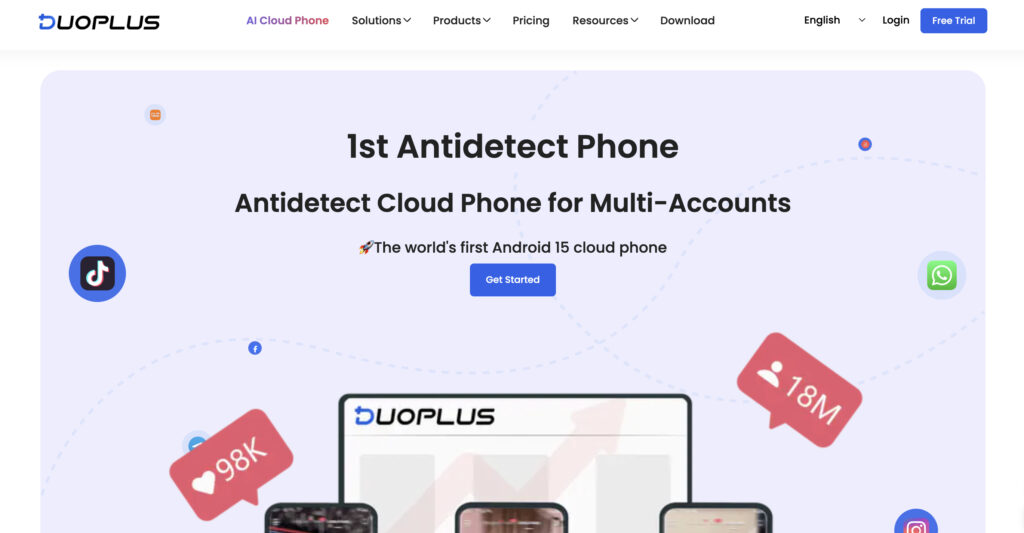
DuoPlus is a cloud phone service for social media and e-commerce accounts, managed from a browser or an app. It focuses on phones only, so web accounts like Seller Hub need a separate tool.
- Low price per phone: a single phone is listed at $2 a month, with lower prices for bulk orders.
- Location settings: GPS and SIM data across 150+ countries, aimed at cross-border operations.
- Batch app management: install, remove, and launch apps across many phones at once.
- Shared phones: teammates can work on phones without their own DuoPlus accounts.
Pricing: Each phone is $2 a month, with runtime billed on top. Pay-as-you-go compute is $0.15 for every half hour a phone is on, up to $0.90 per phone per day. A fixed compute package from $19.90 a month removes per-boot charges.
User feedback (G2: 4.7 out of 5 across 2 reviews, as of October 2026): reviewers mention stable phones. One found it costly, and another disliked crypto-only payment. Two reviews aren’t enough to judge long-term reliability.
Limits to know: the $2 price doesn’t include compute, proxies aren’t included and only SOCKS5 is supported, and no browser profiles are listed.
Best for: app-only sellers who count the cost of every phone.
Which platform fits your eBay setup?
| Setup | What matters most | Best fit |
|---|---|---|
| Several eBay stores for different markets | Separate location and IP per store, app and Seller Hub in one place | Multilogin |
| Agency or team managing eBay accounts for clients | Seats, permissions, accounts separated by client | Multilogin or MoreLogin |
| Opening the app for a few minutes a day | Per-minute billing | MoreLogin or GeeLark |
| Phones running most of the day | Daily caps or monthly rentals | GeeLark, MoreLogin, or VMOS Cloud |
| Repeating the same actions across many phones | Synchronizer, RPA, API | GeeLark, VMOS Cloud, or Multilogin |
| App-only accounts on a small budget | Lowest cost per phone | DuoPlus |
How to test a cloud phone for eBay in 7 days
A week of real work tells you more than any pricing page. These steps work on every platform in this list.
- Days 1–2: Install the apps you actually use. Set up two or three phones with the eBay app and the other apps in your selling workflow, log in, close the session, and reopen it the next day to confirm the login stuck.
- Days 3–4: Measure runtime and check the connection. Log how long each phone stays on during a normal workday, check that the stream stays smooth on your usual internet connection, and price that runtime on each billing model above.
- Day 5: Check Seller Hub and IP location. Open Seller Hub in a browser profile if the platform has one. Then check the IP each phone and profile uses with WhoerIP to confirm the location matches the store’s market and that the app and web sides line up.
- Day 6: Test the team setup. Add a teammate, share one phone, and confirm they see only what they should.
- Day 7: Add up the full bill. Include the plan, phone time, proxies, seats, and any automation tier you need. That total, not the entry price, is the number to compare.
Conclusion: which cloud phone should you choose for eBay?
No platform is cheapest for every eBay seller. Your real cost depends on how many hours each phone runs, whether you need proxies for each market, and whether you work in Seller Hub. If you run several eBay stores across the app and the browser and want proxies and mobile minutes in one plan, test Multilogin first. Each account gets its own cloud phone, and Seller Hub runs in browser profiles from the same dashboard.
If your phones only run in short bursts, MoreLogin or GeeLark can cost less in phone time, but add proxies to the estimate. If phones stay on all day, compare the caps and rentals from GeeLark, MoreLogin, and VMOS Cloud. DuoPlus suits app-only setups. Whichever two you shortlist, run the same week of real work on both, then compare how the eBay app behaves, team access, and the full monthly bill. Keep a separate phone number ready for eBay verification codes, since Multilogin cloud phones can’t receive SMS.
Set up your free cloud phone and run each eBay store on its own Android device, with Seller Hub in a browser profile from the same dashboard. No credit card needed.
Frequently Asked Questions
What is the best tool for managing multiple eBay accounts?
Multilogin is a strong option for sellers managing multiple eBay accounts across different countries. It combines Android cloud phones, browser profiles, and residential proxies in one platform, allowing sellers to manage the eBay app and Seller Hub from the same dashboard.
Can I manage multiple eBay accounts from different countries?
Yes, eBay allows sellers to operate multiple accounts as long as they follow its policies. You can manage accounts for different markets using separate browser profiles or cloud phones. Each account can have its own settings, login sessions, and network configuration to keep operations organized.
Do I need a separate cloud phone for each eBay account?
Not necessarily, but using a separate cloud phone for each account can make management easier. Each cloud phone provides an independent Android environment with its own app data and login sessions. This is especially useful for agencies and sellers managing multiple stores.
Can I use a cloud phone to manage eBay Seller Hub?
eBay Seller Hub is primarily designed for web browsers. While cloud phones are useful for managing accounts through the eBay mobile app, browser profiles provide a more convenient experience for handling listings, orders, and seller analytics in Seller Hub. Multilogin supports both cloud phones and browser profiles in one dashboard.
How much does it cost to manage multiple eBay accounts with cloud phones?
The cost depends on the number of accounts, how long each cloud phone runs, and whether you need proxies. Some providers charge per minute, while others offer monthly subscriptions. Multilogin includes mobile minutes and residential proxy traffic in its plans, which can simplify costs for sellers managing both mobile and browser-based eBay operations.