Managing multiple Facebook accounts becomes challenging as your business grows. Cloud phones offer a practical solution, letting you run accounts in isolated Android environments without relying on personal devices.
In this guide, we compare the best cloud phones for Facebook in 2026: Multilogin, MoreLogin, GeeLark, DuoPlus, and GoLogin, covering their features, pricing, and real user feedback.
FYI: Already sold on cloud phones and wondering how the same approach plays out on a different platform? Our guide to Best Cloud Phones for Instagram 2026: Making Marketing in Instagram Easier walks through the same logic for Instagram growth. And if you are still weighing a cloud phone against an emulator running on your own machine, Android Emulators vs. Cloud Phones breaks down exactly when each option makes sense.
What Is a Cloud Phone for Facebook?
A cloud phone for Facebook is a real (or near-real) Android device that runs on a remote server, reached through a browser tab or a desktop client, so each Facebook account gets its own device fingerprint instead of sharing yours.
Think of it less like an app and more like renting a phone you never have to charge. You spin a device up from a dashboard, log Facebook in, and that device keeps its own hardware identifiers, installed apps, and login history separate from every other device sitting next to it in your account. The better providers in this space, DuoPlus among them, run actual ARM-based Android hardware rather than software emulation, which matters once Facebook’s own risk systems start cross-checking device consistency over time. For a platform that leans this heavily on mobile-native signals, that kind of isolation is the whole point.
Why Facebook Marketers Need Cloud Phones (Key Benefits)
Here is the blunt version: if you manage more than a handful of Facebook accounts, doing it from one phone or one emulator eventually catches up with you. A cloud phone for Facebook marketing solves a specific set of headaches.
- Account isolation. Each profile runs on separate hardware, so one flagged account does not drag down the others next to it.
- No physical phone farm. Nobody is buying, charging, or babysitting a wall of real Android handsets anymore.
- Access from anywhere. The device lives in the cloud, so a dead laptop battery or a full phone is no longer a business risk.
- Team access without handing over devices. Agencies can grant teammates access to specific profiles without physically passing phones around the office.
- Built for mobile-first behavior. Facebook increasingly expects app-native usage patterns, and a real cloud Android phone replicates that far more convincingly than a desktop browser pretending to be mobile.
Running Facebook at any real scale without this kind of separation is, honestly, a slow-motion account ban.
How We Compared the Best Cloud Phones for Facebook in 2026
These picks draw on vendor pricing and documentation, hands-on trials, and published user reviews on G2 and Capterra, checked as of October 2026. We focused on five providers that come up consistently in cloud phone comparisons for social media work: Multilogin, MoreLogin, GeeLark, DuoPlus, and GoLogin. For each one we looked at Android version support, how phones are billed, what automation and team features ship with the plan, and what actual users say once the free trial wears off.
The Best Cloud Phones for Facebook in 2026
| Cloud Phone | Best For | Facebook-Ready Features | Starting Price |
|---|---|---|---|
| Multilogin | Mixing mobile and browser accounts under one bill | Install Facebook alongside TikTok or Instagram; app data and login history persist between sessions; residential proxies and mobile minutes included | From $7.08/mo (annual), with 60 mobile minutes and 1GB of proxy traffic included |
| MoreLogin | Phones you only need part of the time | Browser profiles for Ads Manager sit next to the phones under one login; per-minute or 30-day rental billing | From $0.006/min (capped at $1.50/day) or $23 to $25 per 30 days |
| GeeLark | Teams producing content for Facebook at scale | Built-in AI image and video tools, plus RPA templates and a synchronizer for repeating posting actions across phones | From $3.75/mo (annual), plus $0.007/min capped at $1.20/phone/day |
| DuoPlus | The lowest cost per phone, including Facebook Live streaming | OBS integration for long-running streams; GPS, SIM, and base station data for 60 countries; real ARM hardware | $2/mo listed per phone, plus runtime from $0.15 per 30 minutes (capped at $0.90/phone/day) |
| GoLogin | Mostly browser work, with a handful of app-based Facebook accounts | Cloud Android minutes bolted onto an established browser-profile workspace, good for occasional app logins | From $4.50/mo (annual), covering 10 profiles and 30 Cloud Android minutes |
👉 Looking for more options? Check out our Top 10 Best Cloud Phones guide to compare leading providers and find the right solution for your needs.
Multilogin: Best for Managing Mobile and Browser Accounts Together
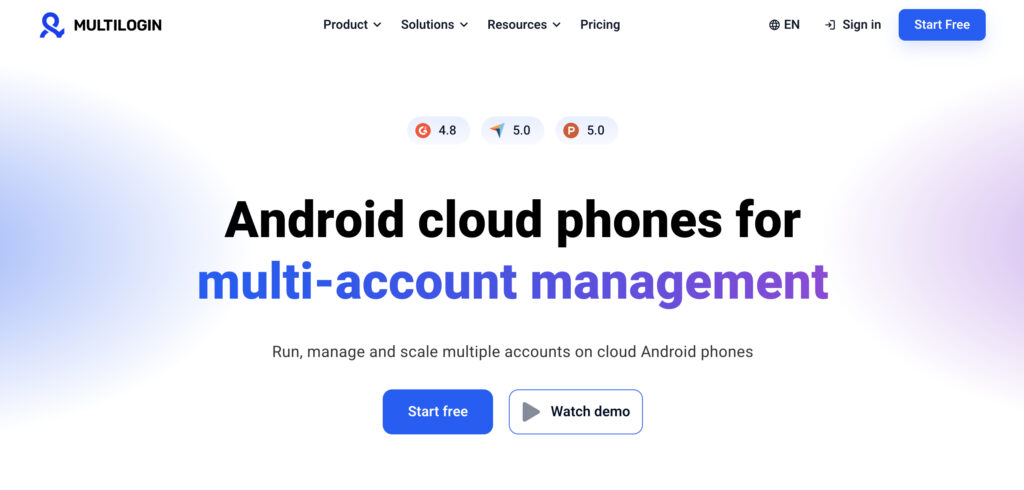
Multilogin has been building multi-account tools since 2015, and cloud Android phones are now its core product, with real Android devices sitting in the same dashboard as browser profiles for web-based accounts. For Facebook specifically, that combination is the main draw: install Facebook, Instagram, or TikTok (or any APK) on a phone, and the app data and login history stick around between sessions rather than resetting every time, while Ads Manager or Business Suite can run from a browser profile right next to it.
Multilogin have 30+ device models across 12 brands, including Samsung, Google, Xiaomi, OPPO, Motorola and Vivo. Automation runs through ADB and the API on the phone side, and Selenium, Puppeteer, Playwright, or Postman on the browser side, with seats and permissions for teams.
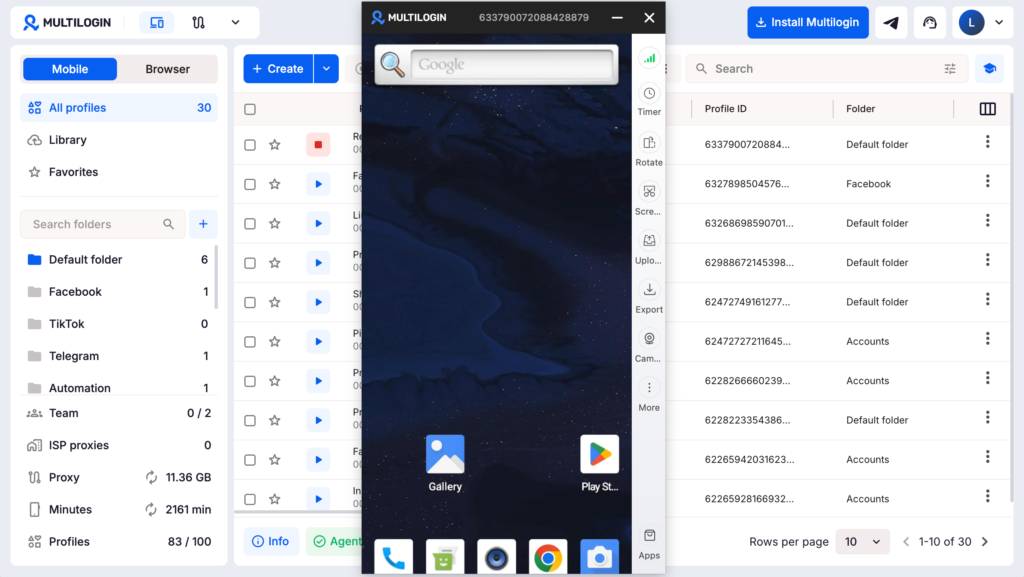
The entry plan runs $7.08 a month on annual billing, including 60 mobile minutes and 1GB of proxy traffic each month. Extra mobile minutes cost from $0.0067 each when bought in bulk, and unused minutes roll over rather than expiring. Multilogin also offers a free plan with no time limit and no credit card needed. It includes 5 profiles (1 cloud phone), plus 30 mobile minutes and 200 MB of proxy traffic as one-time bonuses.
As of October 2026, Multilogin sits at 4.8 out of 5 on G2 across 152 reviews and 5.0 out of 5 on Capterra across 75 reviews. Reviewers call out a short path from sign-up to a working phone and proxies that come bundled rather than billed separately. The complaints are fairly minor: new users need some time to find their way around the dashboard, and things slow down once a large number of profiles run at once.
Best for: agencies, social teams, and online sellers splitting work between apps and websites who would rather pay one subscription than stitch several tools together.
MoreLogin: Best for Phones You Only Run Part of the Time
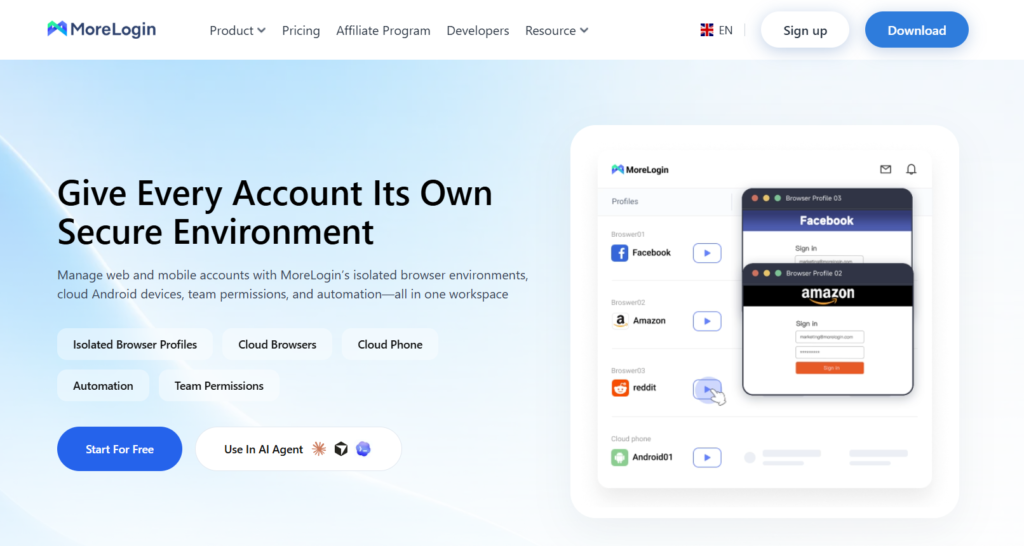
MoreLogin, from MoreLogin Technology Pte. Ltd., pairs a browser profile platform with Android cloud phones, and prices the two separately. That separation is actually the point: teams that only need a phone powered on for short bursts a day are not paying for idle capacity.
Phones can be billed per minute while powered on or rented at a fixed 30-day rate for phones that run constantly, and browser profiles for Facebook Ads Manager or Business Suite sit under the same login. Automation covers API access, RPA, and ADB, with team permissions controlling who can open which phone or profile.
Cloud phones cost $0.006 a minute while running, capped at $1.50 a day, or $23 to $25 for a 30-day rental. The Pro browser plan runs $9 a month, or $5.40 a month on annual billing, and new users get 100 free cloud phone minutes to try before paying.
G2 puts MoreLogin at 4.3 out of 5 across 22 reviews as of October 2026. Users like how fast it is to get running, the readable layout, and keeping phones and browser profiles under one login. On the downside, proxy setup takes a bit of practice, and support response times vary, with some users reporting a wait on billing or account questions.
Best for: teams that want phones and browser profiles together but run phones in short sessions rather than all day.
GeeLark: Best for Social Teams Creating Content on Their Phones
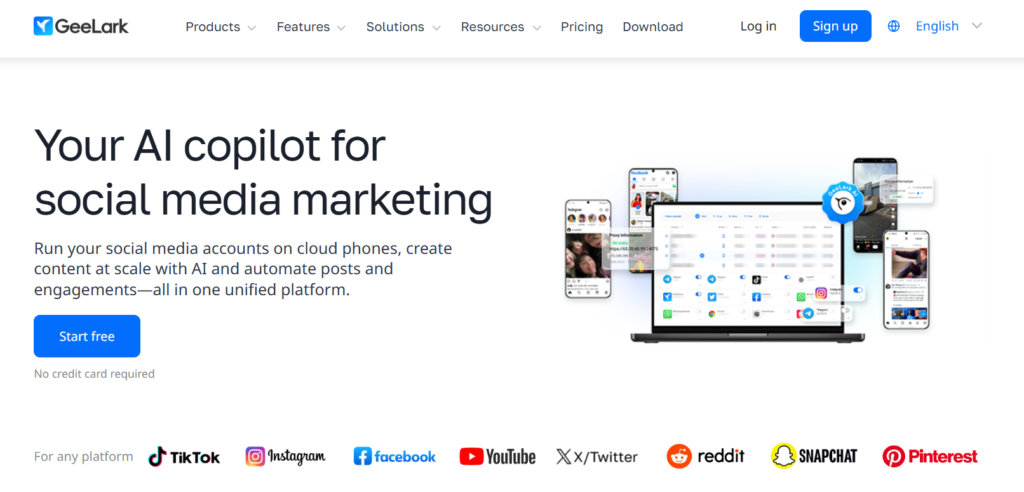
GeeLark is a Singapore-based cloud phone platform, founded in late 2023, and it is built specifically around social media marketing workflows rather than general-purpose device management. AI content tools (image and video generation) live in the same workspace as the phones themselves, which is useful if content creation for Facebook campaigns is as big a part of the job as account management.
Phones run Android 9 through 15, one phone per account, and automation covers RPA templates plus a synchronizer for repeating the same action across phones at once, with API and ADB access on paid tiers. A multi-account browser handles any web-based accounts alongside the phones, and paid plans include unlimited seats with roles and permissions.
Plans start at $3.75 a month on annual billing, with phone time billed separately at $0.007 a minute, capped at $1.20 per phone per day.
G2 have 4.9 out of 5 across 44 reviews on G2 (October 2026). Reviewers cite the price point as a strength, and one published review mentions fast support responses. On the other side: lag once many profiles are open at the same time, phones that sometimes respond slowly, and a bill that climbs noticeably with heavy use since phone time is metered on top of the plan fee.
Best for: social teams that produce content and run accounts from the same workspace.
DuoPlus: Best for Phone-Only Setups on a Tight Budget
DuoPlus markets itself around real ARM-based Android hardware rather than emulation, managed from a browser or an app, and it is built for phones only. Teams that also need web-based account management will need a separate tool for that half of the job.
The headline number is price: a single phone is listed at $2 a month, with bulk orders bringing that down further. Beyond the base phone, DuoPlus supports GPS, SIM, and base station data across 60 countries, batch app management for installing or launching apps across many phones at once, shared phones that let teammates work without their own DuoPlus login, and OBS integration for long-running live streams, which is a genuine plus for anyone running Facebook Live from a managed device rather than a personal one.
Running a phone costs extra on top of that $2 listing: pay-as-you-go compute runs $0.15 per half hour, capped at $0.90 a phone per day, or a fixed compute package starting at $19.90 a month removes the per-boot charges entirely for heavier use. G2 mentions a free trial without spelling out its exact terms.
G2 rates DuoPlus at 4.7 out of 5, though only across 2 reviews as of October 2026, so treat that number as a very early signal rather than a settled verdict. The reviews that exist praise stable phones that make juggling many accounts easier. Complaints mention cost (from one reviewer) and crypto-only payment (from another).
Best for: app-only operations watching the cost of every single phone closely.
GoLogin: Best for Browser-First Teams With a Few App-Based Accounts
GoLogin, from GoLogin LLC, is a browser profile platform first and a cloud phone provider a distant second. Cloud Android phones now ship on its paid plans, but they are an add-on bolted onto a browser-first product rather than the center of what GoLogin does.
The entry paid plan includes 30 Cloud Android minutes a month, labeled exactly that on GoLogin’s pricing page, alongside an approachable browser workspace with folders, groups, and bulk actions even at the entry tier. Higher tiers add proxies, profile sharing, and API access as the account grows.
Paid plans start at $4.50 a month on annual billing ($9 billed monthly), covering 10 profiles and those 30 Cloud Android minutes.
G2 rates GoLogin at 4.7 out of 5 across 79 reviews as of October 2026. Users like the gentle learning curve, dependable day-to-day use, and an uncluttered interface. Complaints center on slowdowns once profile counts climb and a few menus that are not immediately obvious.
Best for: freelancers and small teams who work mostly in the browser and only need a phone for a handful of app-based Facebook accounts.
At a Glance: What Real Users Say
| Provider | What Users Like | What Users Dislike |
|---|---|---|
| Multilogin | Fast setup, steady performance, responsive support, proxies included in the plan | Takes new users time to learn, slower with many profiles running at once |
| MoreLogin | Fast to get running, readable layout, phones and browser profiles in one login | Proxy setup takes practice, support response times vary |
| GeeLark | Competitive price point, one reviewer notes fast support | Lag with many open profiles, occasional slow response, bill climbs with heavy use |
| DuoPlus | Stable phones, easier to juggle many accounts | Cost (one reviewer), crypto-only payment (another reviewer) |
| GoLogin | Gentle learning curve, dependable daily use, uncluttered design | Slowdowns at higher profile counts, some unclear menus |
Side by Side: Android Versions, Automation, and Team Features
| Platform | Android Versions | Automation and Team Features | Learning Curve |
|---|---|---|---|
| Multilogin | 10 to 16, across 30+ device models | ADB and API for phones; Selenium, Puppeteer, Playwright, and Postman for browsers; unlimited seats on the Business plan | Low to moderate |
| MoreLogin | 10 to 15 | API, RPA, and ADB; team permissions control who opens which phone or profile | Low to moderate |
| GeeLark | 9 to 15 | RPA templates and a synchronizer; API and ADB from the Base plan; unlimited seats with roles on paid plans | Low to moderate |
| DuoPlus | 10, 11, 12, and 15 | Batch app management across phones; shared phones without separate teammate accounts | Not enough reviews to judge |
| GoLogin | Not listed in public sources | REST API and SDKs from the 100-profile tier; profile sharing from 25 profiles; advanced team management on Custom plans | Low to moderate |
Cloud Phone vs. Antidetect Browser for Facebook: Which Do You Need?
A cloud phone runs an actual Android environment in the cloud, while a browser-first tool like GoLogin runs on your own computer and isolates each account inside a regular desktop browser window. Both aim at the same underlying goal, keeping accounts from looking connected to one another, but GoLogin’s own product lineup is a neat illustration of the split: it built its name on browser profiles and only added Cloud Android minutes later, as a bolt-on for the occasional app login.
If most of your Facebook work happens inside the app itself (Marketplace, Groups, mobile-first ad formats, or anything that behaves differently on mobile versus desktop), a dedicated cloud phone from Multilogin, MoreLogin, GeeLark, or DuoPlus is the closer match. If your workflow is mostly Ads Manager or Business Suite, a browser-first tool might be lighter and cheaper for the job, with a cloud phone reserved for the handful of accounts that genuinely need the app. If you are still deciding which category fits your setup at all, Android Emulators vs. Cloud Phones is worth a read too.
Pro tip: Do not mix and match randomly. Pairing a cloud phone’s mobile IP with a wildly different browser-profile IP for the same brand’s accounts is a classic way to trip Facebook’s own consistency checks. If you are building a Facebook-specific proxy setup to go with your cloud phones, note that not every provider includes one: GeeLark and MoreLogin leave proxies out entirely, and DuoPlus only supports SOCKS5. Our Best Facebook Proxy. Use Facebook Without Limits guide covers what actually works there.
Practical Use Cases: How Marketers Actually Use Cloud Phones for Facebook
So where does this actually get used day to day? A few patterns come up again and again.
- Agencies managing client ad accounts. Each client gets a dedicated cloud phone, which keeps billing, access, and risk cleanly separated, and Multilogin’s seat and permission system was built for exactly this.
- Affiliate and dropshipping operations. Multiple storefront accounts, each needing its own Facebook presence without looking like a coordinated network, where MoreLogin’s part-time billing can keep costs down between campaigns.
- Live streaming and content creation. DuoPlus’s OBS integration suits teams running Facebook Live from managed devices, while GeeLark’s built-in AI content tools cover the creative side before anything gets posted.
- Community and group management. Running separate moderator or admin accounts for different communities without them all tracing back to one device.
If you are still mapping out why a cloud phone belongs in your stack at all before picking a provider, Why Do You Need Cloud Phones in 2026? is a good starting point, and our broader 10 Best Cloud Phones in 2026: How to Choose the Right One for You rounds out the picture beyond Facebook specifically.
How to Choose the Right Cloud Phone for Your Facebook Strategy
There is no single “best” answer here, there is only the best fit for how you actually work. A few questions worth asking first:
- How many accounts, realistically? A handful rarely justifies a platform’s more complex automation tier. Dozens, or hundreds, make templates and synchronizers worth paying for.
- Mobile-only, or mobile plus browser? If Ads Manager or Business Suite is a big part of your workflow, a platform that bundles browser profiles (Multilogin, MoreLogin) saves you from running two separate tools.
- Flat rate or usage-based? Light, occasional use favors per-minute billing like MoreLogin’s or GeeLark’s; constant, all-day use tends to favor a flat plan so costs stay predictable and the daily cap does not become a daily certainty.
- Team access needs. If several people need to touch the same accounts, check specifically how each provider handles shared access, not just the headline price. DuoPlus, for instance, lets teammates share phones without separate accounts, which is a nice shortcut for smaller teams.
None of this requires picking the flashiest option on the list. It requires picking the one that matches how your Facebook operation actually runs, and that genuinely looks different for a solo marketplace seller than for a 15-person agency.
Conclusion
Choosing among the best cloud phones for Facebook in 2026 comes down to matching the tool to your actual workload rather than chasing whichever name ranks highest. Multilogin fits teams that want mobile and browser profiles under one roof and one bill. MoreLogin and GeeLark suit usage patterns that do not need a phone running all day, with GeeLark adding content creation tools on top. DuoPlus wins on raw price per phone and throws in genuinely useful extras like Facebook Live support through OBS. GoLogin makes sense mainly for teams that live in the browser and only need the occasional cloud phone minute. Start with a free plan or trial where one is offered, and scale up once you know which workflow actually sticks for your Facebook operation.
Frequently Asked Questions
What is the best cloud phone for managing multiple Facebook accounts?
Multilogin is a strong choice for managing multiple Facebook accounts because it combines Android cloud phones, browser profiles, and residential proxies in one platform. Other options include GeeLark, MoreLogin, DuoPlus, and GoLogin, depending on your budget, automation needs, and team size.
Can I run multiple Facebook accounts on cloud phones?
Yes. Cloud phones let you manage multiple Facebook accounts using separate Android environments. Each cloud phone maintains its own app data, login sessions, and device settings, making it easier to organize accounts without using multiple physical phones. However, using cloud phones does not guarantee protection from Facebook restrictions.
Are cloud phones better than antidetect browsers for Facebook?
It depends on your workflow. Cloud phones are better suited for mobile activities such as using the Facebook app, Marketplace, and Groups. Antidetect browsers are more convenient for web-based tasks like Facebook Ads Manager and Meta Business Suite. Platforms like Multilogin support both environments.
Can I automate Facebook activities using cloud phones?
Yes. Some cloud phone platforms support automation through APIs, ADB, or built-in RPA tools. For example, Multilogin supports ADB and API automation for cloud phones, while GeeLark offers RPA templates and synchronization features. Automation capabilities vary by provider, and activities should follow Meta's platform policies.
How much does a cloud phone for Facebook cost in 2026?
Cloud phone pricing depends on the provider, subscription, and usage time. According to the comparison in this guide, Multilogin starts at $7.08/month with included mobile minutes and proxy traffic, while GeeLark starts at $3.75/month with additional usage charges. DuoPlus lists cloud phones from $2/month, with runtime billed separately. Always check what is included before choosing a plan.