

If you’ve been hunting for the best ISP static residential provider this year, you already know the choice isn’t simple – every provider claims to be the fastest, the cheapest, and the hardest to flag.
👉 The reality? Most of them are good at one thing and average at the rest. So this guide cuts the fluff and compares the five best ISP static residential providers that actually keep showing up in serious conversations in 2026.
Static residential IPs sit in a sweet spot. They look like real home connections to websites (because the IPs are issued by actual Internet Service Providers), but they behave like datacenter IPs – fast, stable, and yours for as long as you pay for them. That combination is exactly why prices and provider claims have gotten a little wild. Knowing what an ISP is and how dynamic vs static IP addresses behave makes choosing between providers way easier.
Key things to know before you pick a provider
The best ISP static residential proxy providers all win on different axes. Speed, pool size, country list, pricing model, and trust score behave like five separate dials, and no single provider maxes out all five.
Here’s the punchy version:
- Static does not mean undetectable. Even a clean residential IP can get flagged if your browser fingerprint screams “bot.”
- Bigger isn’t always better. A 50M IP pool means nothing if only 200 of them are in the country you need.
- Sticky sessions are the whole point. If your provider can’t hold the same IP for the time your workflow needs, you bought the wrong product.
- Price per IP is not the real metric. Refresh policies, uptime guarantees, and KYC requirements quietly matter more.
What static residential ISP proxies actually are
Static residential ISP proxies are IPs registered to real Internet Service Providers but hosted in datacenters, giving you the legitimacy of a residential connection with the uptime of a server. That’s the short answer. Now the longer one.
A normal residential proxy borrows its IP from somebody’s actual home router – usually through a peer-to-peer network or an SDK baked into a free app. The IP looks real because it is real, but those connections rotate, drop, and sometimes vanish mid-task. Static residential (often called ISP proxies) flips that model. The provider buys IP ranges directly from telecoms, then hosts them on enterprise servers. You get a residential-looking IP that doesn’t disappear when grandma turns off her router.
Sites can’t easily tell the difference. WHOIS lookups show an ISP, not a hosting provider, so the IP passes most automated checks. You can verify how an IP looks to the outside world by running it through any free IP checker – a topic we cover in How to Use an IP Checker.
Before you commit to a provider, it’s worth understanding the foundation. Two articles you’ll probably want open in a second tab: What Is an IP Address? Everything You Need to Know and What is a residential proxy. They explain the mechanics behind every recommendation below.
Best ISP static residential providers in 2026
1. Bright Data: the big one

Bright Data offers the widest country coverage and the most flexible pricing tiers among ISP proxy providers, which is exactly why enterprise buyers keep choosing it. If you need IPs from somewhere weird like Latvia, the Philippines, Argentina chances are Bright Data has them in stock when nobody else does.
The platform splits ISP proxies into three plans: shared (rotating pool, billed per GB), shared unlimited (fixed IPs, multi-tenant), and dedicated unlimited (exclusive IPs). That flexibility is great if you know what you’re doing. If you don’t, the dashboard can feel overwhelming on day one. KYC is required, and pricing is on the higher end.
Pros: Bright Data has the largest country list in the industry, three plan types for different budgets, strong uptime and SLA options, and a solid dedicated IP option.
Cons: It is pricier than most competitors, KYC and onboarding take time, the dashboard has a learning curve, and it is not the best fit for casual users.
2. Oxylabs: the enterprise pick
Oxylabs is the go-to for teams that prioritize reliability and clean compliance over the lowest sticker price. Their ISP proxies are dedicated, static, and as of 2026 cover roughly 14 countries, a smaller list than Bright Data, but every IP is vetted.
Self-service is now available for ISP plans, which is a recent and welcome change. You no longer have to sit through a sales call to buy a couple of IPs. Speeds are consistently strong, support is responsive, and uptime rarely budges. The trade-off, predictably, is price. You pay for the polish.
Pros: Oxylabs offers high-quality dedicated static IPs, self-service signup, strong customer support, and is trusted by Fortune 500 brands.
Cons: Its country list is smaller than some competitors, the per-IP cost is higher, the feature set leans more enterprise, and compliance checks are required before activation.
3. IPRoyal: the budget champion
IPRoyal offers some of the cheapest ISP proxies on the market, with prices that start low and drop further as you buy in bulk. If your project lives or dies by per-IP cost, IPRoyal is hard to beat. Their static residential pool spans 30-plus countries, which is unusually wide for the price.
The catch? You can only refresh your IPs once per month, and certain country stocks come and go. Not a dealbreaker for steady workloads. A bit of a headache if you’re trying to scale fast in a niche region. Still, for everyday scraping, account management, and ad verification, it’s a solid pick.
Pros: IPRoyal offers the lowest per-IP pricing in its tier, 30+ country coverage, unlimited traffic on most plans, and volume discounts for bulk orders.
Cons: It has a monthly IP refresh limit, some regions may run out of stock, support is decent but not exceptional, and the dashboard is less polished.
4. Webshare: the easy entry
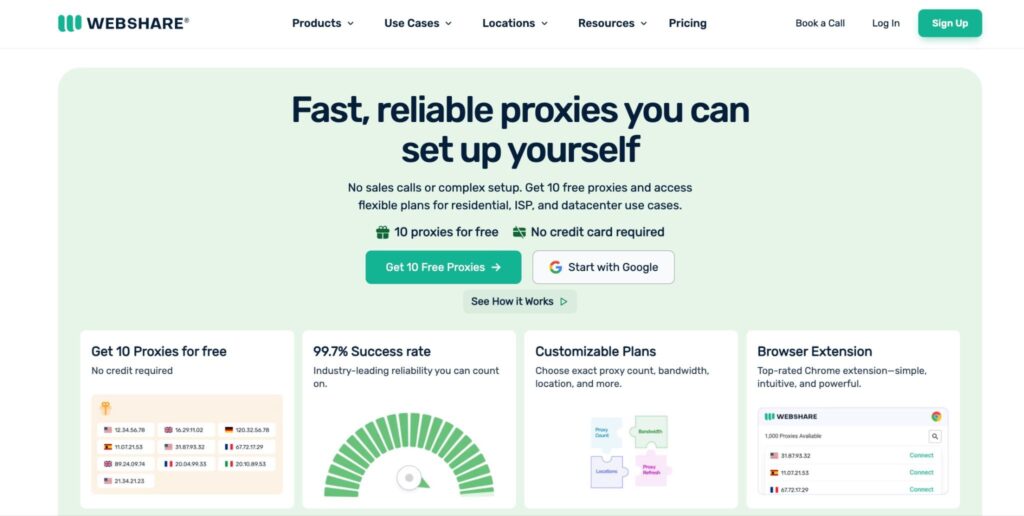
Webshare has the lowest barrier to entry of any provider on this list, which makes it the natural starting point for solo developers and small teams. Static residential IPs start at around $0.30 per IP, basically pocket change compared to the enterprise crowd.
The platform is genuinely beginner-friendly. You sign up, pick a plan, configure your proxies in a clean dashboard, and you’re running in minutes. The trade-off is location depth: country options are limited, and for hard targets you may need to combine Webshare with another provider. Still, as a first proxy purchase, it’s tough to beat.
Pros: Webshare has the cheapest entry price on the market, a free plan for testing, a beginner-friendly self-service UI, and multiple proxy types in one platform.
Cons: It has limited country coverage, is best for small to mid-scale projects, offers fewer enterprise features, and is not ideal for high-risk targets.
5. Rayobyte: the US specialist
Rayobyte focuses on US-centric workloads with strong sticky-session support, which makes it the most practical pick for North American use cases. They offer both dedicated and semi-dedicated static residential IPs, with optional rotation up to a two-hour sticky window.
Geo-targeting for rotating proxies is US-only, while semi-dedicated IPs are available in the US, UK, Canada, and Germany. No free trial for static ISP, unfortunately. A two-day money-back guarantee is the next-best thing. If your work is mostly American, sneaker copping, US retail monitoring, US ad verification, Rayobyte is squarely in your lane.
Pros: Rayobyte offers excellent US IP quality, sticky sessions up to 2 hours, dedicated and semi-dedicated options, and a money-back guarantee.
Cons: It has a limited country list, no free trial for static ISP proxies, US-only geo-targeting on rotating plans, and is less competitive outside North America.
Static ISP proxy providers comparison table 2026
| Provider | Best For | Pricing Style | Countries |
| Bright Data | Enterprise, broad geo coverage | Per IP plus traffic, tiered | 35+ |
| Oxylabs | Reliability, premium workloads | Per IP, self-service or enterprise | 14+ |
| IPRoyal | Budget-friendly bulk buys | Per IP per day, volume discounts | 30+ |
| Webshare | Beginners and small teams | Lowest entry, per IP monthly | Limited |
| Rayobyte | US-focused tasks, sticky sessions | Per IP, optional rotation | 4 main (US, UK, CA, DE) |
How to choose the best ISP provider for your use case
The best static residential ISP provider depends entirely on what you need to run, not on which company has the prettiest landing page. Match the proxy setup to the workflow. A rough decision tree:
- Social media multi-account management? IPRoyal or Webshare can work well for lower-cost static IPs. If you are managing mobile-first accounts, pair them with Multilogin cloud phones so each account has its own mobile environment, proxy, and region setup.
- TikTok Shop, dropshipping, or mobile app workflows? Use Multilogin cloud phones with a dedicated static residential IP per account. This helps you separate accounts by country or region while keeping each workflow easier to manage from one dashboard.
- Enterprise scraping with strict SLAs? Oxylabs or Bright Data. Pay for the reliability.
- Need exotic country IPs? Bright Data first, IPRoyal second.
- US-focused retail monitoring or ad verification? Rayobyte. Built for US-heavy workflows.
- Just learning the ropes? Webshare. It is the cheapest way to test static residential ISP proxies before scaling.
A small but underrated tip: combine providers. There’s nothing stopping you from running Webshare for general work and Bright Data only for the targets that demand premium IPs. Plenty of teams do exactly this.
Common mistakes to avoid with static residential ISP proxies
Buying a static residential IP doesn’t automatically make you invisible. A few common traps:
- Browser fingerprint mismatch. Your IP says New York, your timezone says Tokyo. Sites notice this in milliseconds. Worth reading up on how to change your browser fingerprint.
- WebRTC leaks. Your real IP can leak through WebRTC even with a proxy in place.
- DNS leaks. Same problem, different protocol.
- Reused IPs. A “fresh” IP that was abused by the previous customer last week is still a blacklisted IP today. Always check before you use it.
- Ignoring the ASN. Some “residential” IPs are actually flagged as hosting – a quick ASN check catches this.
Conclusion: which best ISP provider should you choose?
Choosing the best static residential ISP provider in 2026 is not about picking the biggest name on the list. It is about knowing what your workflow really needs. Some teams need broad country coverage. Others care more about low per-IP cost, sticky sessions, uptime, or clean compliance. That is why Bright Data, Oxylabs, IPRoyal, Webshare, and Rayobyte each fit a different type of user.
Still, the provider is only one part of the setup. A clean static residential IP can still fail if your browser fingerprint, DNS, WebRTC, timezone, or ASN looks wrong. For mobile-first workflows such as TikTok Shop, dropshipping, or social media account management, pairing the right ISP proxy with tools like Multilogin cloud phones can also help keep each account in its own environment, region, and proxy setup.
The safest approach is to start small, test your IPs, and scale only when the setup is stable. Run a privacy check, review the ASN, scan for blacklist entries, and make sure there are no DNS or WebRTC leaks before using any IP in production.
Static residential ISP proxies are useful because they offer a balance of trust, speed, and stability. But they work best when you match the provider to your use case and verify the setup before relying on it.
Frequently Asked Questions
What are the best ISP static residential proxy providers in 2026?
The best ISP static residential proxy providers in 2026 include Bright Data, Oxylabs, IPRoyal, Webshare, and Rayobyte. Each provider fits a different use case, such as enterprise scraping, social media account management, budget-friendly bulk buying, or US-focused workflows.
How do I choose the best ISP static residential proxy providers for my workflow?
To choose the best ISP static residential proxy providers, look at your main use case first. Check country coverage, pricing model, sticky session support, IP refresh rules, uptime, KYC requirements, and whether the provider fits your scale.
What is a static residential IP and how is it different from a regular ISP IP?
A static residential IP is an IP address issued by a real Internet Service Provider but hosted in a datacenter and assigned exclusively to one customer for an extended period. A regular ISP IP is the one your home router gets from your provider — usually dynamic, often shared with other customers over time, and tied to a physical location. Static residential IPs combine the legitimacy of residential ownership with the stability of a server-grade host.
Why are static residential IPs more expensive than datacenter proxies?
Because the underlying IPs come from real telecoms, not cheap hosting providers, and supply is limited. Datacenter proxies can be spun up by the thousand on cloud infrastructure. Static residential IPs require commercial agreements with actual ISPs, which keeps the available pool smaller and the prices higher. You're essentially paying for the IP to look genuinely residential to detection systems.
Can I use a static residential ISP for sneaker bots, ad verification, or social media?
Yes, all three are common use cases, though each has its own quirks. Sneaker copping favors fast, sticky US-based IPs (Rayobyte territory). Ad verification works well with broad geo coverage (Bright Data or Oxylabs). Social media account management is where Webshare and IPRoyal shine because per-account cost stays low.