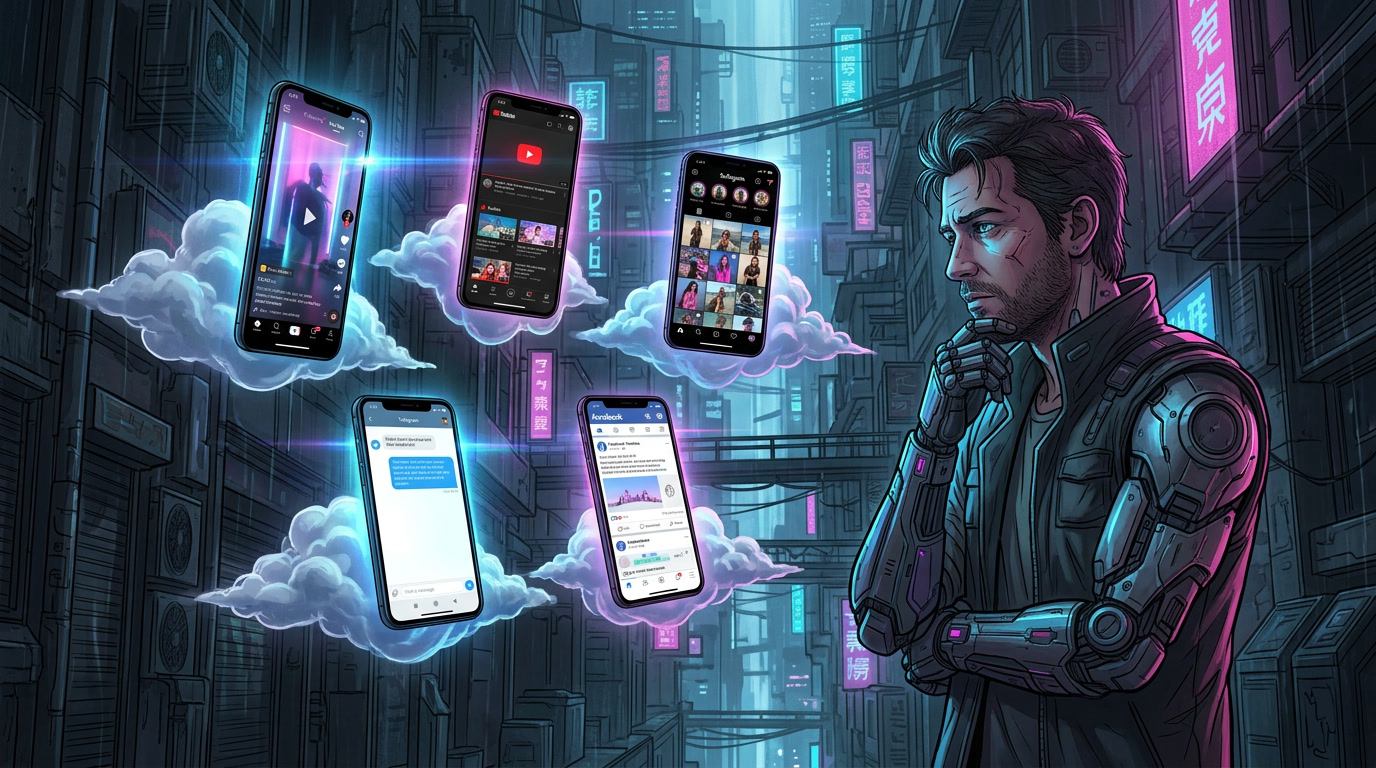

A free cloud phone is a virtual Android device that runs on remote servers, letting you install apps, manage accounts, and test mobile environments without using a physical phone. The catch is that “free” can mean anything from a limited trial to a genuinely usable free plan.
In this guide, we compare five of the best free cloud phones in 2026: Multilogin, VMOS Cloud, DuoPlus, UgPhone, and GeeLark. We focus on free access, Android flexibility, proxy support, and real-world limitations. If privacy, IP checks, or browser identity also matter to your setup, WhoerIP can help you verify the environment you’re connecting from.
What is a free cloud phone?
A free cloud phone is a virtual Android instance you access remotely, at no cost, either permanently on a limited plan or temporarily through a trial. Unlike a paid rental, nothing shows up on your card. You sign up, you get a device, and depending on the provider that device sticks around for a few hours, thirty days, or indefinitely with restrictions attached.
It’s worth pausing here because cloud phones and Android emulators get lumped together constantly, and they’re not the same animal. An emulator runs a simulated Android environment on your own computer’s hardware. It borrows your CPU, your local IP, your machine’s quirks. A cloud phone runs on remote infrastructure with its own IP address and, often, real ARM chips underneath instead of x86 emulation layers. That matters a lot if you’re dealing with apps that fingerprint aggressively.
Common reasons people reach for a free cloud phone:
- Managing multiple social accounts without cross-contamination between them
- Testing an app across different Android versions before shipping
- Running a workflow (scraping, automation, account warming) away from a home network
- Geo-specific testing, where the app needs to see a different country’s IP
- Remote access to an Android device when you’re away from your own phone
How we compared the best free cloud phones
Not all “free” claims are built the same, so we judged each platform against the same checklist:
- Is it a free plan, a free trial, or free credits with an expiry date
- What do you need to hand over to register (email only, or a card)
- Which Android versions are on offer
- How many device models you can pick from
- Whether a proxy is included or something you buy elsewhere
- How much location flexibility the free tier allows
- How fast setup and launch actually are
- What the usage caps look like once you dig into the fine print
- General ease of use for someone doing this for the first time
- What paid plans cost once the free access runs dry
Best free cloud phones in 2026: quick comparison
| Cloud Phone | Free Access | Android Support | Proxy Included | Main Limitation |
| Multilogin | Free plan | Android 10 to 16 | Yes, built-in residential | Only 30 free mobile minutes |
| VMOS Cloud | 2-hour free trial | Android 10, 12, 13, 14, 15 | No, add via OwlProxy | Trial is very short |
| DuoPlus | 30-day trial, 1 device | Android 12+ (varies by model) | No, bought separately | Proxy cost adds up fast |
| UgPhone | Free trial, hours vary | Varies by device tier | Not a focus | Built for gaming, not privacy work |
| GeeLark | Free plan, 2 profiles | Android 10 to 15 | Not included by default | 30 to 60 minutes a month |
Multilogin comes out ahead on the combination that matters most for everyday privacy-conscious use: no card required, a proxy that’s actually built in rather than an upsell, and a free plan that doesn’t have an expiration date hanging over it.
1. Multilogin: best free cloud phone overall
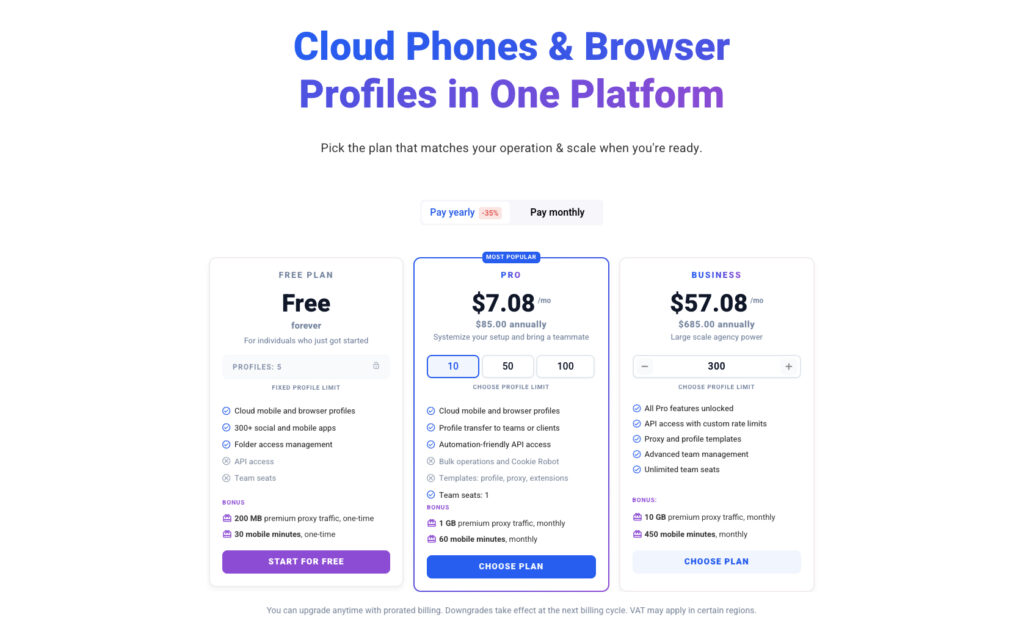
Multilogin’s free cloud phone plan
In July 2026, Multilogin introduced a free plan that lets users launch an Android cloud phone and test the service fully. Multilogin’s free cloud phone plan requires nothing but an email address, and there’s no card on file at any point. That alone puts it ahead of a lot of “free trial” offers that quietly want your payment details before you’ve even seen the interface.
Setting up a free Android cloud phone with Multilogin
The flow is short enough to walk through in one sitting:
- Sign up with an email address
- Click Create
- Choose the mobile profile option
- Select an Android version
- Pick a device model
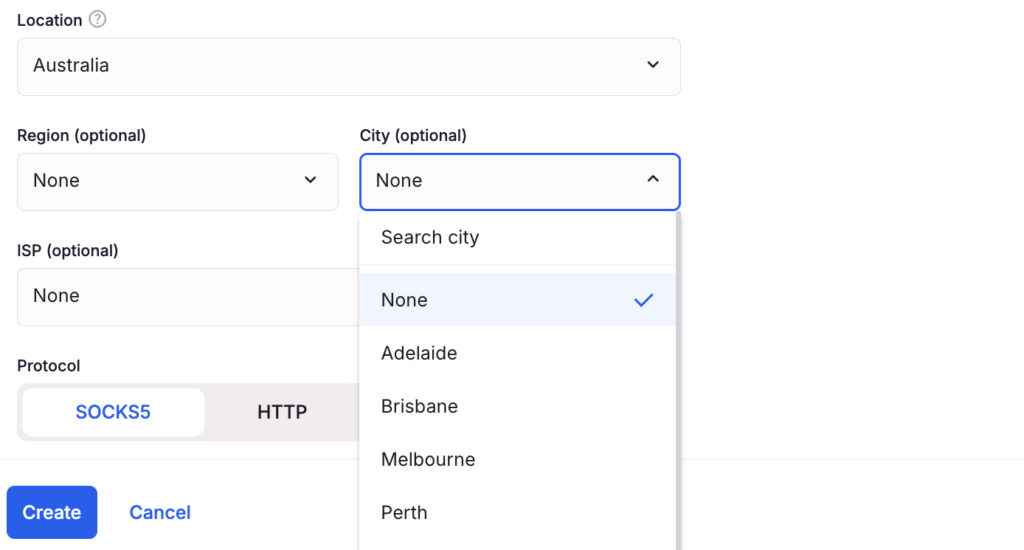
- Choose a proxy location
- Launch the profile
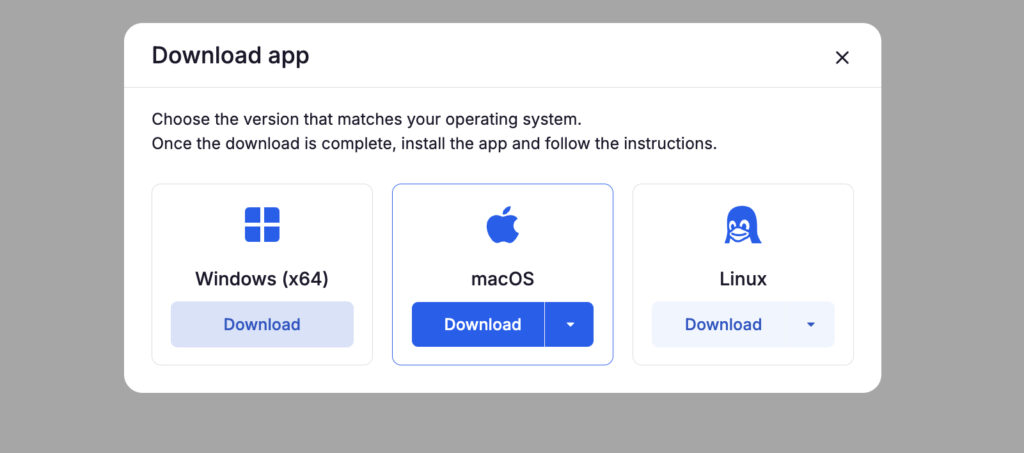
Multilogin is available as a desktop app for Windows, macOS, and Linux, so you can download the version that matches your operating system and log in with the same Multilogin account. It currently supports Windows 10+, macOS 14 Sonoma+, and Ubuntu 22+.
Android versions and device options
Multilogin supports Android 10 through 16, spread across more than 30 device models from 12 different brands. These aren’t generic placeholder devices either. Each profile carries realistic hardware identifiers, including an IMEI, an Android ID, and a MAC address, which matters if the app or platform you’re testing checks for consistency between those values.
Proxy and location options on Multilogin
The residential proxies are built in, and you choose a country during profile setup rather than getting stuck with wherever the provider happens to have a server. There’s no forced single-country limitation on the free tier, so geo-behavior in the apps you’re testing should line up with whatever location you picked.
Multilogin pricing
- Free plan: Includes 1 mobile profile, 30 free mobile minutes, and 200 MB of proxy traffic.
- Paid plans: Start from $7.08/month when billed annually.
- Higher-tier plans include more mobile minutes, proxy traffic, and profile capacity for heavier usage.
Multilogin pros and cons
| Pros | Cons |
| Fast setup with no card required | Only 30 free mobile minutes per month |
| Built-in residential proxies, no separate purchase | |
| Flexible choice of Android version and device model | |
| Real cloud Android environment with genuine identifiers | |
| Free plan has no expiry date |
2. VMOS Cloud: free Android cloud phone for remote access
VMOS Cloud free plan or free trial
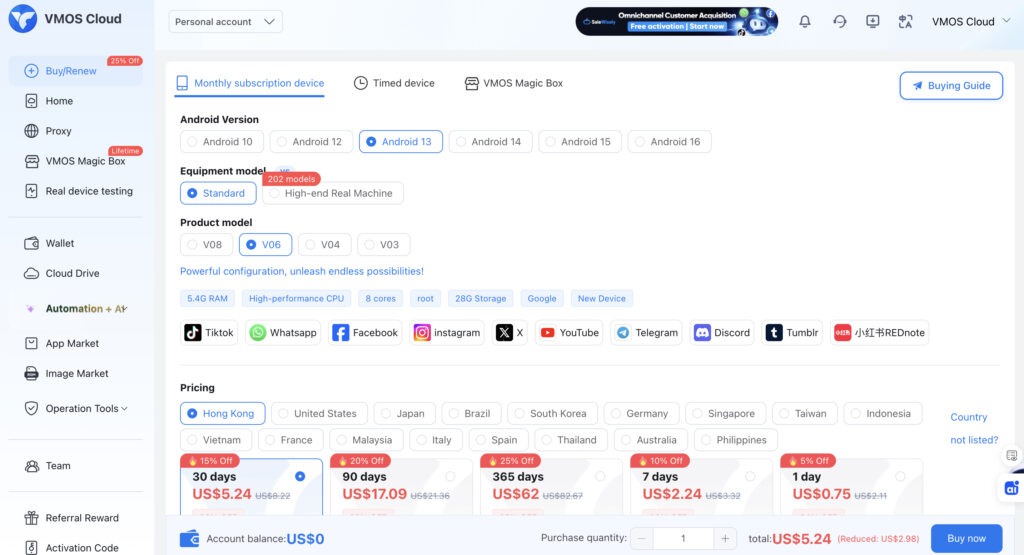
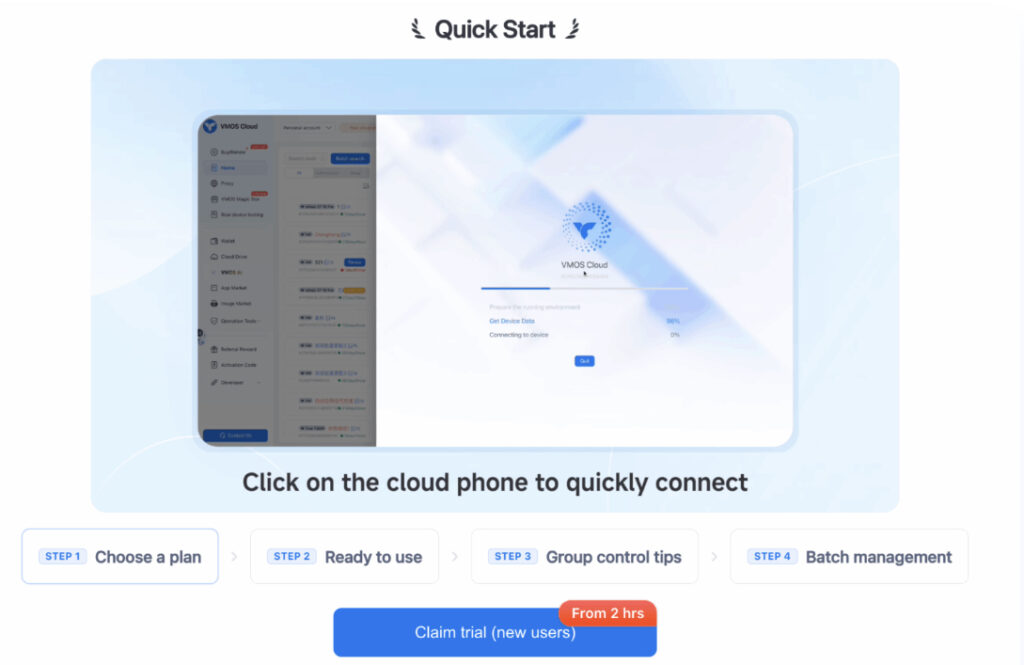
VMOS Cloud offers a free trial rather than a permanent free plan, and in practice that trial window is short: around two hours of active use for new accounts. Registration is straightforward and doesn’t demand payment information up front, though the platform leans heavily on first-purchase discount codes once the trial ends, which tells you where the real business model sits.
VMOS Cloud Android features
The platform supports multiple Android versions, including 10, 12, 13, 14, and 15, and markets itself as an early adopter of Android 15 support among cloud phone services. Devices come pre-rooted, so installing modules or running automation scripts doesn’t require any extra jailbreak-style workaround. App installation runs through a standard store-like flow, and sessions keep running in the background even when you close the browser tab.
VMOS Cloud free cloud phone limits
The two-hour trial is the headline limitation, and several user reviews note that it can feel even shorter once loading times and app setup eat into it. Proxy access isn’t bundled into the free tier at all. If you want a dedicated IP per device, that runs through a separate integration called OwlProxy, which is an added cost and an added step before you’re actually testing anything privacy-sensitive.
VMOS Cloud pros and cons
| Pros | Cons |
| Supports Android 15, ahead of several competitors | Free trial window is only around two hours |
| Devices come pre-rooted for deeper customization | No proxy included, must add OwlProxy separately |
| AI-assisted automation features on paid tiers | Heavy reliance on discount codes suggests thin free access |
| Multiple Android version switching | |
| Low per-day cost once you move to a paid plan |
3. DuoPlus: free cloud phone for multi-account workflows
DuoPlus cloud phone free trial
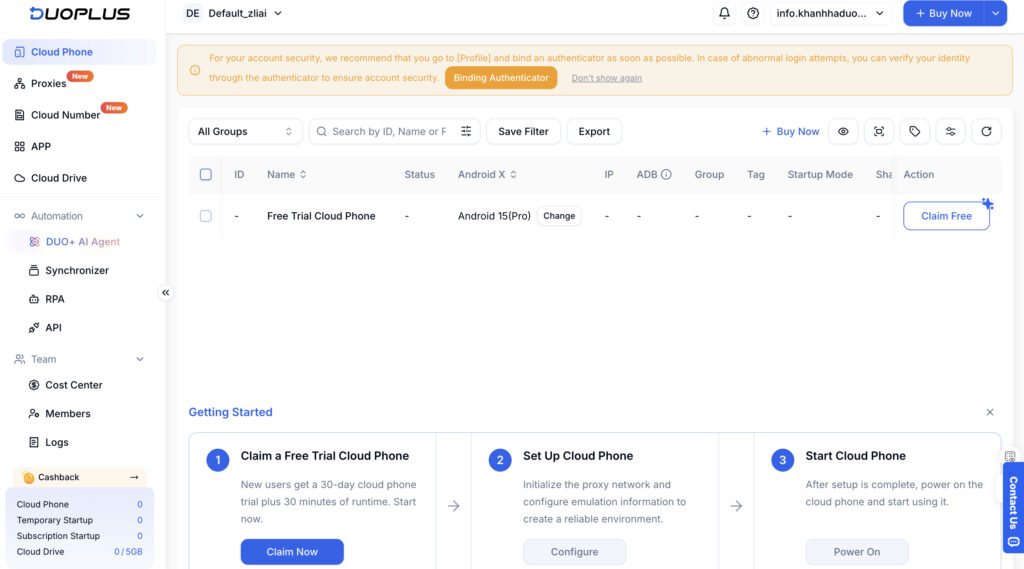
New users can claim a 30-day free trial that includes one cloud phone and roughly 30 minutes of startup time, no card required to register. That’s a genuinely longer window than most competitors offer, even if the minutes attached to it are modest.
DuoPlus features for cloud phone users
DuoPlus builds around multi-accounting rather than casual browsing. It supports batch installation and uninstallation across devices, group-based management for teams, a cloud number service for SMS verification, and RPA-style automation for repetitive tasks like account warming or content posting.
DuoPlus free trial limitations
The catch shows up once you look at proxies. DuoPlus doesn’t bundle them into the free trial or even into most paid plans, so if your workflow depends on a clean, consistent IP per device, you’re sourcing and paying for that separately. Several independent reviewers flagged this as the part of the total cost that’s easiest to underestimate going in.
DuoPlus pros and cons
| Pros | Cons |
| 30-day free trial, longer than most competitors | Proxies must be purchased from a separate provider |
| Built for multi-account and team workflows | Only 30 minutes of startup time included |
| Cloud number service for SMS verification | Real operating cost can exceed the phone rental itself |
| Transparent, published USD pricing after the trial | |
| Batch operations across many devices at once |
4. UgPhone: affordable free cloud phone alternative
Does UgPhone offer a free cloud phone?
UgPhone offers a free trial, not a free plan, and the trial length has varied across different promotions, from a few hours up to a longer “extended” window depending on how you sign up. There’s no permanent free tier here. Once the trial ends, you’re renting phones by the day across several tiers (UVIP, GVIP, KVIP, MVIP, SVIP), and pricing depends on which tier and how many days you commit to.
UgPhone Android cloud features
The platform is built with gaming front and center. It supports multi-account operation for running several game sessions in parallel, has servers spread across regions including Germany, Hong Kong, Singapore, the US, Japan, and Thailand, and is optimized for low-latency, always-on sessions rather than privacy-first workflows.
UgPhone free plan limitations
Time is the obvious cap, since the free trial simply runs out. Beyond that, UgPhone doesn’t put much emphasis on proxy integration or fingerprint controls, which makes it a fine pick for AFK gaming but a shakier one if your goal is account safety or geo-testing.
UgPhone pros and cons
| Pros | Cons |
| Multiple global server locations for low latency | Free access is a trial only, not a permanent plan |
| Good fit for 24/7 mobile gaming and multi-instance play | Little focus on proxies or fingerprint controls |
| Five device tiers to match different budgets | Marketing use carries real risk of account flags |
| Available on Windows, Android, and iOS | |
| Simple day-based rental once the trial ends |
5. GeeLark: cloud phone free trial for app and account management
GeeLark free cloud phone trial
GeeLark’s free tier gives new accounts 2 cloud profiles and somewhere between 30 and 60 minutes of runtime a month, depending on which promotion or update you land on. No card is required to start, and the minutes refresh rather than being a one-time allowance, though unused time typically expires if you don’t use it within the billing cycle.
GeeLark cloud phone features
GeeLark builds real ARM-based Android environments rather than emulated ones, complete with genuine IMEI and MAC address data, which is a big part of why it markets itself hard toward TikTok and Instagram account management. It layers in RPA automation, an AI assistant for scripting repetitive actions, and tools for video variation aimed squarely at content farming workflows.
GeeLark free trial limitations
Proxies aren’t included by default and have to be configured separately before you launch anything, which mirrors DuoPlus’s approach. The free minutes are also thin relative to how quickly a real workflow burns through them: once you’re past two profiles or your monthly minutes, GeeLark’s pay-per-minute billing kicks in at roughly $0.007 a minute, with a daily cap of around $1.20 per device.
GeeLark pros and cons
| Pros | Cons |
| Real ARM hardware fingerprints, not desktop emulation | No proxy included, must configure one separately |
| RPA automation and AI assistant on the free tier | Free minutes are limited to roughly 30 to 60 a month |
| No card required to start | Billing complexity once you scale past the free tier |
| Strong fit for TikTok and Instagram account management | No mobile client, desktop access only |
| Daily spending cap keeps costs predictable |
Which free cloud phone is best in 2026?
It depends on what you’re actually trying to do, but a rough breakdown looks like this:
- Best free cloud phone overall: Multilogin
- Best for remote Android access: VMOS Cloud
- Best for multi-account management: DuoPlus
- Best budget option after the trial: UgPhone
- Best for automation workflows: GeeLark
⭐️ If you had to pick just one to start with and you’re not sure yet what you need, Multilogin’s combination of no card, built-in proxies, and a free plan that doesn’t expire makes it the lowest-risk starting point of the five.
Free cloud phone vs cloud phone free trial: what’s the difference?
A permanent free plan and a free trial sound similar, but they behave very differently once you actually start relying on either one.
A permanent free plan, like Multilogin’s, keeps giving you access indefinitely under fixed limits (fewer minutes, fewer profiles) without an end date. A free trial, like VMOS Cloud’s or GeeLark’s initial credits, gives you full or near-full access for a short, defined window, after which you’re expected to pay. Some providers also run one-time free credits that get consumed and don’t come back, distinct from either of the above.
Before signing up anywhere, it’s worth checking which category you’re actually getting. A trial that quietly expires in two hours reads very differently on paper than it does in practice.
How to choose the best free cloud phone
A few practical factors decide which of these actually fits your situation:
- Android compatibility. Confirm the versions on offer match what you’re testing or using.
- Device fingerprint. Real hardware identifiers (IMEI, MAC address) matter for apps that check consistency.
- Proxy integration. Built-in beats bolt-on, both for cost and for convenience.
- Country selection. Make sure you can actually pick a location rather than being assigned one.
- Usage minutes. Check whether the free allowance renews or is a one-time thing.
- Number of devices. Some workflows need just one profile, others need dozens.
- App compatibility. Verify the apps you care about actually run smoothly on the platform.
- Pricing after free access. Look at what happens the month after the free period ends, not just the headline number.
Are free cloud phones safe to use?
Free cloud phones are generally safe if you stick to well-known providers, avoid reusing sensitive passwords across profiles, and check what the provider’s proxy quality actually looks like. The bigger risks tend to come from account security habits, not the cloud phone technology itself.
A few things worth watching:
- Data isolation between profiles, so one account’s activity doesn’t bleed into another
- Proxy quality, since a flagged or shared IP can get an account banned regardless of how good the cloud phone itself is
- Login credentials, which should never be shared across services casually
- Provider reputation, since newer platforms have less of a track record than established ones
Whatever platform you land on, it’s worth running a quick check on the IP and browser environment your cloud phone is actually presenting. Whoerip.com’s free IP lookup shows you your effective IP, checks for DNS and WebRTC leaks, and flags whether the connection looks like a proxy or VPN to outside services, which is a useful sanity check before you trust a new setup with a real account.
Final verdict
Across all five, Multilogin comes out as the strongest overall free cloud phone in 2026, mainly because it doesn’t force you to bolt on a separate proxy service just to get useful, private access. The other four each earn their place for a specific job: VMOS Cloud for quick remote testing, DuoPlus for multi-account teams, UgPhone for gamers who couldn’t care less about fingerprints, and GeeLark for anyone leaning hard into automation.
Before committing to any of them, actually read the fine print on what “free” covers. Minutes, profile counts, and proxy inclusion vary enough between these five that the right choice really does come down to what you’re planning to use it for.
Frequently Asked Questions
What is the best free cloud phone in 2026?
Multilogin is the strongest overall pick in 2026 because it combines a permanent free plan, no card requirement, and built-in residential proxies in one place. Other tools edge ahead for specific use cases: VMOS Cloud for quick remote access, DuoPlus for multi-account workflows, UgPhone for gaming, and GeeLark for automation-heavy account management.
Is there a completely free cloud phone?
Yes, though "completely free" comes with limits everywhere. Multilogin offers a free plan with no expiry, capped at 30 mobile minutes and one mobile profile. GeeLark and VMOS Cloud offer free trials with time limits instead of an ongoing plan. None of the five give unlimited free access, which makes sense given the server costs behind running real cloud Android devices.
Can I use a free cloud phone online without installing software?
Most of these platforms run through a browser-based dashboard for setup and management, so you don't need heavy local software just to launch a profile. Some, like UgPhone, also offer standalone apps if you'd rather manage devices that way.
Which cloud phone offers a free trial?
VMOS Cloud, DuoPlus, UgPhone, and GeeLark all run some form of free trial rather than a permanent free plan. Multilogin is the outlier with an ongoing free plan instead of a countdown-based trial.
Can I use a free Android cloud phone for TikTok?
Yes, and it's actually one of the more common use cases across all five platforms. Multilogin and GeeLark in particular are built with account management in mind, including proxy or fingerprint tools that help keep separate accounts from looking connected to each other.