

What Is Headless Browser Scraping?
At its core, headless browser web scraping is the act of automating a browser—like Chrome or Firefox—without the actual browser window popping up. It’s invisible, but it does everything a regular browser can: load pages, click buttons, wait for content, and grab information.
Think of it like a ghost browser. It still downloads everything, runs JavaScript, logs in, scrolls down pages—you just don’t see it. And because it behaves like a real person browsing, it’s great for scraping sites that don’t show content until things are clicked or scripts are run. This is exactly where a headless browser for web scraping proves essential—it gives you access to elements that simpler tools can’t reach.
FYI: Most regular scraping tools can’t handle JavaScript-heavy pages. Headless browsers were built to tackle just that.
Is Headless Scraping Faster?
It can be—but only when compared to running a full browser with a visible interface. Compared to simple HTTP-based scraping, headless browsers are slower.
Why? Because they’re doing more: loading and executing scripts, rendering pages behind the scenes, and often simulating real user actions. Still, you can make them faster by stripping out what you don’t need (like images or fonts).
Pro Tip: Disable images and stylesheets in your script to speed things up. Only load what’s necessary!
Can Headless Browsers Be Detected?
Absolutely. Websites don’t like bots poking around, and they’ve gotten pretty good at spotting them. Headless browsers leave digital footprints, and many sites watch for those.
Here’s how detection usually happens:
1. Request Frequency
If you’re scraping hundreds of pages in seconds, that’s a red flag. Humans just don’t move that fast.
Slow things down. Randomize your delays. Think like a person.
2. IP Filtering
Scraping from the same IP over and over? That’s easy to block.
Rotate your IP. Use proxies. Here’s how to check your IP, hide it, or change your IP on Mac.
3. CAPTCHAs
Annoying, yes—but CAPTCHAs are a sure sign the site knows something’s up.
Some scrapers use services to solve them. Others skip pages that trigger them.
4. User-Agent Detection
Every browser sends a little ID tag called a User-Agent. Generic or outdated ones can give you away.
For example, a standard Chrome browser might send something like:
Mozilla/5.0 (Windows NT 10.0; Win64; x64) AppleWebKit/537.36 (KHTML, like Gecko) Chrome/114.0.5735.134 Safari/537.36
Meanwhile, a headless version of Chrome typically sends:
Mozilla/5.0 (Windows NT 10.0; Win64; x64) AppleWebKit/537.36 (KHTML, like Gecko) HeadlessChrome/114.0.5735.134 Safari/537.36
Use a real browser’s User-Agent string. Better yet, rotate them.
5. Browser Fingerprinting
This one’s tricky. Sites can analyze dozens of tiny browser details to build a profile—screen size, installed fonts, plugins, canvas behavior. Websites can track you even without cookies by using browser fingerprinting. Learn how websites track you beyond your IP in this detailed guide.
The more normal you look, the better.
Which Browser Is Best for Web Scraping?
Depends on your goals. Here’s a deeper look at some of the top headless browser tools and their key strengths and weaknesses:
Puppeteer (Node.js)
Best For: High-performance JavaScript-heavy websites and Node.js projects.
Pros:
- Created by Google and tightly integrated with Chrome/Chromium
- Fast execution, ideal for modern front-end frameworks
- Built-in screenshot and PDF generation
- Rich API for interacting with DOM
- Strong open-source community
Cons:
- Limited to Chrome and Chromium
- JavaScript/TypeScript only
- Requires additional plugins for stealth capabilities
Tip: Not using JavaScript? Try Pyppeteer, the Python port.
Playwright (Multi-browser)

Best For: Cross-browser testing and scraping using Python, JavaScript, Java, or C#.
Pros:
- Supports Chromium, Firefox, and WebKit
- Multiple programming languages supported
- Advanced features like network interception and multiple contexts
- Better out-of-the-box stealth capabilities than Puppeteer
- Modern architecture, regularly updated
Cons:
- Heavier resource usage than Puppeteer
- Slightly more complex to set up and learn
Selenium (WebDriver Standard)

Best For: Cross-browser compatibility and testing at scale.
Pros:
- Supports all major browsers and platforms
- Works with Java, Python, C#, Ruby, and more
- Large, mature ecosystem
- Compatible with testing frameworks
Cons:
- Slower due to WebDriver architecture
- More verbose API
- Not optimized for modern headless environments
Zyte (ex-Splash)
Best For: Python-based projects and integration with Scrapy.
Pros:
- Designed for rendering JavaScript in scraping workflows
- Scriptable in Lua or via HTTP API
- Works well with proxy support
Cons:
- Requires Docker
- Slower than other modern tools
- Smaller community and slower development
ChromeDP (Go)
Best For: Go developers needing full control over Chrome.
Pros:
- Native Go implementation
- Fast and efficient
- Works directly with Chrome DevTools Protocol
Cons:
- Limited to Go language
- Steep learning curve for beginners
- Requires more manual setup
HTMLUnit (Java)

Best For: Simple form handling and data scraping in Java environments.
Pros:
- Lightweight and quick for static pages
- Easy to integrate into existing Java projects
Cons:
- Outdated rendering engine
- Poor support for complex JavaScript
- Not reliable for modern web apps
Headless Firefox
Best For: Tasks that require a more privacy-focused or Firefox-specific rendering engine.
Pros:
- Full support for Firefox features
- Works with Selenium and Playwright
- May perform better with certain rendering tasks or downloads
Cons:
- Not as optimized for automation out of the box
- Slightly less support than Chrome-based tools
Services with Built-In Headless Browsers
Don’t want to manage infrastructure? These platforms do the heavy lifting:
ZenRows
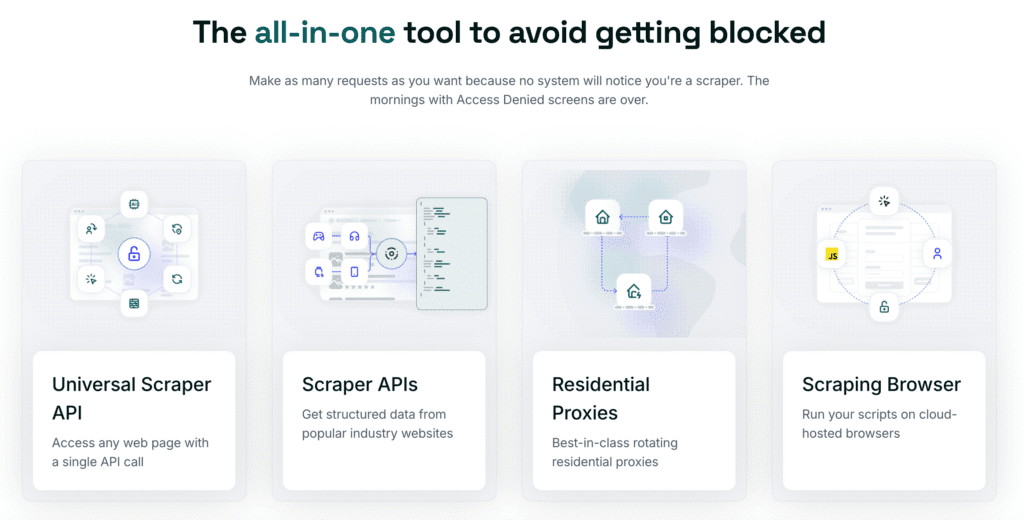
How It Works: Offers a scraping API with built-in headless browser, proxy rotation, and anti-bot handling.
Pros:
- Simplifies scraping of JavaScript-heavy pages
- Stealth features built-in
- Removes need for infrastructure management
Cons:
- Less customizable
- Paid service; costs may scale with volume
Bright Data Scraping Browser
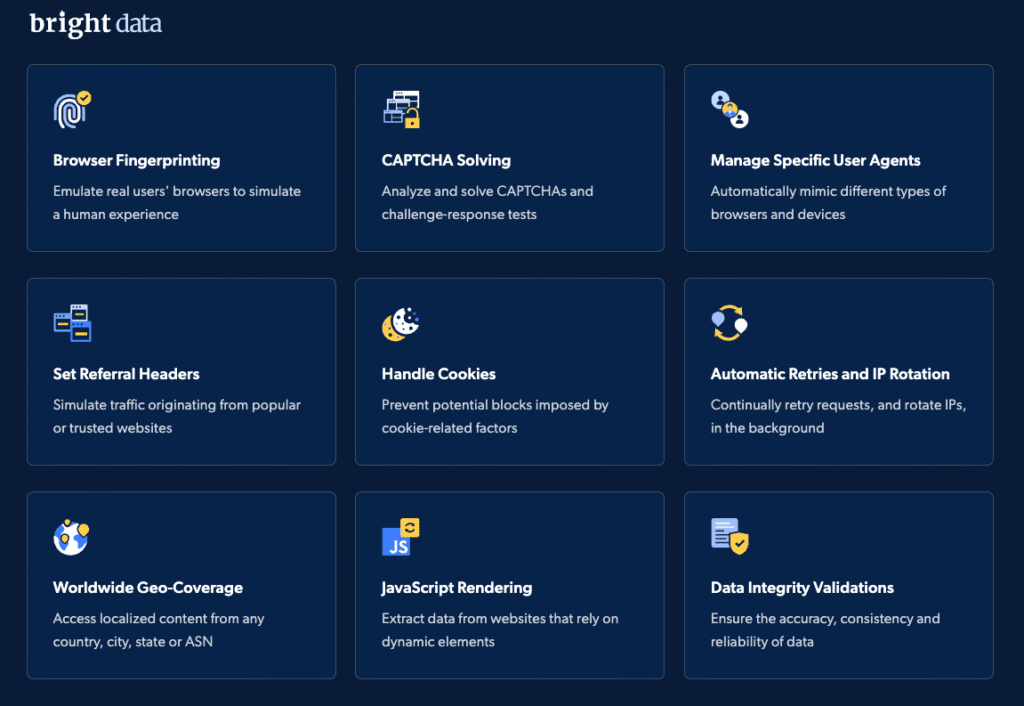
How It Works: Enterprise-grade headless browser platform with residential IPs and anti-blocking logic.
Pros:
- Handles multi-step scraping and authentication
- Large IP pool and robust CAPTCHA solving
- Integrates with Chrome DevTools
Cons:
- Expensive at scale
- May be overkill for small projects
Scrapeless
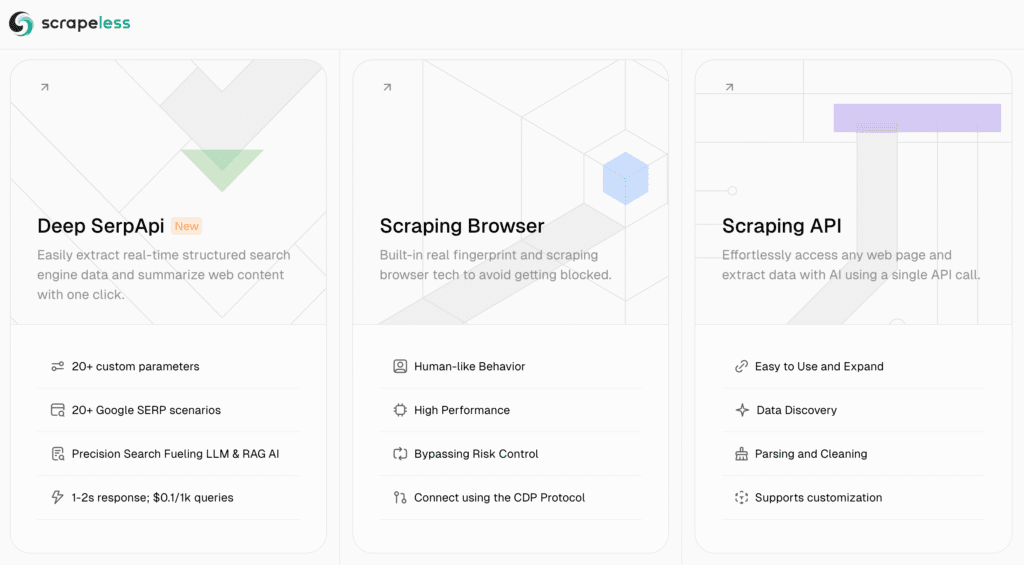
How It Works: Serverless browser automation with global IP network and real-time monitoring.
Pros:
- No need for server setup
- Easy to manage multiple browser sessions
- Offers residential IPs and stealth techniques
Cons:
- Less hands-on control for developers who want deep customization
- Paid service with usage-based pricing
Each of these tools has played a key role in the evolution of headless browser automation, though they’re built for different times and needs.
DIY with Puppeteer if you’re just learning. Use services like Bright Data or ZenRows if you’re scraping at scale.
PhantomJS vs Puppeteer vs Playwright
Each of these tools has played a key role in the evolution of headless browser automation, though they’re built for different times and needs.
PhantomJS
PhantomJS made waves when headless browsing was still a niche practice. It let developers run browser scripts using a WebKit engine without any visual output. Back in the day, it was perfect for simple automation tasks. But as websites got more complex and dynamic, PhantomJS struggled to keep up. Support officially stopped in 2018, and its limitations with modern JavaScript have since made it mostly obsolete.
Puppeteer
Puppeteer came in strong after PhantomJS faded out. Developed by Google, it brought a modern solution tailored to headless Chrome. Puppeteer is known for its ease of use—developers can control page behavior, capture screenshots, generate PDFs, and even simulate clicks with just a few lines of code. More importantly, it deals with today’s JavaScript-heavy pages effortlessly, which is why it quickly became a go-to for modern web scraping tasks.
Playwright
Playwright took the best parts of Puppeteer and added more power. Built by Microsoft, it supports multiple browsers (including Firefox and Safari), handles advanced use cases like multiple browser contexts, and offers richer debugging tools. If you need a comprehensive tool that gives you flexibility, stealth, and performance across different environments, Playwright is a strong choice.
PhantomJS is outdated. For most modern scraping projects, start with Puppeteer or Playwright.. For most modern scraping projects, start with Puppeteer or Playwright.
Advanced Techniques and Anti-Bot Defense
To scrape successfully today, you need more than just a headless browser for web scraping. While tools like Puppeteer and Playwright give you access to dynamic content, modern websites often deploy advanced defenses to keep automated tools out. These include rate-limiting, behavioral analysis, and real-time bot detection.
If you rely solely on the headless browser itself, you’ll likely run into obstacles like CAPTCHA walls, blocked IPs, or empty responses. That’s why today’s scrapers combine browser automation with stealth strategies to keep scraping reliable and under the radar. Here’s what that typically involves:
Advanced Techniques
- Stealth Plugins: Tools like puppeteer-extra-plugin-stealth tweak headless settings to mimic real user behavior.
- Smart Delays: Use randomized wait times and actions between steps.
- Human-Like Interaction: Move mouse, scroll gradually, and avoid robotic patterns.
- Proxy Rotation: Cycle through a pool of proxies to avoid bans.
- Fingerprint Spoofing: Mimic real device traits—screen size, GPU, fonts, audio stack.
Defeating Anti-Bot Systems
Sites use various tools like Cloudflare, Akamai, and BotGuard. To get past them:
- Bypass CAPTCHAs using external services like 2Captcha or AI solvers.
- Rotate headers and user agents regularly.
- Leverage residential IPs to simulate organic traffic.
- Use browser containers or isolated environments for parallel sessions.
No single tactic works alone. Combine multiple anti-detection strategies for best results.
What Are the Downsides of Headless Browsers for Web Scraping?
They’re not lightweight. They take more resources, they’re easier to detect, and setup isn’t plug-and-play. You’ll have to fine-tune everything.
If the website you’re scraping doesn’t need interaction, traditional scraping might be simpler and faster.
Don’t default to headless just because it’s trendy. Use it when you need interaction or dynamic content.
What Are the Benefits of Headless Scraping?
This is where they shine:
- Logging in before access
- Pages that load content with JavaScript
- Clicking, scrolling, interacting
Basically, any time you need to scrape a site that behaves like an app, not a static page, headless browsers are the right tool.
Headless browser web scraping is a game-changer when you need to deal with dynamic or interactive sites. It simulates a real person better than anything else out there.
Choose the tool that fits the job: Puppeteer for fast setups, Playwright for deep workflows, Selenium if you need cross-language support. If you don’t want the hassle, let a service handle it.
Just don’t forget: slow it down, rotate your IP, and make your scraper look like a real visitor.
Frequently Asked Questions
What is the best headless browser for scraping?
Playwright and Puppeteer are top picks. Flexible, reliable, and widely supported.
Which browser is used for headless browser testing?
Chrome and Firefox are commonly used with tools like Selenium, Puppeteer, and Playwright.
Is Chrome 60 a headless web browser?
Yes. Chrome added headless mode from version 59 on Linux and 60 on Windows/Mac.
Is Firefox a headless browser?
Yes, and it’s a solid option—especially for complex tasks like downloading files or rendering tricky content.