
When ChatGPT stops opening, the first feeling is as if the Internet has “broken down.” In fact, the problem is most often network restrictions or an account. The good news is that there are several quick solutions that allow you to achieve chat gpt unblocked status in just a couple of minutes.
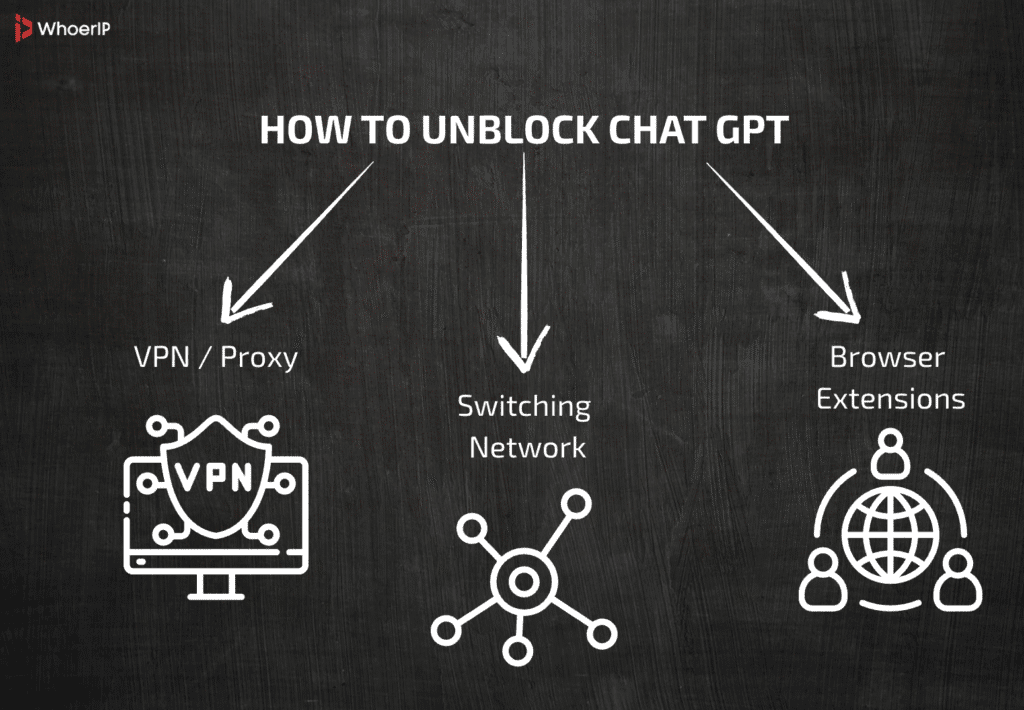
- The first option is to turn on the VPN and change the region. Very often, ChatGPT is blocked either by the provider or because the service is temporarily unavailable in a particular country. A VPN “disguises” your Internet to another region, and the site is working again.
- The second way is to switch the network. Let’s say ChatGPT doesn’t load on Wi-Fi, but once you turn on your mobile data, everything is fine. This means that the lock is at the level of your home provider. Sometimes it’s the other way around: the mobile Internet cuts off access, but Wi-Fi opens it up.
- The third step is that if neither a VPN nor a network change helps, then it may be the account itself. In this case, you need to contact OpenAI support. They will clarify the details there: whether your profile is really limited, and what can be done to restore it.
These three techniques are a universal “quick answer” to the question of how to unblock ChatGPT. But in order to really figure it out and not face the problem again, you need to understand more deeply what exactly is blocked and why. Next, we will look at all types of locks and how to get out of them.
Understanding Types of GPT Blocks
Before looking for ways to unblock chat gpt, it is important to realize that there are different types of locks. Understanding their nature means choosing the right solution and not wasting time.
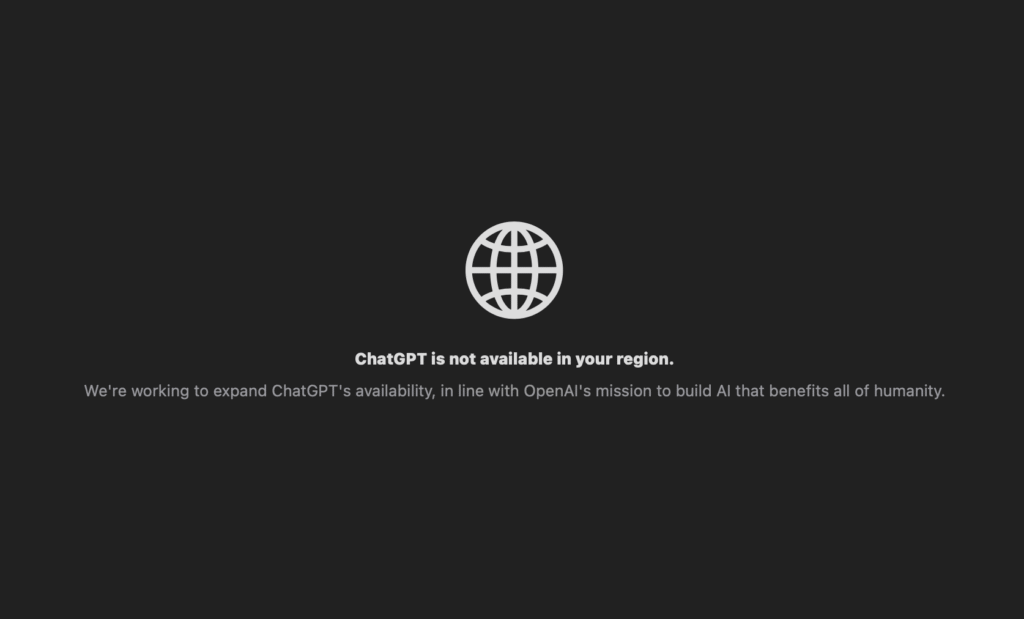
- Regional lockdowns. Sometimes ChatGPT is closed at the country level. This is due either to legal restrictions or to OpenAI’s corporate policy. In this case, a message like “This service is not available in your country” may appear on the screen. You can’t do without a VPN here: changing the region is the only way to make unblocked chat gpt.
- Network filters. Schools, universities, and offices often put up local lockdowns to restrict access to “off-duty” services. The problem here is not with OpenAI, but with the network settings. For example, if the administrator has blocked access to chat.openai.com in the local firewall. The solution is to change the network (mobile Internet, home Wi-Fi) or ask the administrator if access can be temporarily opened.
- Account locks. The most difficult case. If OpenAI believes that your account violated the rules (for example, it was used for spam, circumvention of restrictions or prohibited content), it may be blocked. No VPN will help here. You need to write to support, give arguments and wait for a decision. Sometimes the lock is temporary, sometimes it is permanent.
| Type of Block | How to Recognize It | Example Signs | Possible Solutions |
|---|---|---|---|
| Regional Block | Service unavailable in your country/region | “Access denied in your location” | Use VPN, proxy, or mobile network |
| Network/Firewall Block | Blocked in schools, offices, or institutions | Works on mobile but not on Wi-Fi | Switch to mobile data, hotspot, VPN |
| Temporary Technical Error | Service not loading or timeout | Works after refresh or later | Wait and retry, check status page |
| Account Ban | Account login restricted by OpenAI | “Account suspended” message, email notice | Contact OpenAI support, appeal decision |
Each of these scenarios requires a different approach. That is why, when someone asks “is gpt unblocked?”, it is impossible to give a universal answer without specifying: we are talking about a region, network or account.
First Step: Check If GPT Is Blocked
Before you panic and look for a “magic way” to make unblocked gpt, you need to make sure that ChatGPT is really blocked. It sounds corny, but often the problem is just a temporary glitch.
Here’s what you should do:
- Switch the network. If ChatGPT doesn’t open on your home Wi-Fi, try mobile data. If it’s the other way around, it doesn’t work on the mobile network, but Wi—Fi loads without problems, then it’s a matter of a specific provider. This is a quick way to eliminate a “false alarm”.
- Turn on the VPN. Even a free service will temporarily show whether there is a block at the IP or region level. If the page opens after the IP change, it means that your old IP is really under suspicion or restricted. In this case, VPN is a working solution that makes chat gpt unblocked.
- Try another device. Sometimes it’s the browser, cached files, or extensions. For example, the website doesn’t open on the computer, but everything works on the phone. Or vice versa. Such a test helps to understand whether it is a blockage or a problem with the software.
- Check the status of OpenAI. There are global failures on the service side. Go to status.openai.com and see if there are any massive problems. In this case, you don’t need to do anything — just wait for recovery.
This simple checklist helps to separate the real lock from the technical issues. And only after that, it’s worth looking for more serious solutions to get unblocked chat gpt.
How to Unblock ChatGPT Using VPN
A VPN is the most well—known and working way to access services that have been shut down. Its principle is simple: all your traffic is “packed” into a secure tunnel and sent through a server in another country. For a website, it looks like you are, for example, not in Moscow or Berlin, but in New York or Amsterdam.
That is why, if ChatGPT is unavailable in your region or the provider has decided to restrict access, VPN becomes the key to chat gpt unblocked status. You change your virtual location, and the site opens again.
But the method has a downside. Free VPNs are often limited in speed or traffic. Moreover, some companies and educational institutions explicitly prohibit the use of VPNs on a corporate network. Another subtlety: sometimes OpenAI can recognize massive VPN addresses and temporarily restrict them, so there is no “eternal solution” here. But even among free VPNs there are good options that you can check out thanks to our Top 10 free VPN services article.
| Method | How It Works | Pros | Cons / Limitations |
|---|---|---|---|
| VPN | Changes your IP and region | Reliable, works globally, easy to set up | May reduce speed, sometimes blocked |
| Proxy / Web Gateway | Routes traffic through external servers | Quick setup, often free | Less secure, limited stability |
| Mobile Data / Hotspot | Uses cellular network instead of Wi-Fi | Simple, no extra tools needed | Consumes mobile data, not always stable |
| Browser Extensions | Adds proxy or security layers in browser | Convenient, lightweight | Limited functionality, some unsafe |
| Contact OpenAI Support | Resolves account-related bans | Official, safe, long-term solution | Requires time, no instant fix |
However, VPN is almost always at the top of the list of “how fast to unblock chat gpt”. This is a universal tool that works in most cases, especially with regional blockages.
Unblocked GPT via Proxy and Alternative Gateways
If VPNs are “heavy artillery,” then proxy servers and web anonymizers are more of an easy tool for quick tasks. The proxy only changes your IP, without full-fledged encryption. This is not enough for TikTok, games or streaming, but for simple web surfing and access to ChatGPT it is quite a working option.
For example, if you’re looking for a “how to unblock ChatGPT” in an office or university where the VPN is blocked, a lightweight web proxy can help. I went to the anonymizer site and entered the address chat.openai.com — and the system booted up via an external server. Consider NodeMaven as one of the best proxy providers.
But the limitations are obvious: free proxies are often slow, unreliable, and insecure. In addition, they do not encrypt traffic, so it is better not to transfer sensitive data (logins, passwords, banking information) through them.
As a backup option in case a VPN is unavailable, a proxy remains an easy way to make unblocked gpt at least temporarily. We have created top 20 proxy providers list that you can read in order to make your choice simpler.
Unblock Chat GPT Using Mobile Data or Hotspot
The most underrated, but sometimes the most effective way. If ChatGPT doesn’t open on Wi-Fi at school, university, or office, just switch to mobile internet. For OpenAI, this is a different provider and a different IP address, which means that blocking the local network does not work.
For example, you’re sitting on a campus where the admin has shut down all “off-duty” sites. You connect to 4G or 5G, and in a second you see unblocked chat gpt on the screen. No additional settings, programs, or risks.
Another option is to use your phone as an access point (hotspot) for your laptop. I connected my computer to mobile Wi-Fi and got access to ChatGPT, even if the main network is closed.
The only important thing to remember is that the mobile Internet is often limited in traffic. If you are planning long sessions with ChatGPT, check the tariff and the amount of available data. But as a quick answer to the question “how to unblock chat gpt effortlessly”, this method is perfect.
GPT Unblock with Browser Extensions and Tools
You don’t always need to install heavy programs to regain access. Sometimes a couple of browser extensions are enough. For example, many users find a solution through proxy plugins or built-in VPN addons. They connect to a remote server and help open the service where it was limited.
There are also legal extensions that are not designed to bypass locks by themselves, but they increase the chances of seeing unblocked chat gpt. A classic example is HTTPS Everywhere, which automatically switches sites to a secure connection. Sometimes the access problem is not related to the ban itself, but to incorrect routing.
Another option is proxy plugins for Chrome or Firefox. They work easier than a VPN: they just change the IP for requests from the browser. Of course, this is not the most reliable way to “unblock chat gpt”, but it is quite suitable for short sessions. Plus, you don’t need to install separate applications: a couple of clicks, and you already have a different route to the server.
What to Do If Your GPT Account Is Blocked
It is vital to distinguish: sometimes ChatGPT is unavailable not because of the network, but because your account is blocked. In this case, no VPN or proxy will help, because we are talking about an internal OpenAI solution.
If you suspect that this is the problem, first of all check the e-mail linked to your account. Usually, a letter is sent there explaining why and for how long the ban was imposed.
Next is communication with OpenAI support. The Help Center is used for this (help.openai.com ). In the ticket, you need to describe the problem, attach screenshots and explain that you did not violate the rules. Sometimes it helps to restore access.
If the lock is final, the only solution is to create a new account. In this case, it is important to change your e-mail and, if necessary, use a different phone number for confirmation. This is the only way to see gpt unblocked again, if the reason is in the account.
Safe and Ethical Considerations
It’s important to remember: in some countries, using VPNs to circumvent restrictions is prohibited by law. This may result in fines or even more serious consequences.
There is also a question of ethics. For example, using ChatGPT during exams or during school exams may be considered a violation of the rules. If the network specifically blocks access, and you try to find unblocked gpt, this can lead to disciplinary action.
The golden rule is: if you need access, look for legal ways. Sometimes it is enough to contact the network administrator, teacher, or IT department. And VPNs and proxies are better considered as a temporary solution for personal use where it is not prohibited by law.
Conclusion: Chat GPT Unblocked
If these are regional or network filters, VPNs, proxies, mobile data, or even browser extensions help. If we are talking about an account, the only way is through OpenAI support. It is important to remember: technical access, permission to use. Sometimes bypassing the lock may violate company rules or the laws of the country. Therefore, the best approach is to first check what exactly is restricted, then choose a safe and legal method. This way you will regain access to unblocked ChatGPT without unnecessary risks and problems.
Frequently Asked Questions
What is ChatGPT?
ChatGPT is an AI chatbot developed by OpenAI that generates human-like text responses and assists with tasks such as writing, learning, and problem-solving.
Why is ChatGPT not working?
It may be due to server outages, heavy traffic, local network restrictions, or account issues.
Why can ChatGPT be blocked?
Reasons include regional restrictions, school or office firewalls, or violations of OpenAI’s terms of use.
How to unblock ChatGPT?
Try using a VPN, switch to mobile data, or contact OpenAI support if it’s an account ban.
What does ChatGPT stand for?
It stands for “Chat Generative Pre-trained Transformer.”
Is ChatGPT blocked?
It depends on your location and network. Some regions or organizations may block it, but globally it remains available.