Can Discord block a user’s IP address?
Yes, Discord can and does block users’ IP addresses. This implies that Discord servers can prohibit access to your whole network, not just your account.
When Discord bans an IP address, it blocks the IP linked to your internet connection, making it impossible to access the platform from that network. Even if you create a new account, it won’t work unless your IP address changes.

This type of ban is typically used for serious violations of Discord’s rules. Some users attempt to bypass IP ban on Discord by using VPNs or proxy servers, but doing so may breach Discord’s Terms of Service and lead to further consequences.
But if you’ve given up on that route and just want to get back in, read on. Below are methods that can help you bypass a Discord IP ban. Choose the one that works best for you — but keep in mind, these may go against Discord’s Terms of Service.
How IP Bans Work on Discord
An IP ban stops all connections from a certain IP address. It’s like Discord is warning everyone on your home Wi-Fi network, “You can’t come here.” If you’re not sure what an IP ban actually is, check out this detailed guide explaining the meaning of an IP ban.
The best approach is always to understand why you were banned — and if possible, try to appeal or fix the issue.
Once your IP address is blacklisted, you can’t log in or make a new account using the same internet connection — that’s why it’s important to check if your IP is blacklisted regularly Discord’s server sees your IP and won’t let you in. It is meant to be a broad, preventative strategy to keep bad users out.
To strengthen enforcement, Discord also uses device fingerprinting, cookies, and activity tracking. So even if you bypass IP ban on Discord by changing your IP address, your device may still be recognized and blocked again.
IP bans can be:
- Server-level (only blocks one server)
- Platform-level (blocks all of Discord)
- Temporary or permanent, depending on the offense.
When Does Discord Issue IP Bans?
- Repeated violations of rules or terms.
- Severe abuse, like spamming, harassment, or hate speech.
Server vs. Platform Bans on Discord
Discord can ban either your account or your IP address, or both, depending on how terrible the offense was. Account bans usually only affect some of your login information, like your email address or password.
IP bans, on the other hand, stop all traffic from your network. If your IP is marked, you won’t be able to make a new account either. That address will not be able to connect. If someone persists breaking the rules or abusing the service, Discord may use both types of bans to make sure the user can’t come back on the platform by using simple workarounds.
| Category | Server Ban | Platform Ban |
|---|---|---|
| Who Issues It | Server owners/admins | Discord Trust & Safety |
| Scope | Specific server only | Entire Discord platform |
| Enforcement | Account removed from server; IP may be blocked for that server | Account termination; IP ban; sometimes phone number blacklisting |
| Bypassing | New account or VPN might bypass | VPN may help but might violate ToS |
| Duration | Temporary or permanent | Temporary (up to 1 year) or permanent |
| Detection | No direct notice; access simply denied | Official Discord DM/email with violation details and account status info |
How to Know If Discord Has IP Banned You
You can’t message your pals, access servers, or even lock your account. The IP block inhibits you from making a new account.
You try to log in, and everything just stops working. It happens all of a sudden. Sometimes, though, you can get a notice that tells you why. If your IP is blocked, though, you’re out of luck till your IP changes or you use a different network.
Other clues:
- You get the same login error on all of your accounts.
- When you switch to a mobile hotspot, Discord works.
- Friends say they can get to servers that you can’t.
Can You Bypass a Discord IP Ban?
Yes, there are real ways to get around a Discord IP block, such as altering or hiding your IP address.
Most of the time, this involves routing your connection through a different IP using a VPN, proxy, or switching to a mobile network. You can learn more about the difference between these tools in this comparison of proxies and VPNs.
In some cases, using a new device with a clean setup can help avoid detection. However, it’s important to note that any attempt to bypass restrictions may violate Discord’s Terms of Service and could result in a permanent ban.
If you’re wondering how to bypass IP ban on Discord server, these methods may technically work — but proceed with caution and understand the potential risks involved.
Methods to Bypass an IP Ban on Discord
Various methods are discussed online for potentially bypassing Discord IP bans. These methods often involve trying to conceal or change the IP address used to access the platform
Disclaimer: It is crucial to understand that bypassing any ban, including an IP ban, on Discord violates their Terms of Service. Attempting to do so can lead to a permanent ban from the platform if detected.
VPN Services
A lot of people utilize VPNs. They encrypt your data and send it through a new IP address. When you change the location of your server, you are using a “new” internet connection.
Don’t use free VPNs. They often use shared IPs, which Discord may have already marked as bad.
Proxies
A proxy is a person or thing that stands between you and Discord. It hides your IP address but doesn’t encrypt your data. It’s fine for everyday use, but it’s not as safe as a VPN.
Just so you know, HTTP proxies only work for web access. You need SOCKS5 proxies or a system-wide configuration to use the Discord client.
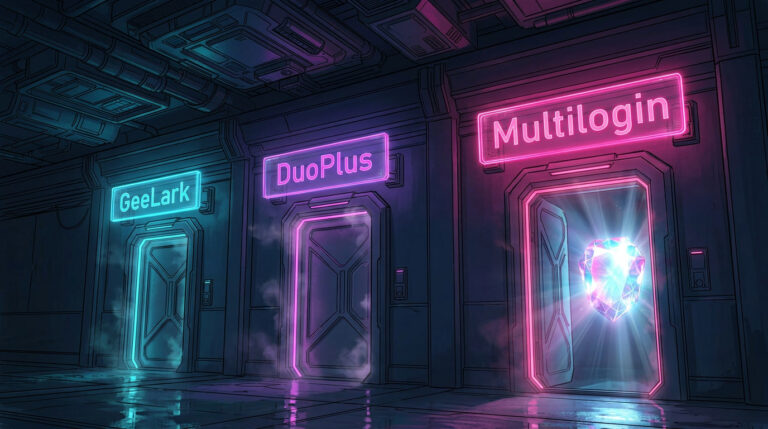
Antidetect Browser
These technologies make it look like you have a new digital fingerprint. They change more than just your IP address; they also change your browser settings, cookies, and system identifiers.
This strategy is quite helpful if you think Discord flagged not only your IP but also your browser or device configuration. If you’re looking for how to bypass IP ban on Discord server, using such tools can increase your chances of successfully rejoining without being detected.
Use an antidetect browser and a proxy together for better results.
Discord Ban Bypass Tools: What Works Best?
| Tool | Changes IP? | Easy to Set Up? | Detectable by Discord? |
|---|---|---|---|
| VPN | Yes | Yes | Sometimes |
| Proxy | Yes | Medium | Sometimes |
| Antidetect Browser | Yes + Device Fingerprint | Medium/Advanced | Less Likely |
Can Dynamic Your IP Address Help with a Discord Ban?
Yes, changing your IP address can help you get around a Discord ban, but it depends on how the ban was placed in place.
If the ban is just based on your IP address and you have a dynamic IP, you can get back in by restarting your router or switching to mobile data.
But Discord often tracks users in other ways, like through
- cookies,
- device fingerprinting,
- and account-level identification.
Changing your IP address won’t always work because your device can still be found and limited again.
To make it more probable that you will succeed, you can clear your browser history, use incognito mode, or use tools like VPNs or antidetect browsers. A lot of people who want to get around an IP ban on Discord use these to change their identity more completely.
The best ways to keep your server from getting IP bans
If you’re in charge of a server, here are some things you can do to keep Discord’s ban tools from going off or making the server a bad place to be:
- Make sure everyone knows the rules and follows them.
- Use moderation bots to find problems early on.
- Don’t misuse bans; always give users a heads up first.
- Look out for fake accounts.
FYI. Discord has automatic systems that look for people trying to get around bans. Be careful when you share IPs or switch accounts often.
How to Handle a Discord Server Ban in Steps
Getting banned from a Discord server can be frustrating, but in many cases, you can get back on if you do the right things. This is a short guide on what to do next:
Read the Server Rules
If you can, read the server’s rules and consider about how you’ve been acting lately. Find out what could have caused the ban. This will help you handle the problem better.
Get in touch with the Moderators
If you think the ban was unfair or are ready to say you’re sorry, you should get in touch with the server’s moderators. Say that you will follow the rules from now on and be honest and nice.
If you can’t get in touch with them on Discord, try looking for the server owner or moderators on other sites like Reddit, Telegram, or Twitter. If you can’t get through on Discord, sending a direct message outside of the app might work.
Be Nice When You Ask
Be sure to properly explain your point of view. Don’t fight or blame each other. Make it obvious that you understand the regulations and will follow them in the future.
Wait
Moderators may be busy or need to talk to other individuals about your case. Wait for them to respond before you follow up.
Appeal through Discord Support (bans at the platform level)
If Discord banned you, for example, because you broke the Terms of Service or had your account suspended, you can try to appeal through the official Discord assistance system.
You might want to look for a different server
If your appeal is knocked down or ignored, it’s best to move on. There are a lot of Discord groups, so you might be able to find one that fits your interests and method of communication better.
Getting around a ban (Use with caution)
Some people try to get around a Discord IP ban by using a new account and a VPN. The Discord Wiki states this is possible, but it is against Discord’s Terms of Service and could get you banned from the site. You should only use this option if you know what you’re doing.
How can you get around a Discord IP ban?
Changing your IP address or hiding it with tools like VPNs, proxies, or antidetect browsers is the best way to get around a Discord IP ban.
All of these methods work by making Discord assume you’re a new user, but they all have their perks and cons. Just keep in mind that you should always follow the rules of the platform and utilize these tools properly.
Frequently Asked Questions
Can Discord IP ban a user permanently?
Yes, in severe cases. Especially if you're involved in harassment or spam.
Does an IP ban block alt accounts?
Yes. Since the ban is on the network, not just the account, any alt is affected too.
How long do Discord IP bans last?
It varies. Some bans are temporary (a few days), others are indefinite.
Can I evade an IP ban with a VPN?
Yes, if the VPN gives you a clean, unflagged IP. But it's not foolproof.
How to Fix IP Ban on Discord?
To fix this, the best first step is appealing the ban—either directly to Discord if it's a platform-level violation, or to server moderators if the ban came from a specific community. Always be polite and clear in your appeal. If that doesn’t work, technical workarounds like using a VPN, proxy, switching networks, or restarting your router (if you have a dynamic IP) can help you bypass the ban.
How to permanently block ip addresses on Discord?
No, you cannot directly and permanently block specific IP addresses on Discord as a server owner or moderator. Server owners have the ability to ban users from their specific servers.