

If you check your email, pay bills, install apps, or use public Wi-Fi on your Android phone every day, you’ve probably thought at least once, “Is my phone really safe?”
Android has built-in protections like Google Play Protect, but they don’t cover all the new threats that are out there. A lot of people are getting malware through fake apps, phishing links that look like alerts, rogue Wi-Fi hotspots, and hidden trackers. And since Android is still the most targeted mobile OS in the world, relying only on built-in security can leave big holes.
Top Free Antivirus Software Comparison
| Category | Recommended app | Why it stands out |
| Best Simple option | Bitdefender Antivirus Free | Silent, strong engine, zero maintenance |
| Best “Set and forget” | Avast Mobile Security Free | Web shield, cleanup tools, Wi-Fi scanning |
| Best for Weak Phones | AVG Antivirus Free | Lightweight, simple, low system impact |
| Best for Thorough Scanning | ESET Mobile Security Free | Deep scans + detailed risk reports |
| Best for Wi-Fi Safety | Trend Micro Mobile Security Free | Excellent at spotting risky networks |
A more detailed review with features and testing results is provided below.
That’s where a good free Android antivirus app becomes valuable. Not bloated, not fear-mongering — just useful tools that can quickly find threats, block unsafe apps, and make your phone’s privacy better without making you pay for a premium upgrade.
To save you some time, we put together a list of the top 5 free Android antivirus apps that really work in 2025. Below are the best options, along with what each one does best and when it makes sense to add a free antivirus app to your device based on your own risk level.
Вот несколько вариантов на английском:
By the way, we have a comprehensive review of the top 10 free antivirus programs with tests and comparisons. Worth reading if you’re looking for protection
Do you really need an Antivirus on Android?
Let’s start with the basics. Android isn’t “unsafe,” but it is more open than iOS — which means more freedom for users and more room for malware to slip in. Google Play Protect runs by default and filters most threats, but it has one flaw: the protection is basic. Advanced phishing, unsafe Wi-Fi networks, and sideloaded apps often go unnoticed.
So yes — if you tend to install apps outside the Play Store, often connect to public Wi-Fi, or just want more control, having one of the top free Android antivirus apps is a smart and lightweight upgrade.
What free Android Antivirus should you install right away?
If you don’t want to compare dozens of apps or read long reviews, here’s a quick, practical shortlist of what actually works in 2025:
- Without too much fuss: If you just want something reliable without tweaking settings or dealing with alerts, Bitdefender Antivirus Free is the safest bet. It works quietly in the background, barely uses battery, and is one of the most consistently accurate malware engines on Android.
- “Set and forget” for everyday users: Avast Mobile Security Free is ideal if you want more features without paying: web shield, Wi-Fi scanning, app insights, and cleanup tools — all in one panel. It’s more than just a scanner but still easy to use.
- For weak or older phones: If your Android device struggles with heavy apps or has limited storage, AVG Antivirus Free remains one of the lightest scanners you can install. It doesn’t slow down the system and keeps real-time protection minimal but effective.
- For deep, detailed scanning: ESET Mobile Security Free is best if you want thorough scans and clear explanations of risks. It’s the closest thing to a “professional-style” scanner in the free tier, great for users who like transparency.
- For Wi-Fi and network safety: If you often connect to public hotspots, travel frequently, or use shared networks, Trend Micro Mobile Security Free stands out with one of the most reliable Wi-Fi threat detectors among free apps.
After making your choice, remember: you should only keep one Android antivirus running in real time — they can conflict and slow down your phone when doubled.
1. Bitdefender Antivirus Free — The most unobtrusive protection

Bitdefender is a classic “set and forget” solution. You install it, allow it to run in the background, and that’s it. No pop-ups, no noise, no sudden attempts to upsell.
What you get for free:
- Fast cloud-based scans
- Real-time malware detection
- Excellent scores in AV-Test and AV-Comparatives
- A lightweight engine that doesn’t slow anything down
Best for: Users who hate notifications, love clean interfaces, and want a free Android antivirus app they never have to think about again.
2. Avast Mobile Security — The feature-packed free option
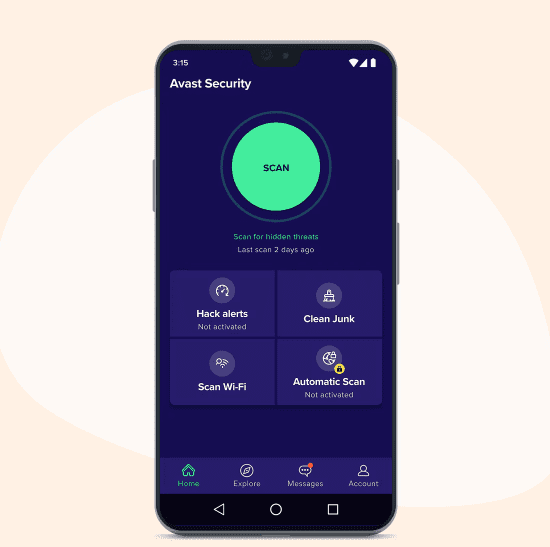
If you prefer having tools all in one place, Avast is the “Swiss Army knife” of Android security. It’s one of the most downloaded apps worldwide for a reason.
Free features include:
- Web protection against phishing links
- Junk cleanup
- Wi-Fi scanning for unsafe networks
- On-demand file and app scanning
Good to know:
Avast has lots of features — but also lots of ads. If you can tolerate a bit of marketing, the protection is solid and well-tested.
Best for: People who want not just malware protection, but also performance tools and browsing defenses.
3. AVG Antivirus Free — Lightweight and familiar

AVG uses the same detection engine as Avast, but the interface is cleaner and simpler. For many users, this balance feels “just right.”
What the free version includes:
- Junk cleanup
- Wi-Fi scanning for unsafe networks
- Photo vault
- Performance optimization tools
Why people like it:
It’s easy for beginners and doesn’t overwhelm you with features you’ll never touch.
Best for: Older phones or users who want a straightforward antivirus without too many bells and whistles.
4. ESET Mobile Security — The deep scanner
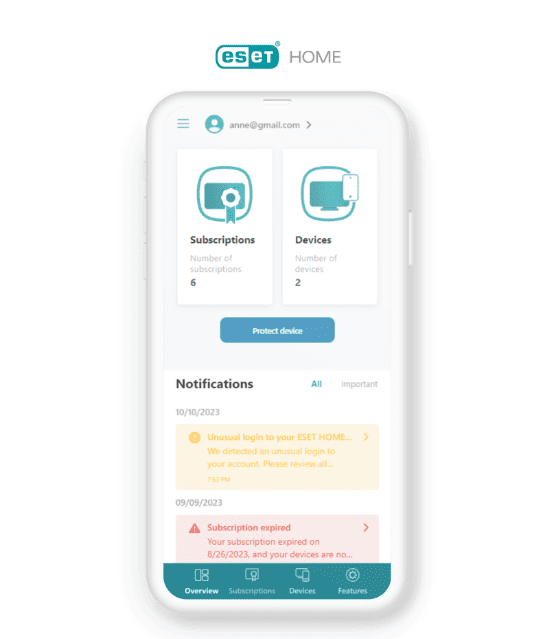
ESET’s free Android antivirus app is all about thoroughness. It scans not only apps, but also settings and configurations that could expose your phone.
Free features include:
- On-demand scans
- Security risk reports
- Detection of potentially unwanted apps
- Low battery consumption
ESET isn’t overloaded with extras on the free plan, but its scanning quality is consistently high.
Best for: Users who want detailed insights and a more “technical” level of security without paying.
5. Trend Micro Mobile Security — Strong protection for browsing & Wi-Fi
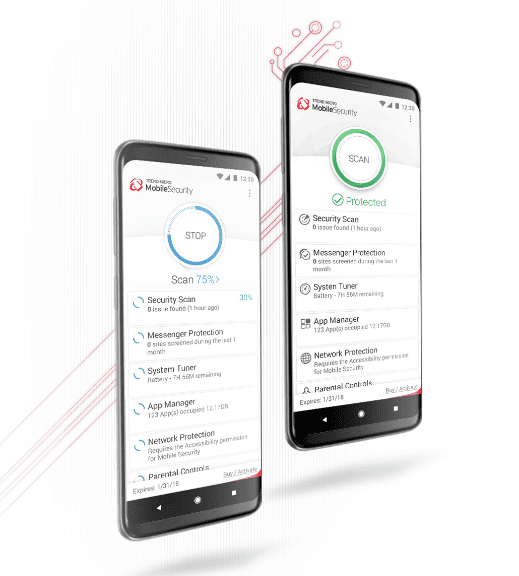
Trend Micro has been in the cybersecurity game for 30+ years, and its Android app reflects that experience.
Free features include:
- Wi-Fi network protection
- Anti-phishing for browsers
- App scans before installation
- High scores in independent testing labs
One downside: the free version is a bit pushy with upgrade notifications — but the protection itself is excellent.
Best for: People who connect to public Wi-Fi often or worry about phishing attempts.
When is a free Android Antivirus app actually worth using?
You should install a free antivirus on your Android device if:
- You install APKs or apps outside Google Play
- You use public Wi-Fi frequently
- You want web protection against phishing
- Your job requires security checks or compliance
- You want more proactive protection than Play Protect provides
If none of this applies, your built-in protection and basic digital hygiene can already take you far. But for the extra peace of mind, these apps provide real value without costing a cent.
Conclusion
Free antivirus apps for Android have become surprisingly powerful. You don’t need to spend money to get reliable protection, you just need to pick the right tool for your habits and device.
Whether you prefer the quiet reliability of Bitdefender Free, the rich feature set of Avast, or the deep scanning of ESET, the top free Android antivirus apps above cover all common needs in 2025.
Frequently Asked Questions
Is Google Play Protect enough by itsef?
Play Protect is helpful, but it isn’t perfect. It sometimes misses new or sophisticated threats, especially those installed outside the Play Store. Many users prefer adding a free antivirus for a more complete defense.
Can Android phones really get viruses?
Yes. Although full “viruses” are rare, Android devices can be infected with: Malware Spyware Banking trojans Fake apps Adware Keyloggers Rogue Wi-Fi attacks Most infections happen through shady APKs, phishing pages, and fake apps
Will an antivirus slow down my phone?
Lightweight options like Bitdefender and AVG rarely have any noticeable impact. Feature-heavy apps may run more background modules, but modern devices handle them easily.
Will an Android antivirus drain my battery?
Modern antivirus apps are optimized and usually have minimal impact, especially Bitdefender and AVG. Heavy apps with many extras (cleanup tools, anti-theft, VPNs) may use more resources, but most still stay within normal levels.
Are premium antivirus programs better?
Premium versions offer more features, like anti-phishing, anti-theft, VPNs, parental controls, and advanced web protection. However, for basic malware detection and scanning, many free Android antiviruses are already good enough for everyday users.
Are free Android antivirus apps safe?
Most well-known apps (Bitdefender, Avast, AVG, ESET, Trend Micro) are safe. Stick to reputable developers from the Google Play Store and avoid unknown “super-cleaner” apps, which often contain ads, trackers, or aggressive permissions.
Do I need an antivirus program on my Android device?
Not always — but in many real-world situations, yes. If you download apps from outside the Play Store, connect to public Wi-Fi, sideload APKs, or receive random links via WhatsApp/SMS, an antivirus adds an important safety net. Google Play Protect helps, but it doesn’t catch everything.
What’s the best free antivirus program for Android?
There’s no single “best” option for everyone, but Bitdefender Antivirus Free is the safest universal pick. It’s lightweight, automatic, and uses one of the strongest malware engines on the market. For more features, Avast Mobile Security Free is the most complete free suite.